Mar 22, 2026
What Is Rapid Prototyping? A Guide to Launching Your Side-Hustle Idea
Learn what is rapid prototyping and how to test your business ideas fast. A practical guide for solopreneurs using no-code tools to build and validate MVPs.
You’ve got that spark—that brilliant app idea that just won't let you go while you're at your day job. It's an incredible feeling, but it’s immediately followed by a nagging question: how do you know if it will actually work without sinking your precious free time and hard-earned cash into it?
That's the exact problem rapid prototyping was designed to solve. In simple terms, it's the art of quickly building a test-drive version of your idea so you can get feedback from real people before you commit to building the whole thing.
Your Great Idea Needs a Test Drive

Think about it this way: you wouldn't quit your job and rent a storefront just to see if people like your new pasta sauce. You’d start by handing out free samples at a local market. For a solopreneur, a prototype is that free sample for your app idea.
The goal isn't to build a perfect, fully-functional product. It's to build just enough to see if your core concept makes sense and if people genuinely have a need for it. This isn’t just a step in the process; it’s your single biggest advantage when you're building a business on the side.
Why It's a Game-Changer for Solopreneurs
As a solopreneur or side-hustler, your two most precious resources are your time and your cash. The nightmare scenario is spending months—or years—of your evenings and weekends building something that nobody wants. Rapid prototyping is your insurance policy against that disaster.
It lets you:
Fail fast and cheap: Finding out an idea is flawed when it’s just a simple, interactive mockup might cost you a weekend. Finding out after you've built the full app could cost you your savings.
Get real-world feedback: Put your concept in front of actual potential customers while it’s still easy and inexpensive to make changes based on what they tell you.
Gain clarity and confidence: A tangible prototype makes your vision real. It helps you explain it to others and, more importantly, helps you refine your own thinking.
Before pouring significant resources into development, you have to validate your SaaS idea, and prototyping is the most direct way to do that.
A prototype isn't about perfection; it’s about learning. Its only job is to answer one question: "Does this idea have potential?"
Prototyping vs. The Final Product
It’s critical to be clear on what a prototype is—and what it isn't. It is not the final, polished product ready for the App Store.
It’s also different from a Minimum Viable Product (MVP), which is a more developed version of your app intended for a public launch. We cover this in much more detail in our guide on what an MVP is.
Ultimately, rapid prototyping is your shield against building in the dark. It’s the smart, strategic way to turn a brilliant idea into something real without betting the farm. It replaces guesswork with data and empowers you to build what customers actually want.
From Physical Models To Digital No-Code Mockups
When you hear “rapid prototyping,” you probably picture a slick app mockup or a clickable website design. But the whole idea is much older, and it didn’t start with pixels—it started with physical objects.
The core concept has always been about one thing: closing the gap between a thought and a tangible thing as fast as possible. This journey began not on a laptop, but in workshops filled with massive, expensive machines. The big shift happened in the early 1980s when engineers first cracked the code on turning digital designs into physical models almost overnight.
It started with Dr. Hideo Kodama in Japan, who in 1980 developed a technique using UV light to build models layer by layer. This laid the groundwork for what we now call 3D printing. The real commercial breakthrough, though, came in 1986 when Charles 'Chuck' Hull patented stereolithography (SLA). By 1988, his company's machine could turn a complex design into a physical prototype in hours, a process that used to take weeks. You can read more about how this invention became an industry standard to get the full picture.
The Shift from Atoms to Pixels
For a long time, this kind of tech was reserved for huge corporations with budgets to match. It was a game-changer for designing cars and consumer products, but completely out of reach for a solopreneur tinkering with an idea at their kitchen table.
Then, the same pattern repeated itself in the digital world. Just as 3D printing democratized physical creation, the internet and new software tools did the same for digital products. The principles were identical—speed, iteration, and feedback—but the medium changed from plastic resin to pixels on a screen.
The goal has always been the same: to reduce the distance between imagination and reality. Whether you're 3D printing a new gadget or building a clickable app mockup, you're answering the same fundamental question: "Does this work?"
Your Advantage as a No-Code Builder
This history isn't just a fun fact; it's the reason you're here. The continuous push for faster, cheaper, and more accessible tools has led us directly to platforms like Bubble. Think of it this way: Bubble is the modern-day equivalent of that first SLA-1 machine. But instead of costing a fortune and filling a room, it runs on your laptop for a tiny fraction of the cost.
This evolution gives you, as a non-technical founder, a massive advantage:
Speed: You can build a working, interactive software prototype over a weekend. A decade ago, this would have required a team of developers and months of work.
Cost-Effectiveness: The six-figure price tag of hiring a development agency just to test an idea is no longer a blocker. You can do it yourself.
Power: The tools have leveled the playing field, allowing you to build and test concepts that can compete with well-funded companies, right from your desk.
The true spirit of rapid prototyping was never about physical vs. digital. It’s about empowerment. It’s about ensuring that a great idea isn’t stopped in its tracks by a lack of funding or technical skills.
Choosing Your Prototype: From Napkin Sketch To Clickable App
As a solopreneur, one of the best things you'll learn is that not all prototypes need to be perfect. In fact, they shouldn't be. You don’t need a fully functional app to test a simple idea, and matching your prototype's detail—its fidelity—to the question you need answered will save you an incredible amount of time and money.
Think of fidelity as a spectrum. On one end, you have a rough sketch on a piece of paper. On the other, a polished, interactive app that feels real. Each level has a specific job to do. You wouldn't use a fine-tipped pen to paint a wall; likewise, you need to pick the right prototyping tool for the task at hand.
This journey from a raw idea to a tangible model isn't new, but the tools we have today have made it accessible to everyone, not just engineers or designers.
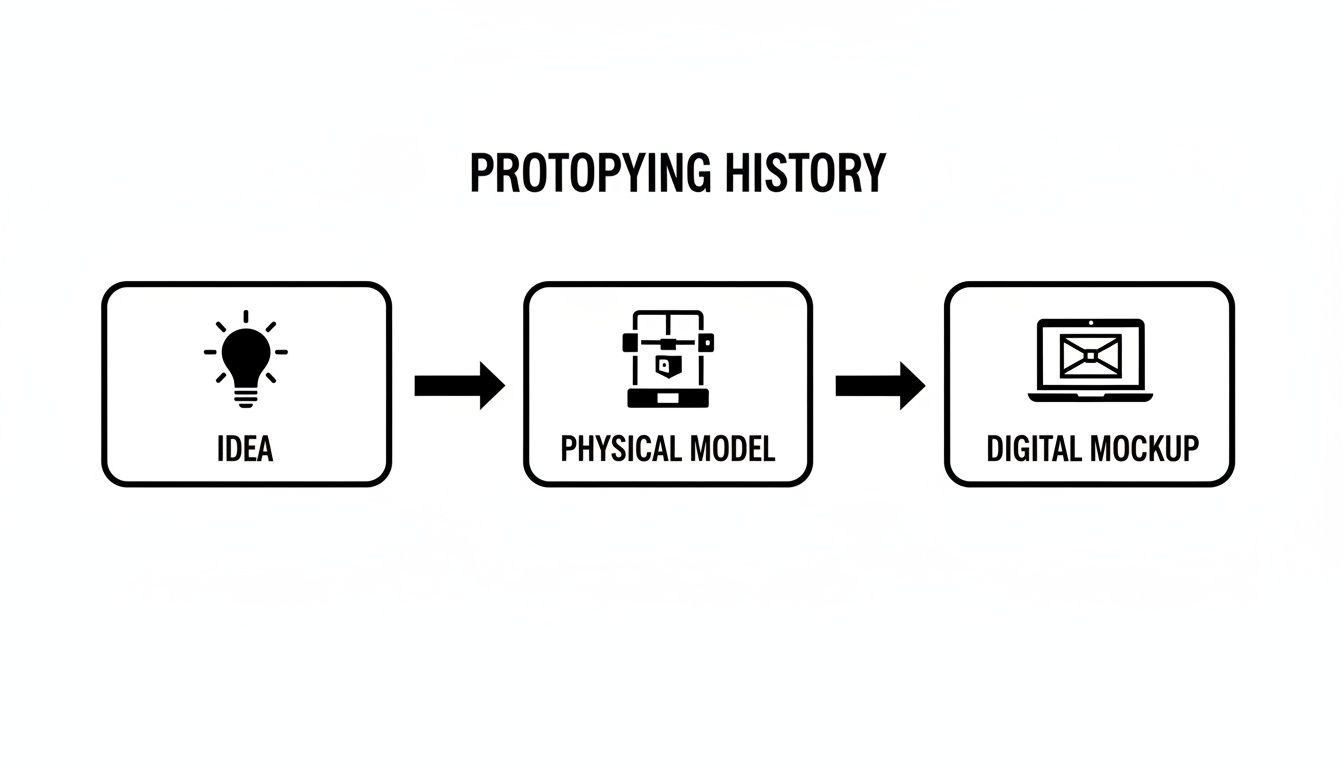
What once required physical models can now be represented with digital versions that anyone can build, test, and share in a matter of hours.
From Low To High Fidelity
Let's break down the three main levels of prototype fidelity. Knowing when to use each one is the first real step in prototyping an app without burning out.
For a founder flying solo, understanding this progression is crucial for staying lean and moving fast. The table below outlines each fidelity level and shows you exactly when and why you should use it.
Prototype Fidelity Levels For Solopreneurs
Fidelity Level | What It Is | Common Tools | Best For |
|---|---|---|---|
Low-Fidelity | Your "napkin sketch." Simple wireframes drawn on paper or with a basic tool. | Paper, whiteboards, Balsamiq, Whimsical | Speed. Answering broad questions like, "Does this user journey even make sense?" |
Medium-Fidelity | A polished, static mockup. It looks real but isn't clickable. | Figma, Sketch, Adobe XD | Look and feel. Answering questions like, "Is this design intuitive and appealing to my target audience?" |
High-Fidelity | An interactive, clickable prototype that feels like the real product. | Bubble, Adalo, Framer | Validation. Answering the ultimate question: "Will people actually use this and find value in it?" |
As you can see, the goal isn't to jump straight to a high-fidelity prototype. It's to start with the lowest fidelity possible to test your biggest assumption, then gradually add detail as you gain confidence and get positive feedback.
This staged approach is at the heart of all smart rapid prototyping methods. The key is to always pick the method that gets you the answers you need with the least amount of effort. That's how you build momentum and turn your side-hustle into a real business.
Your Weekend Prototyping Workflow
So you’ve got a brilliant idea for an app, but you’re stuck working on it between your day job and real life. How do you actually make progress? This is the simple, repeatable workflow you can use to turn a weekend into a major step forward.
This isn't theory. It’s a battle plan for founders who only have nights and weekends. Each step is designed to build momentum and make sure every hour you put in gets you closer to a real, validated product.
Step 1: Pinpoint Your Core Assumption
Before you open a design tool or get lost in building, just stop. Ask yourself this one critical question: what is the one thing that absolutely must be true for my idea to work?
This is your core assumption. For instance, if you're building a marketplace for custom pet portraits, your core assumption has nothing to do with payment gateways. It’s simply: "Will people actually pay a stranger to draw a picture of their pet?"
Your entire prototype exists for one reason: to test that single, make-or-break question. Everything else is just noise right now.
Step 2: Sketch Your User's Journey
Time to go old-school. Grab a pen and paper—seriously. Your task is to map out the absolute shortest path a user can take to prove or disprove your assumption.
For our pet portrait marketplace, that journey might look like this:
A user lands on a simple page showing examples of the portraits.
They see a clear price and a big "Order Now" button.
They fill out a form with their pet's name and upload a photo.
They see a "Thank You!" confirmation page.
That's it. A low-fidelity paper sketch like this forces you to think about the essential flow. It keeps you from getting distracted by features that feel important but don’t actually help you get an answer.
Prototyping is a process of disciplined subtraction. Your goal is not to see how much you can build, but to see how little you need to build to get a clear answer.
This focused approach is incredibly efficient. Rapid prototyping has shrunk development cycles from years down to weeks, largely by enforcing this kind of strict discipline. While teams used to spend ages on manual models, modern tools give us unbelievable speed. Some teams can now prototype dozens of versions in a single month—a task that might have taken a full year in the past. You can learn more about how prototyping methods evolved and apply those same principles to your app.
Step 3: Build Just Enough and Get Feedback
With your user journey sketched out, it’s time to build. Pick your tool—whether it’s a visual one like Figma or a no-code platform like Bubble—and build only those essential steps. You will feel a powerful urge to add "just one more thing." Resist it.
Once your bare-bones prototype is ready, put it in front of real people. And no, not your mom or your best friend. Find your target audience in Reddit communities, Facebook groups, or local meetups.
Then, the hard part: watch them use it and say nothing. Don't give them hints. Their confusion is pure gold; it’s the most valuable data you can get. Listen to their feedback, make quick adjustments, and repeat the cycle. This is how a weekend project starts to look like a real business.
No-Code: Your Secret Weapon for Rapid Prototyping
If you're building a side-hustle, you know that time and money are your most precious resources. Wasting months and a small fortune on an idea that might not even work is a nightmare scenario. This is exactly why no-code tools have become a solopreneur's most powerful ally for rapid prototyping.
Think of platforms like Bubble, Zapier, and Airtable as a 3D printer for your app ideas. They let you build real, functional software prototypes without having to write a single line of code. For anyone without a technical background, this is a total game-changer.
Why No-Code is a Perfect Match for Prototyping
Let's be clear: no-code isn't about making flimsy mockups. It’s about building real, working software from day one. When you build a prototype with a tool like Bubble, you're not just drawing pretty pictures—you're defining the same database structures and logical workflows your final product would use.
This means your prototype isn't a disposable sketch. It's the actual foundation of your future business—a living, breathing model you can iterate on, test with real users, and eventually scale into a full-fledged product.
This approach is catching on fast. The rapid prototyping market was valued at $3.33 billion in 2024 and is projected to explode to $21.47 billion by 2034. For non-technical founders, no-code is a huge part of that story, reducing development time by up to 50% and costs by as much as 90%. You can see just how big this trend is by checking out the growth of rapid prototyping on bigrep.com.
From a Napkin Sketch to an Interactive App
So, what does this look like in practice? Imagine you have an idea for a simple marketplace connecting local artists with buyers. With traditional development, just testing that idea would be a massive project. But with no-code, your workflow is completely different.
Using Bubble, you could spend a single weekend building a functional prototype that includes:
User Sign-Ups: Let both artists and buyers create their own accounts.
Listing Creation: Give artists a form to upload images of their art, write descriptions, and set prices.
Search and Filter: Allow buyers to easily browse artwork by category or artist.
This isn't a static design—it's a real app. You can put it directly in front of potential users and get answers to your most critical questions. Are artists willing to sign up? Can buyers actually find what they're looking for? The feedback you get is based on genuine interaction, not just opinions on a drawing.
Of course, even with the best tools, you can still hit a wall. Mastering Bubble's Responsive Engine or integrating a tricky third-party API can easily slow you down. This is where getting targeted, expert help saves you from weeks of frustration and puts you back on the fast track. If you're curious, you can learn more about the differences between low-code and no-code in our guide.
Turning Your Prototype Into A Real Product
So, you’ve spent a weekend building an interactive prototype and put it in front of real people. Now you're staring at pages of raw, honest feedback. What comes next? This is where you transition from just having an idea to actually building a business.
Think of that feedback as a treasure map, but one that's messy and needs to be pieced together. The first step is to start sorting. Group similar comments to spot the patterns. Did five people get stuck on the same button? Did everyone rave about a feature you almost cut? This isn't just about fixing bugs; you're trying to get inside your users' heads and understand what they were truly trying to accomplish.
Decide Your Next Move: Improve, Pivot, or Persevere
With all your feedback organized, you've reached a critical crossroads. Every solopreneur stands here at some point, and your next move will set the course for your entire project. Your path forward will likely fall into one of three buckets:
Improve: The feedback is mostly good. People get the core value, but there are rough edges. Your job is to make targeted tweaks and fixes based on what they told you. This is the best-case scenario, and it means you're on the right track.
Pivot: This is a big one. Users weren't sold on your main idea, but they absolutely loved a secondary feature. A pivot means shifting your focus to what users actually want. It’s not failure; it’s smart listening.
Persevere: The feedback is a mixed bag, and you don’t have a clear signal yet. If you still have strong conviction in your original idea, this is your cue to run another test. Maybe you need a slightly different prototype or a more specific audience to validate your assumption.
Getting to this decision point quickly and without breaking the bank is the whole point of what is rapid prototyping.
Your first prototype's job isn't to be successful. Its job is to give you enough data to decide what to do next. It's the starting point of an ongoing cycle of building, testing, and learning.
If your prototype points toward "Improve," your next logical step is building a Minimum Viable Product (MVP). And if you used a tool like Bubble, you're already halfway there. You can build right on top of your prototype's foundation, adding crucial features like user accounts and payments to get ready for a real launch. Making that leap is where getting some expert guidance can save you from costly mistakes and help you scale with confidence.
Frequently Asked Questions
As a solopreneur trying to get a side-hustle off the ground, you're going to have some questions about how to make rapid prototyping actually work for you. Let's tackle some of the most common ones I hear from founders.
What's The Real Difference Between A Prototype And An MVP?
I love a good car analogy for this one. A prototype is the test drive. You build it for one reason and one reason only: to answer a specific question. "Is this flow confusing?" or "Will anyone even click this button?" Prototypes are built for learning, and you should be fully prepared to throw them away.
A Minimum Viable Product (MVP), on the other hand, is the very first version of the car you actually try to sell. It's a real, working product, even if it only has the bare-minimum features needed to solve a core problem for your earliest users. An MVP is for your first customers; a prototype is for your own education.
How Much Should A Prototype Cost?
For a founder on a tight budget, this is the most important question. The answer? As close to $0 as you can get. Seriously. The goal here is to learn as quickly and cheaply as possible, not to build a polished masterpiece.
Low-fidelity prototypes, like paper sketches or simple wireframes, should only cost you your time.
High-fidelity prototypes, which you can build with a no-code tool like Bubble, can often be done entirely on a free or low-cost starter plan.
Your time is your biggest investment at this stage. Avoid the temptation to spend real money until you've proven your core idea with a simple, inexpensive prototype first.
The most expensive prototype is the one you spend months building only to find out nobody wants it. Start small, test cheaply, and only invest more when you have positive signals.
What Are The Best Ways To Get User Feedback?
Getting honest feedback is gold, but it's hard to find when you're just starting out. The first rule is to avoid asking friends and family—they love you, which means they're not objective enough to give you the harsh truth you need. Instead, you need to go where your target audience already is.
Online Communities: Find the subreddits or Facebook Groups where your ideal customers hang out. Post your prototype and be direct: ask for brutally honest feedback.
Niche Forums: Look for forums in your specific industry. The people there are usually passionate experts who love sharing their opinions.
Direct Outreach: Find a handful of potential customers on LinkedIn. Offer them a small gift card for 15 minutes of their time to watch them use your prototype.
Whatever method you choose, the real secret is to watch them use it without giving any instructions. Their moments of confusion are the most valuable data you will ever collect.
Ready to stop wondering and start building? At Codeless Coach, we offer one-on-one tutoring sessions to help you build and launch your app on Bubble faster, saving you weeks of trial-and-error. Get expert guidance and turn your idea into a reality today.











