Apr 19, 2026
In App Chat: A Bubble.io Guide to Building Real-Time Chat
Learn how to build real-time in app chat on Bubble.io. This hands-on guide covers database design, UI patterns, and integrations like Pusher or Twilio.
Your Bubble app is live. People can sign up, click around, maybe complete one core action, then leave. Support comes through email, replies take too long, and the product feels more like a form than a living app.
That’s usually the point where founders start asking about in app chat.
Not because chat is trendy, but because static apps feel unfinished. If users need help, want to ask a question, message a seller, contact a coach, or get a quick answer from your team, forcing them into email creates friction right where you need momentum. Bubble founders run into this early, and a 2025 analysis of Bubble community forums found that 40% of MVP-related queries involve adding chat functionality, while tutorials often skip over plugin privacy and scaling past 100 concurrent users, leaving builders to work it out themselves (Sendbird).
Most guides on chat are written for engineering teams with backend developers, SDK docs, and time to wire custom infrastructure. That’s not your situation if you’re building on Bubble. You need a path that respects Bubble’s database, workflow editor, privacy rules, responsive engine, and plugin ecosystem.
That’s where most founders lose weeks. They copy a generic tutorial, install a plugin too early, and build the UI before the data model is stable. Then the message list breaks, real-time updates behave inconsistently, and mobile becomes awkward. The issue usually isn’t that Bubble can’t handle chat. It’s that chat punishes loose architecture faster than simpler features do.
Why Your Bubble App Needs In-App Chat Now
A lot of founders wait too long to add chat because they treat it like a “phase two” feature. In practice, it often belongs much closer to the MVP than they think. If your product involves support, coordination, booking, marketplaces, coaching, hiring, delivery updates, or any kind of user trust, chat changes how the app feels.
There’s a clear product reason for that. Around 70% of apps doubled their user engagement after implementing in-app chat according to CometChat’s roundup of app engagement statistics. That doesn’t mean chat fixes a weak product, but it does mean users engage more when communication happens inside the experience instead of outside it.
Email is usually the bottleneck
Email works for support queues. It’s weaker for in-product momentum. A user gets stuck, switches context, checks their inbox later, and often never returns with the same intent.
If you need a useful primer on the operational side, People Loop has a good explanation of what live chat online entails. The important part for Bubble founders is simple. Live chat isn’t just a widget. It’s a decision to shorten the gap between user intent and response.
Most MVPs don’t need a huge support system. They need one fast path for users to ask a question without leaving the app.
Why enterprise tutorials fail Bubble builders
Most enterprise articles start with SDKs, auth tokens, event streams, and architecture diagrams. Those matter, but they skip the day-to-day Bubble issues that break builds:
Plugin lock-in: You can get a demo working fast, then hit a wall when you need custom layouts or better privacy.
Bad data models: Many builders store messages as lists on the User data type. That works briefly, then gets messy.
Weak mobile layouts: Desktop chat can look fine while the mobile version becomes cramped and difficult to use.
Privacy gaps: Some plugins make it too easy to expose conversation data if your rules aren’t strict.
Bubble needs a different mindset. You’re not assembling a backend from scratch, but you still need to think like a systems builder. The app editor makes chat look simple because you can draw the interface quickly. The hard part is making the workflows and data model reliable enough that users trust it.
Chat changes retention because it changes timing
The biggest improvement isn’t visual. It’s timing. A user asks a question while they’re already engaged, gets an answer, and keeps moving.
That’s why Bubble-specific choices matter so much. The right in app chat setup doesn’t just add messages. It supports onboarding, support, conversion, and confidence inside the product instead of leaking all of that into email threads and missed follow-ups.
Laying the Foundation Your Database and UI Design
A founder usually starts chat in Bubble the same way. They install a plugin, drop in a repeating group, send a few test messages, and feel close to done. Two weeks later, they hit the actual problems: duplicate threads, privacy rules that expose the wrong data, mobile layouts that collapse, and pages that slow down once message volume climbs.
The fix starts before the plugin. It starts in the database and the page structure.
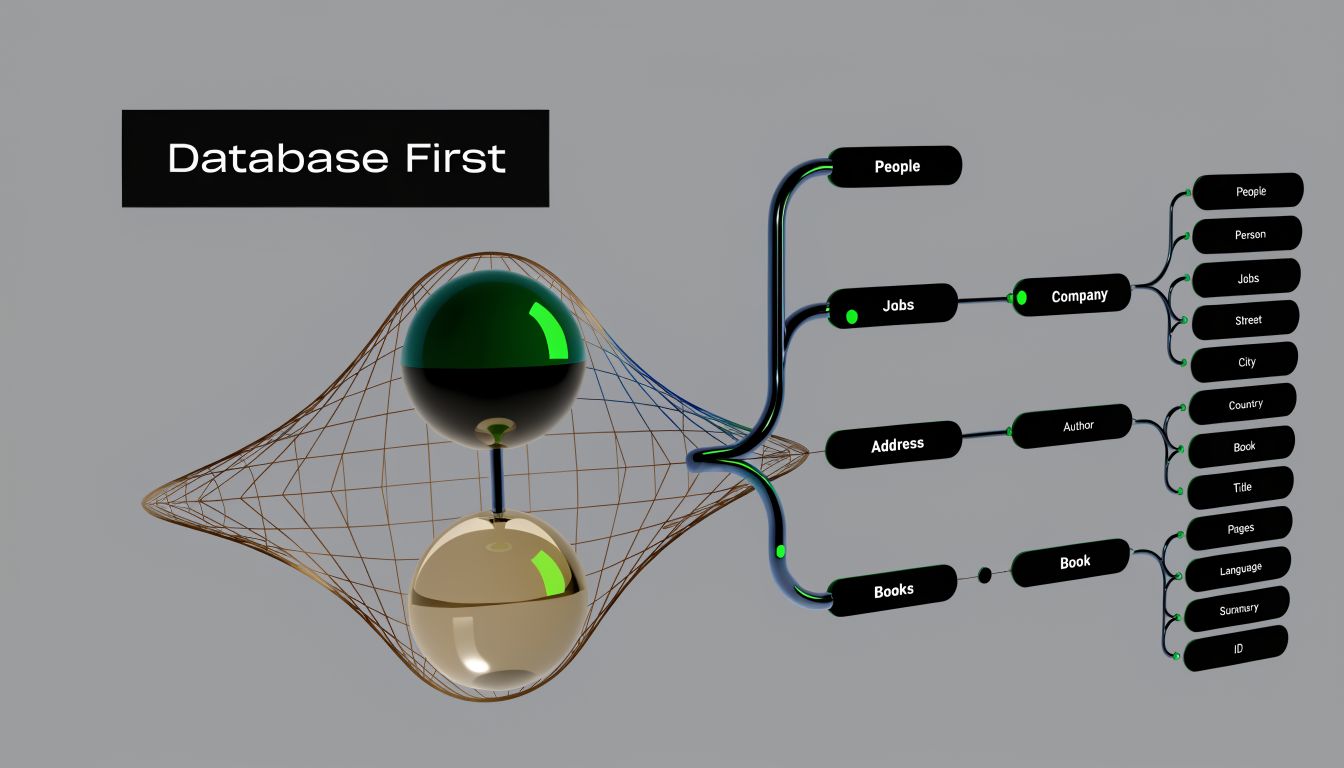
On Bubble, chat gets expensive in time long before it gets expensive in infrastructure. A messy data model creates extra searches, awkward privacy rules, and workflow logic that becomes harder to debug every time you add a feature. A clean one keeps the first version simple and gives you room to add read receipts, attachments, or support handoff later without rewriting everything.
Start with three core data types
For a first serious Bubble chat build, use three data types:
User
Conversation
Message
That structure covers most 1-to-1 chat use cases. It also leaves a clean path to group chat later.
User
Your User type already does a lot. Chat should add a few fields, not turn it into storage for the whole messaging system.
Useful fields:
chat_display_name if it differs from the account name
chat_avatar
last_seen_at
online_status if presence matters
blocked_users if users need moderation controls
The mistake I see often is storing conversations or messages directly as long lists on User. It works in a prototype. Then searches get clumsy, privacy rules become harder to reason about, and every new feature touches the User type.
Users should participate in chat. They should not carry chat history.
Conversation
Conversation is the thread record. It holds the metadata you need to show the inbox and decide who can access the thread.
Useful fields:
participants as a list of Users
last_message
last_message_at
created_by
conversation_type such as direct or group
is_archived
For direct messaging, add one guardrail early. Before creating a new conversation, search for an existing thread with the same two participants. If you skip that step, users can create duplicate conversations with the same person, and cleaning that up later is annoying.
A practical Bubble trade-off sits here. You can build a very pure structure with minimal cached fields, or you can save a little duplicated data like last_message and last_message_at to make your inbox faster and easier to sort. For Bubble, I usually cache those two fields on Conversation. They simplify the UI and are worth the small maintenance cost in workflows.
Message
Each Message should belong to one Conversation. Keep the relationship explicit.
Recommended fields:
parent_conversation
sender
message_text
attachment
message_type
sent_at
read_by as a list of Users if you need read receipts
status if you want sent, delivered, and seen states
Do not store the entire message history as a list field on Conversation unless you have a very specific reason and have tested the performance impact. In Bubble, it is usually cleaner to search for Messages where parent_conversation = Current Page or selected_conversation.
That pattern also makes privacy easier. You can lock Message access to users who are participants in the parent conversation instead of trying to protect giant nested lists.
A data model Bubble can live with
A practical setup looks like this:
Data type | Main purpose | Key relationship |
|---|---|---|
User | Identity and permissions | Participates in many conversations |
Conversation | Thread metadata | Has many messages |
Message | Individual chat item | Belongs to one conversation |
This model maps well to the interface founders usually want. The inbox shows conversations. The active thread shows messages from one selected conversation. Bubble behaves better when the UI reflects the database instead of fighting it.
Build the UI around selection state
For desktop, the two-panel layout still wins because it is easy to understand and easy to maintain in Bubble:
Left panel: repeating group of conversations for Current User
Right panel: repeating group of messages for the selected conversation
Bottom input area: message input and send button
For mobile, do not force both panels onto one screen. Give users a thread list view and a separate conversation view. Founders often resist this because desktop looks cleaner with both visible, but mobile chat gets cramped fast. In Bubble’s responsive engine, a stacked mobile flow is easier to build and easier to trust.
Visual polish matters, but structure matters more. Once the layout is working, review details like spacing, contrast, and message hierarchy. If you want examples, FOMOchat’s guide to customizing the widget's appearance is useful even if you are building the UI yourself instead of using their widget.
Keep page state small and obvious
Bubble chat pages get fragile when state is spread across hidden groups, reusable elements, and conditionals that unobtrusively pass values around.
A smaller state model works better:
selected_conversation
is_mobile_thread_open
draft_message
typing_target_user if you plan to add typing indicators later
That is enough for the first version. A user clicks a thread, Bubble sets selected_conversation, and the message repeating group, composer, and header all reference the same source of truth.
If a page only works because several hidden groups are relaying values to each other, debugging gets painful fast.
A UI pattern that usually holds up
A dependable left column shows:
participant name
last message preview
unread marker
last activity timestamp
Sort it by last_message_at desc.
The right column should use a repeating group of Messages filtered to the selected conversation and sorted by sent_at ascending. Inside each cell, show:
sender avatar
message bubble
timestamp
optional seen state
Then add the composer at the bottom:
multiline input
attachment button
send button
Keep the first send workflow simple. Create the Message. Update the Conversation’s last_message and last_message_at. Clear the input. Confirm the new message appears in the repeating group. Founders lose time when they try to add typing indicators, push events, unread counters, and file uploads before basic send and display logic is stable.
Mistakes that waste the most time
These are the problems that tend to cost Bubble builders days, not minutes:
Putting message lists on User. It feels convenient early and becomes hard to maintain.
Storing only one message field on Conversation. Fine for previews, wrong for history.
Skipping duplicate-thread checks for direct messages. Users end up with multiple threads for the same relationship.
Designing the interface first and forcing the data model to match later. Workflows become tangled.
Treating mobile as a late-stage resize job. Chat needs a different flow on small screens.
Writing privacy rules after the UI is done. Chat data is sensitive, and retrofitting rules is where many Bubble builds break.
Get this layer right and the rest of the build gets much calmer. You are not trying to make Bubble act like a custom backend. You are choosing a structure Bubble handles well, then adding real-time behavior on top of it.
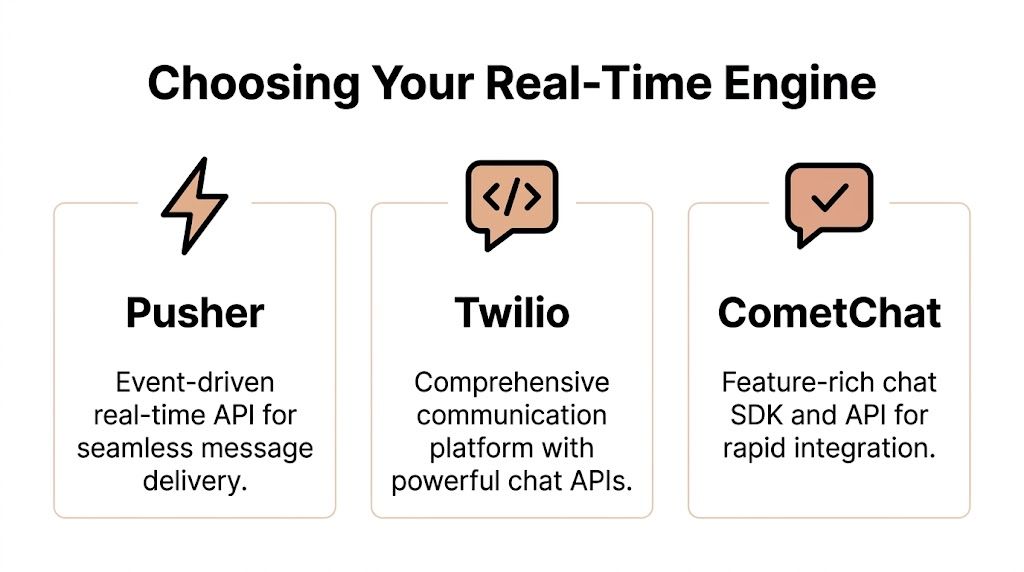
Choosing Your Real-Time Engine Pusher vs Twilio vs CometChat
Bubble can store messages on its own. It does not, by itself, give you the kind of real-time behavior users expect from chat. If you want messages to appear instantly without refreshes, you need an external service to push events to the client.
That decision matters more than most founders realize.
Professional chat systems use layered architecture with hot storage and durable databases. For no-code builders, services like Pusher or Twilio handle real-time synchronization that supports sub-30ms delivery times without you managing servers, as described in GetStream’s in-app chat architecture guide.
The short version
If you’re building a first MVP in Bubble, these are the practical personalities of the main options:
Pusher is lean and event-driven
Twilio is broader and more infrastructure-heavy
CometChat is the most packaged solution
They can all work. They do not feel the same inside Bubble.
In-App Chat Plugin Comparison for Bubble.io
Feature | Pusher | Twilio Programmable Chat | CometChat |
|---|---|---|---|
Best fit | MVPs and lightweight custom builds | Products needing broader communications stack | Teams wanting a prebuilt chat product |
Bubble setup feel | Usually simpler | More moving parts | Faster if you accept its conventions |
UI flexibility | High | High, but more work | Lower if you rely on packaged components |
Feature depth out of the box | Basic real-time events | Strong platform capabilities | Rich chat-specific features |
Learning curve | Lower | Higher | Moderate |
Cost control | Often easier early on | Can get harder to predict | Higher baseline for many MVPs |
Good choice for non-technical founder | Yes, with guidance | Sometimes, if long-term needs justify it | Yes, if budget allows and customization is limited |
Pusher for straightforward event delivery
Pusher is often the most comfortable starting point for Bubble.
It does one core job well. You trigger an event when a message is created, and subscribed clients receive that event. That maps nicely to Bubble workflows because you can separate message storage in Bubble from real-time delivery through Pusher.
What works well with Pusher:
You want to control your own UI fully in Bubble
Your first version is 1-to-1 chat
You can tolerate building read receipts and typing indicators yourself
You want fewer abstractions between Bubble and the real-time layer
Where founders get stuck is expecting Pusher to be a complete chat product. It isn’t. It’s an event engine. That’s a strength if you want control, and a limitation if you want every feature prebuilt.
Twilio when chat is part of a larger communications plan
Twilio is powerful, but it’s often more than a first Bubble MVP needs.
If your product will eventually combine messaging with SMS, WhatsApp, voice, or broader communication workflows, Twilio starts to make strategic sense. If all you need is in-app messaging between users this month, it can feel heavy.
The trade-off is not quality. It’s complexity. Twilio tends to ask more of the builder in setup, naming, auth, and product decisions. That’s manageable, but founders should choose it for a reason, not because the brand is familiar.
Choose Twilio when chat is one part of a broader communication system. Don’t choose it just because it sounds enterprise-ready.
CometChat when speed matters more than purity
CometChat is attractive because it bundles a lot. You get a chat-oriented product rather than raw event plumbing. That can save time if your priority is getting chat live fast with common features already thought through.
The downside is flexibility. Prebuilt systems can push your UX in directions you didn’t intend. In Bubble, that matters because many founders want the chat to match a custom workflow inside the app, not feel bolted on from elsewhere.
CometChat makes the most sense when:
Chat is central to the product
You want more built-in capability up front
You have budget for a more specialized service
You’re okay adapting some UI choices to the service
My opinionated recommendation
For most non-technical founders building a Bubble MVP, start with Pusher.
Not because it’s universally best, but because it’s the cleanest way to learn the moving parts. You’ll understand when a message is created, when an event is sent, what the client listens for, and how Bubble updates the interface. That understanding helps later if you switch to Twilio or move to a fuller chat stack.
Pick Twilio if chat is part of a larger communications roadmap.
Pick CometChat if speed to feature completeness matters more than deep UI control.
What usually fails is the middle path. Builders install a fancy plugin, don’t understand the underlying event flow, then spend days debugging behavior they can’t reason about.
The Step-by-Step Build Integrating Your Chat Service
The cleanest first build in Bubble is a basic 1-to-1 chat using Bubble for storage and Pusher for real-time events. That split keeps your app understandable. Bubble remains the source of truth. Pusher only tells the other client that something new happened.
That setup matters because real-time chat isn’t just a cosmetic upgrade. Live chat can boost conversion rates by 12% on average, and chatting visitors are 2.8 times more likely to convert, according to Gorgias. The only way you get that benefit is if the experience feels instant.
Step 1 install the right plugin and keep secrets private
Use a Pusher plugin that lets you trigger events and subscribe to channels reliably. Before you wire anything to the page, add your keys in a way that keeps private values out of the browser wherever possible.
In Bubble, founders often rush this part and paste everything directly into plugin fields without thinking about who can inspect what. Be careful here. Public keys and private credentials are not the same thing. Your server-side trigger action should use the secure side of the integration, not expose sensitive credentials in front-end logic.
If you hit a case where the plugin falls short and you need a more custom event or listener setup, this guide on Bubble help with JavaScript is useful for bridging the gap without turning the app into a code project.
Step 2 define your channel naming rules early
Before sending any event, decide how channels are named.
For direct messaging, a common pattern is one channel per conversation. The key is consistency. If the sender triggers an event to conversation_abc but the recipient is listening on chat_abc, nothing happens and Bubble gives you very little sympathy.
A good rule is to derive the channel from the Conversation thing’s unique ID and keep that exact pattern everywhere:
event trigger
listener setup
debug logs
workflow conditions
Channel names are where many “real-time is broken” bugs actually live.
Step 3 build the send message workflow in Bubble
The send action should do two jobs in sequence.
First, create the Message thing in Bubble. Second, trigger the Pusher event with the minimum payload the client needs.
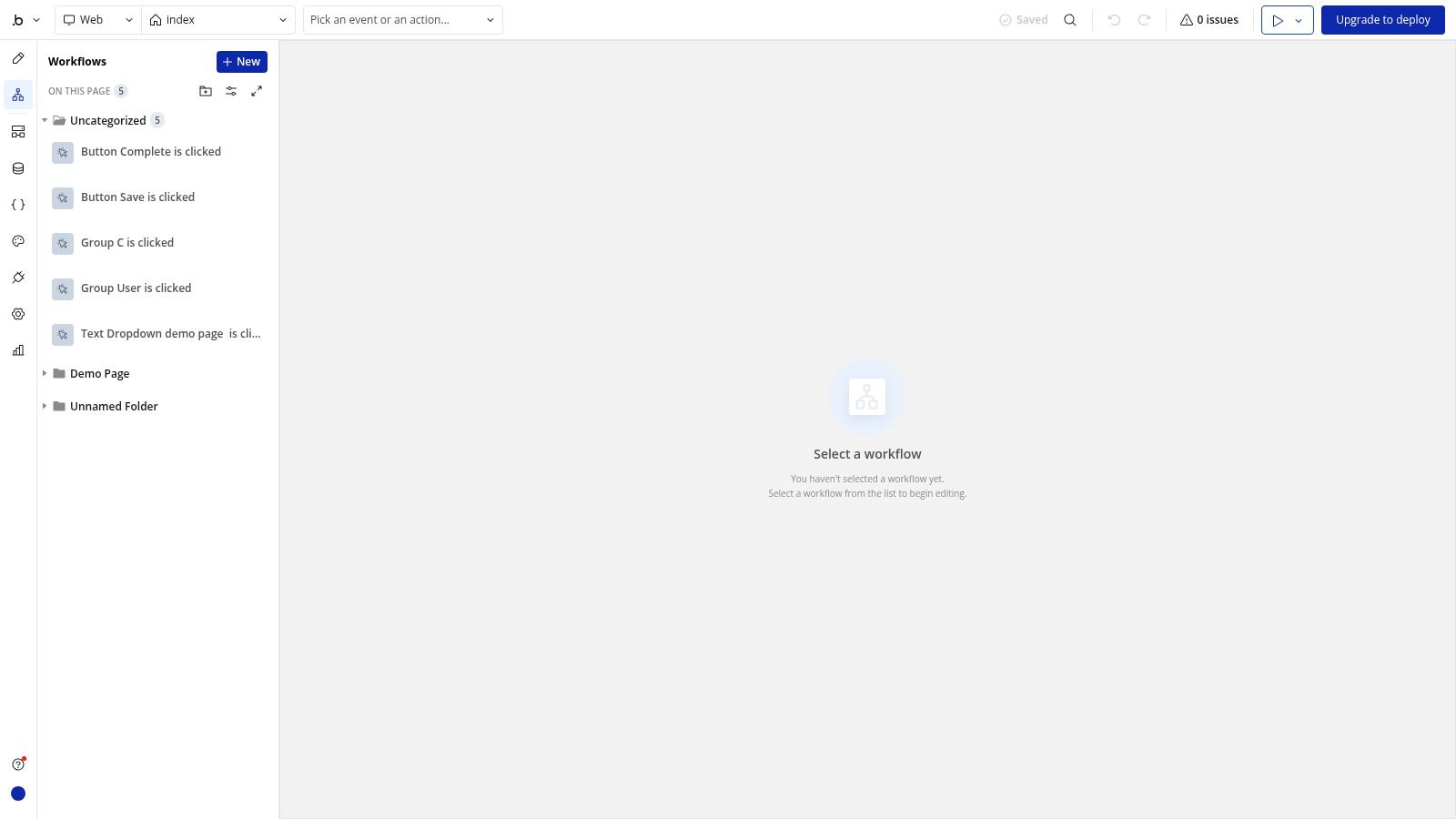
A simple send workflow often looks like this:
User clicks Send
Only continue when input isn’t empty, or an attachment exists
Create a new Message
Make changes to the parent Conversation
Trigger Pusher event
Reset the input field
Scroll the message list to the latest entry if needed
For the message creation step, save:
parent_conversationsendermessage_textsent_atmessage_type
Then update the Conversation:
last_message = result of step 3last_message_at = current date/time
Keep the event payload small. Usually you need:
message ID
conversation ID
sender ID
text preview
timestamp
Don’t send the whole world in the event.
Step 4 make the client listen for events
This is the part that makes chat feel alive.
On page load, or when a user opens a conversation, subscribe the page to the correct Pusher channel. When a new event arrives, tell Bubble what to do with it.
There are two reliable ways to handle the incoming event:
Option one refresh from the database
When Bubble receives the event, search the database again for messages in the selected conversation. This is slower than a fully local append, but it’s simpler and often more reliable for an MVP because Bubble’s database remains the source of truth.
This works well when correctness matters more than shaving tiny bits of perceived latency.
Option two append to a custom state
Store the visible message list in a custom state and append the new message when the event arrives. This can feel snappier, but it introduces more room for duplicates, stale ordering, and mismatch between front-end state and database state.
I usually advise founders to start with database refresh logic, then optimize only if needed.
Step 5 filter events so the wrong user doesn’t react
A common bug in Bubble chat is that every connected page responds to every message event. That usually means your subscription or workflow condition is too broad.
The listener should only update the UI when:
the event belongs to the current conversation, or
the current user is a participant in that conversation
If you skip this, users can see odd refreshes, unread counts jump incorrectly, or hidden groups update for conversations they aren’t even viewing.
Here’s a practical walk-through to compare against while building:
Step 6 debug the payload before blaming Bubble
Most failed integrations are boring problems:
malformed JSON
wrong channel name
event name mismatch
field values missing from the payload
listener attached before the page state exists
When debugging, log the exact values you think you’re sending. Then compare them to the values the listener expects. Do not debug by intuition.
A tight checklist helps:
Check event names:
new_messageandmessage_createdare not the sameCheck conversation IDs: sender and listener must reference the exact same thing
Check timing: don’t subscribe after trying to receive the event
Check privacy rules: if the recipient can’t read the Message thing, the UI may stay blank even though the event arrived
Step 7 keep the first version boring
The best first in app chat build is not feature-rich. It’s stable.
Get these working first:
create message
instant recipient update
conversation sorting by latest message
input reset
mobile-safe message list
Then add the extras. Founders often lose days trying to add typing indicators, presence, emoji pickers, and attachments before basic delivery is reliable. The right sequence is dull, and that’s why it works.
Advanced Features and Scaling Considerations
Once the core chat works, users immediately start expecting the details they’re used to elsewhere. That’s where the next layer starts. Not with flashy add-ons, but with small behaviors that make the feature feel trustworthy.
Typing indicators and read receipts
A user sends a message and waits. If nothing changes on screen, the app feels dead even when the other person is active.
Typing indicators fix that, but only if you treat them as temporary state, not permanent data. In Bubble, I prefer storing typing status in a lightweight way and expiring it quickly instead of saving it as durable message history. If you persist typing too aggressively, you create “stuck typing” states that confuse users.
Read receipts are easier when you already designed your Message type well. For 1-to-1 chat, you can mark a message as seen when the conversation is open and the current user is not the sender. For more complex setups, a read_by list gives you room to grow.
Temporary states should expire gracefully. Durable states should survive refreshes. Mixing those two creates messy chat behavior.
Attachments and offline users
File uploads are one of those features that look simple in demos and get awkward in production.
The stable Bubble pattern is:
user uploads the file
Bubble stores it
the Message thing saves the file reference
the chat UI renders the right preview based on message type
That’s much cleaner than trying to push large media through the same logic as text messages. Keep attachments as referenced assets, not bloated text payloads.
Offline users need a different treatment. If they aren’t on the page to receive a real-time event, your app still needs a fallback such as email or push notification. The exact notification method depends on your stack, but the principle stays the same. Real-time events handle live sessions. Notifications handle absence.
Privacy rules are not optional
This is the part many Bubble tutorials rush past.
If a user can search Messages broadly and your privacy rules are weak, chat becomes a data leak. Every Message should only be readable by users who belong to its parent conversation. The Conversation thing should follow the same rule.
I also recommend testing with a second user who should not have access to the thread. Don’t just assume the UI hides things properly. Bubble privacy lives in the data layer, not in whether a repeating group happens to show nothing.
Moderation and scaling pressure
A small app may only need a block feature and a report workflow. If your users can message each other freely, you’ll need those earlier than you think.
Scaling pressure shows up in more subtle ways too:
conversation lists query too much data
unread indicators trigger too many searches
mobile screens load oversized message cells
long threads become slow to render all at once
That’s where pagination and smart loading help. If your message list is getting heavy, reducing how many items load at once often helps more than another plugin tweak. This practical guide on items per page in Bubble is relevant because chat UI performance often comes down to how many records you ask Bubble to paint at one time.
Localization and accessibility matter earlier than founders expect
If your users don’t all speak the same language, generic chat text can create friction fast. That isn’t a niche problem. Gainsight notes that language barriers can cause up to a 30% dropout rate in digital health apps with chat. Even if you’re not building in health, the lesson is obvious. Chat that feels clear to you may feel alienating to someone else.
Simple improvements go a long way:
translate system labels
avoid slang in support replies
make message contrast readable
support keyboard navigation where possible
don’t rely only on color for seen or unread states
A polished in app chat isn’t just faster. It’s easier for more people to use without friction.
Testing Troubleshooting and Final Polish
A chat feature that “worked when I tested it once” is not ready.
Founders often test chat like a normal form. They send one message between two accounts, see it appear, and call it done. Chat breaks in edge cases, timing problems, and ugly session states. You need to test it like someone who doesn’t trust it yet.
Break your own app on purpose
Use two browsers, two user accounts, and at least one mobile viewport. Then try to create failure.
Test things like:
Send twice quickly: do duplicate messages appear?
Switch conversations fast: does the wrong thread refresh?
Lose connection mid-send: does the draft vanish or resend oddly?
Open the same user in two tabs: do unread counts drift?
Send long text and short text: does the layout hold up?
This kind of testing matters more than visual polish at first. Users forgive simple styling. They don’t forgive missing messages.
The usual failure modes and fixes
Here are the ones that show up constantly in Bubble chat builds.
Messages don’t appear in real time
Check the event path in order:
Did Bubble create the Message thing?
Did your workflow trigger the immediate event?
Is the recipient subscribed to the right channel?
Does the recipient have permission to read that Message?
If the message exists in the database but not on screen, the problem is usually the event or the search conditions.
The wrong user sees updates
That usually means your listener is too broad, or your workflow conditions don’t verify conversation membership properly. Tighten the conditions so only participants react.
The chat doesn’t scroll properly
This sounds minor until the thread becomes annoying to use. If the latest message lands off screen, the product feels sloppy.
When Bubble won’t naturally keep the newest message in view, use a controlled scroll action. This guide on JavaScript scroll into view in Bubble is useful when native behavior isn’t enough and you need the thread to snap to the latest message predictably.
Don’t polish the bubble colors before you’ve tested duplicate sends, offline states, and thread switching. Reliability is the real polish.
Final UX details that make chat feel finished
Once the mechanics are stable, clean up the little things:
Clear the input after send: obvious, but often missed
Disable empty sends: cut down junk data
Show sending feedback: even a subtle state helps
Handle long names and long words: mobile will expose bad layouts fast
Test touch targets: tiny send buttons are frustrating on phones
A good Bubble chat feature doesn’t feel like a plugin demo. It feels like part of the product. That comes from boring discipline more than clever tricks.
If you want hands-on help building or fixing in app chat in Bubble, Codeless Coach offers practical one-to-one support for founders and teams who want real answers inside the editor, not vague theory. Whether you’re choosing between plugins, setting up the API Connector, debugging workflows, or cleaning up a messy MVP build, it’s a fast way to stop trial-and-error from eating another week.











