Mar 29, 2026
10 Powerful Single Page App Ideas You Can Build With No-Code in 2026
Discover 10 powerful single page app ideas you can build with no-code tools like Bubble. Get detailed feature lists, tips, and monetization strategies today.
The dream of building a web application without writing a single line of code is no longer a fantasy; it's a reality powered by platforms like Bubble.io. Single-Page Applications (SPAs) represent a perfect starting point for aspiring founders, freelancers, and creators. SPAs offer a fluid, desktop-like user experience by loading a single HTML page and dynamically updating content as the user interacts with the app, eliminating jarring page reloads. For those looking to rapidly build professional and responsive single-page web experiences, exploring powerful no-code platforms and websites like Carrd for one-page sites can be a game-changer.
For no-code builders, the SPA model translates to faster development cycles, simpler architecture, and the ability to create robust, interactive tools that solve real-world problems. This article dives into 10 practical and high-value single page app ideas specifically designed for the no-code ecosystem. We will break down each concept from Minimum Viable Product (MVP) to monetization, providing the actionable blueprints you need to start building immediately.
Whether you're aiming to launch a micro-SaaS, automate your agency's workflow, or create a new revenue stream, these ideas demonstrate the full power of Bubble's responsive engine, database capabilities, and API integrations. Our goal is to help you ship a functional product faster and validate your vision with real users, turning your concept into a tangible reality.
1. No-Code SaaS Dashboard & Analytics Platform
A no-code SaaS dashboard is a single-page application that pulls data from various sources into one centralized, visual interface. Founders and small business owners can build one to monitor key performance indicators (KPIs) like monthly recurring revenue (MRR), customer acquisition cost (CAC), and user engagement without needing a development team. This idea is a perfect fit for a single page app, as it focuses on presenting dynamic data in a consolidated view.

Unlike complex, enterprise-level tools like Tableau, a no-code dashboard built on Bubble can be tailored to specific business needs, aggregating information from tools you already use, such as Stripe, Google Sheets, or Airtable.
MVP Checklist & Core Features
API Integration: Use Bubble’s API Connector to pull data from at least two sources (e.g., Stripe for revenue, Google Analytics for traffic).
Dynamic Charts: Implement a chart plugin (like Chart.js) to display data visually. Start with a simple line chart for revenue over time.
KPI Cards: Create simple text elements that display key metrics (e.g., "Current MRR: $5,430"). These should update automatically.
Date Range Filter: Allow users to filter the entire dashboard by a specific time period (e.g., Last 30 Days, This Quarter).
Suggested Workflows
To automate data flow, use a tool like Zapier to act as the middleman. For instance, a Zap can trigger every time a new sale is recorded in Stripe, which then adds a new row to a Google Sheet. Your Bubble app then fetches data directly from that Google Sheet, keeping your dashboard updated without constant, direct API calls to every service. Exploring the fundamentals of no-code app development can provide a solid base for building such automated systems.
UI/Layout Tips
For the responsive engine, a Column layout is your best starting point for the main page container. Place your KPI cards in a Row container at the top with "Fit width to content" checked, allowing them to stack vertically on mobile. Use repeating groups for lists or tables of data, as they are efficient and scale well with more entries.
2. Client Management & CRM Single-Page App
A client management app is a lightweight CRM designed for freelancers, agencies, and small businesses to track leads, projects, and communication history in one place. Its focused nature makes it one of the best single page app ideas, offering a consolidated interface that avoids the bloat of enterprise solutions like HubSpot. This allows solo entrepreneurs to manage their entire client lifecycle without context switching.
Unlike complex systems that require extensive setup, a no-code CRM built with Bubble can be tailored to a specific workflow, similar to popular Airtable templates or Notion databases. When designing your app, consider features that make it a lightweight crm ideal for small businesses focusing on core interactions rather than excessive functionality.
MVP Checklist & Core Features
Client Database: A core data type for "Client" with fields for name, email, status (e.g., Lead, Active, Past), and notes.
Project/Task Tracking: Create a "Project" data type linked to a client, with a status, deadline, and a repeating group for tasks.
User Roles & Permissions: Use Bubble's privacy rules to define what a "Client" user can see versus an "Admin" user. This is crucial for building a client portal.
Dynamic Filtering: Implement dropdowns or buttons to filter the client list by status, allowing users to quickly view all "Active" clients, for instance.
Suggested Workflows
You can automate lead capture by connecting a form on your marketing site (like Carrd or Webflow) to your Bubble app's API. When a new form is submitted, a Zapier workflow can create a new "Client" entry in your Bubble database with a "Lead" status. For email management, connect your app to Mailchimp to automatically add new clients to a specific audience list for newsletters or onboarding sequences.
UI/Layout Tips
A two-column layout works well for a CRM. Use a Column on the left as a navigation/filter bar and a main Column on the right to display the selected client's details. For the client list, a repeating group with a Row layout for each cell is effective. Inside each cell, place the client's name and status. Set the main content group to hide and show based on which client is selected from the list, creating a seamless single-page experience.
3. Project Management & Team Collaboration Tool
A single-page project management application brings together task management, team collaboration, and timeline views into one fluid interface. For teams needing a custom solution without the high costs of platforms like Monday.com or Asana, this is an excellent single page app idea. It allows for real-time updates and interactive elements like Kanban boards and task lists, all without reloading the page, which is critical for collaborative work.
Built on Bubble, this tool can be a powerful, lightweight alternative to complex systems, offering features tailored specifically to a team's workflow. It draws inspiration from the simple board structure of Trello and the all-in-one approach of Notion, creating a focused workspace.
MVP Checklist & Core Features
Kanban Board: Create a drag-and-drop Kanban board using repeating groups for columns (e.g., To Do, In Progress, Done) and tasks.
Task Creation: A simple form to add new tasks with a title, description, assignee, and due date.
User Roles: Implement basic access control with custom roles like 'Admin' and 'Team Member' using Bubble's privacy rules to manage what users can see and edit.
Real-time Updates: Use custom states or database triggers to ensure that when one user moves a task, it updates instantly for everyone else on the team.
Suggested Workflows
Start by focusing on the core Kanban functionality. For a more advanced setup, you can integrate with Stripe to manage a seat-based subscription model. When a new user is invited, a workflow can check the team’s subscription status before adding them. This approach helps you validate the product’s core value early. Building a focused initial version is a key lesson when you learn to build an MVP.
UI/Layout Tips
The main page should use a Row layout to display Kanban columns horizontally. Each column (a repeating group) should have a vertical scrollbar to handle many tasks. For the task cards themselves, use a Group element with a Column layout to neatly stack the task title, assignee, and due date. Ensure the mobile view prioritizes a single-column list of "My Tasks" or "Due Today" for quick access on the go.
4. Marketplace Single-Page App (Buy/Sell Platform)
A two-sided marketplace is a single-page application enabling buyers and sellers to connect, list products or services, and complete transactions within one fluid interface. This is one of the most powerful single page app ideas because it brings an entire ecosystem of commerce into a single, cohesive view. Creators can launch platforms for digital products, services, or even peer-to-peer resale communities without deep backend development, thanks to Bubble's native payment processing capabilities.
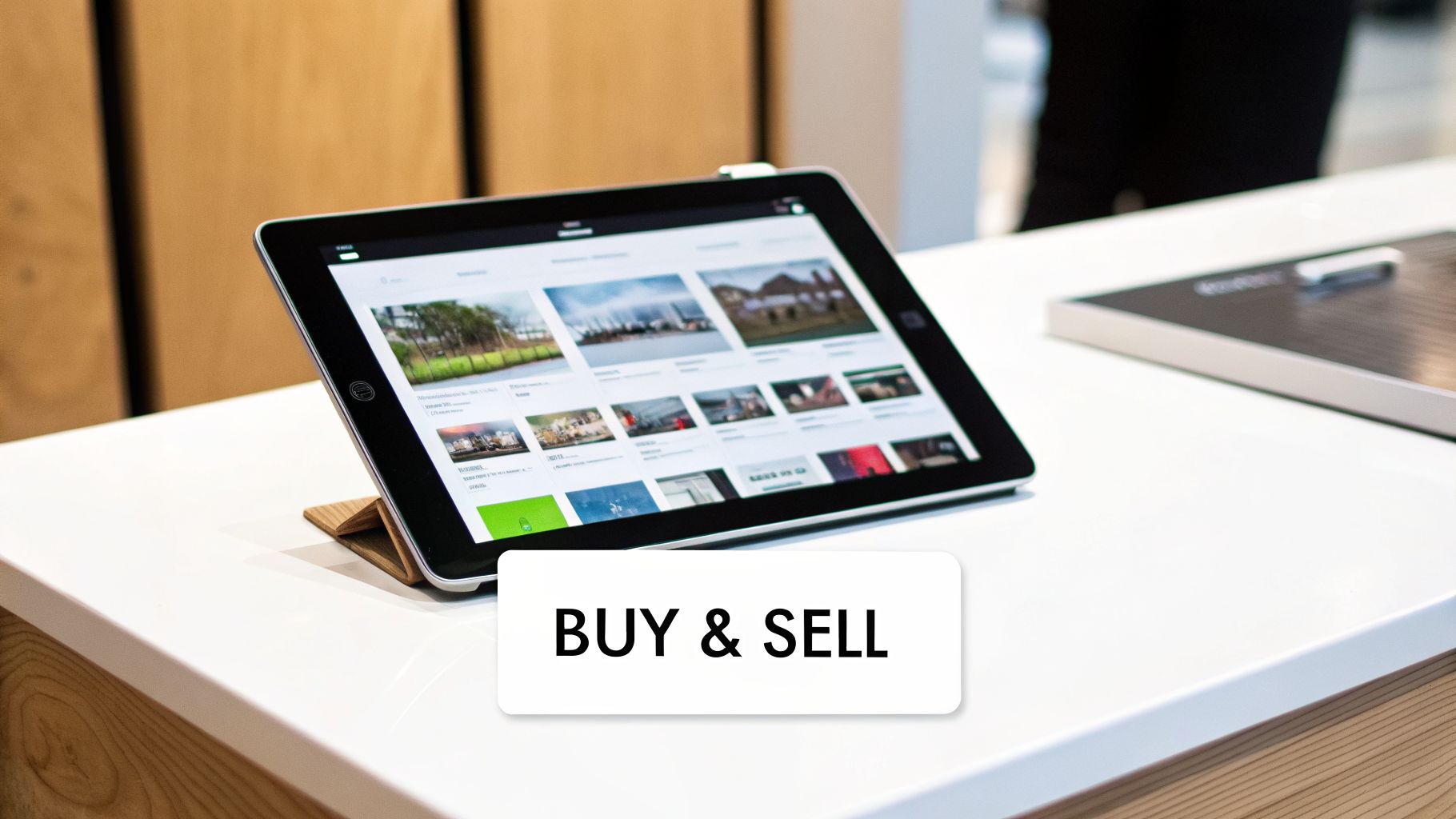
Unlike building a full-stack alternative to Etsy or Fiverr from scratch, a no-code marketplace allows you to focus on a specific niche, such as a marketplace for vintage camera lenses or custom Notion templates. Bubble’s direct integration with Stripe Connect handles the complex logic of seller payouts, a critical feature for any multi-vendor platform.
MVP Checklist & Core Features
User Roles: Set up two distinct user roles in your database: "Buyer" and "Seller." This will control what each user can see and do.
Product Listing Form: Create a form for sellers to upload product details, images, and prices. This data will populate a "Product" data type.
Search & Filtering: Implement a search bar and filter options (e.g., by category, price range) to help buyers discover items.
Stripe Connect Onboarding: Integrate Stripe Connect to allow sellers to link their bank accounts for payouts. This is more involved than standard payments; getting your Stripe API key setup correctly is the first step.
In-App Messaging: Build a simple messaging feature so buyers and sellers can communicate directly about listings and orders.
Suggested Workflows
For a smooth seller onboarding process, create an automated email sequence using Zapier. When a user signs up as a "Seller," trigger a Zap that sends them a welcome email via Mailchimp with a checklist of next steps, like completing their profile and creating their first listing. You can also integrate Twilio via Bubble's API Connector to send SMS notifications for new orders or messages, increasing user engagement.
UI/Layout Tips
Use a Repeating Group with a grid layout to display product listings in a visually appealing card format. For the main page structure, a Column layout is ideal. The search and filter elements can be placed in a Row container at the top or a collapsible sidebar for a cleaner look. Ensure your product detail view is a Group that is shown when a product card is clicked, creating the "single page" feel by hiding the main grid view.
5. Learning Management System (LMS) for Course Creators
A single-page Learning Management System (LMS) allows educators and course creators to host, manage, and sell their own online courses. By building a custom platform, creators can avoid the high fees and branding limitations of third-party marketplaces like Udemy or all-in-one solutions like Kajabi. This is a strong candidate for one of our single page app ideas because it centralizes course content, student progress, and payments into a fluid, uninterrupted user experience.
Unlike a marketplace model, a custom-built LMS gives you full control over your brand, pricing, and student data. Using Bubble, you can create a streamlined environment where a student watches a video, takes a quiz, and unlocks the next lesson without ever leaving the page.
MVP Checklist & Core Features
User Roles: Set up distinct roles in your database:
Student,Instructor, andAdmin. Use conditional logic to show different elements and workflows for each.Course & Lesson Structure: Create data types for
Course,Module, andLesson. Link them together so lessons belong to modules, and modules belong to a course.to Video Hosting: Integrate a professional video hosting service like Vimeo using its API. This provides better security and performance than a standard video player.
Progress Tracking: Add a "Completed" field (yes/no) to your
Lessondata type, linked to a specific user. When a user clicks a "Mark as Complete" button, update this field.Simple Quiz Builder: Create a
Quizdata type withQuestionsandAnswers. Use conditional logic to check if a user’s selected answer is the correct one.Payment Integration: Connect Stripe to handle one-time course payments or recurring subscriptions for access to all content.
Suggested Workflows
A great way to keep students engaged is with automated email sequences. You can set up a Zap in Zapier that triggers when a user signs up. This Zap can add the user to a Mailchimp audience, initiating a welcome series. Another workflow can trigger when a Lesson is marked as complete, sending a congratulatory email or a reminder about the next lesson after 24 hours.
UI/Layout Tips
For your course-watching page, use a main Column layout. Inside, create a Row container with two child containers: one for the video player (set to a high percentage width, like 70%) and one for the course curriculum/lesson list (the remaining 30%). For mobile, configure the responsive settings so the curriculum Column stacks below the video player, ensuring learners on the go have a great experience.
6. Appointment Booking & Scheduling Calendar App
An appointment booking system built as a single-page application offers a focused, user-friendly experience for service professionals like consultants, therapists, and coaches. It centralizes availability management, automates client communication, and helps reduce no-shows. This is one of the classic single page app ideas because the entire user journey, from viewing available slots to confirming a booking, can happen on one dynamic screen.
Unlike robust platforms like Calendly or Acuity Scheduling, a no-code version built with Bubble can be an affordable and highly customized alternative. You can design workflows specifically for your business, such as collecting upfront payments for certain services or integrating with bespoke client management systems.
MVP Checklist & Core Features
Calendar Display: Use a calendar plugin or build custom logic with a repeating group to show available dates and time slots (e.g., 30/60-minute intervals).
Availability Rules: Create data types for "Availability" where the admin can set their working hours, breaks, and buffer time between appointments.
Booking Logic: Develop a workflow that creates a "Booking" record when a user selects a time slot, associating it with the user and the service.
Automated Confirmations: Set up an automatic email to be sent to both the client and the admin upon successful booking using Bubble's native email action.
Payment Integration: Connect Stripe to require payment upfront before an appointment is confirmed, reducing no-shows and securing revenue.
Suggested Workflows
For more advanced notifications, connect your app to Twilio via the API Connector to send automated SMS reminders 24 hours before a scheduled appointment. This workflow can be triggered by a backend workflow in Bubble scheduled to run at the appropriate time. For two-way calendar sync, use the API Connector to integrate with Google Calendar, allowing your Bubble app to read busy slots from a user’s Google Calendar and block them off in your app's availability.
UI/Layout Tips
The main page should use a Column layout. A common design pattern is a two-column layout on desktop: one column for the calendar/date-picker and the other for the available time slots for the selected day. On mobile, these containers can stack vertically. Set the time slot container (likely a repeating group) to use a Row layout that wraps, allowing the time buttons to form a neat grid.
7. Invoice & Billing Management System
An invoice and billing management system is a focused single-page app that helps freelancers and small businesses create, send, and track invoices. It centralizes client information, manages payment statuses, and can automate recurring billing, eliminating the administrative overhead that comes with manual invoicing. This concept is a strong candidate for a single-page app, as it revolves around a core dashboard where users can view financial overviews and manage all billing tasks without navigating away.
Unlike comprehensive accounting suites like FreshBooks or Zoho Invoice, a custom-built solution on Bubble offers complete control over your data and workflows. You can build a system tailored precisely to your business needs, integrating directly with your payment processor and client database.
MVP Checklist & Core Features
Client Database: Build a simple database to store client details, including contact information and standard billing rates.
Invoice Creation & PDF Generation: Create a form to generate new invoices. Use a plugin like Bubble's Page to PDF or an external service like Make.com to convert the invoice data into a professional PDF document.
Stripe Payment Integration: Integrate Stripe to generate unique payment links for each invoice, allowing clients to pay with one click.
Status Tracking: Implement a dashboard to display the status of all invoices (e.g., Draft, Sent, Paid, Overdue) and key metrics like total outstanding revenue.
Suggested Workflows
For invoice reminders, set up a backend workflow in Bubble scheduled to run when an invoice's due date is approaching or has passed. This workflow can trigger an email to the client. You can also use Zapier to connect your app to your accounting software; for example, a new "Paid" invoice in your Bubble app could trigger a Zap that creates a corresponding sales receipt in QuickBooks or adds a transaction line to a Google Sheet.
UI/Layout Tips
Use a Column layout for the main page. A Repeating Group is perfect for listing all invoices, with filters at the top to sort by status. When a user clicks on an invoice, use a Group Focus or a pop-up to display the detailed view or editing options, which keeps the user on the same page and maintains the single-page app experience. For the invoice editor itself, use a fixed-width group that mimics a standard A4 paper size.
8. AI-Powered Content Generation & Automation Tool
An AI-powered content generation tool is a single-page application that connects to an AI model, like OpenAI's GPT-4, to create written or visual content. Marketers, agencies, and founders can build this to produce blog posts, social media updates, or ad copy on-demand, reducing the need for a large content team. This concept is one of the more advanced single page app ideas, as it focuses on a dynamic, interactive experience where users provide input and receive AI-generated output in one continuous view.

Unlike broad platforms like Jasper or Copy.ai, a custom-built tool in Bubble can be designed for a specific niche, such as generating real estate property descriptions or creating technical documentation, giving it a unique market advantage.
MVP Checklist & Core Features
API Connection: Use Bubble's API Connector to securely call the OpenAI API. Start by setting up a basic text completion endpoint.
User Input Form: Create a multiline input field for the user's prompt and dropdowns or buttons for selecting content type (e.g., "Blog Post Intro," "Tweet").
Output Display: A dedicated group or text element to display the AI-generated content. Include a "Copy to Clipboard" button for easy use.
Regenerate Button: Allow users to request a new version of the output if the first one isn't satisfactory. This is crucial for a good user experience.
Suggested Workflows
A powerful workflow involves creating content templates. A user selects "Facebook Ad," and your app sends a pre-engineered prompt to the OpenAI API along with the user's product details. For example: Write three engaging Facebook ad headlines for a product named [User's Product] that helps [User's Audience] solve [User's Pain Point]. This structures the output and provides better results than a generic prompt. To manage costs, you can set up a backend workflow that logs the token usage for each API call to a user's record in the database, which is essential for implementing usage-based billing.
UI/Layout Tips
A two-column layout works well. Use a Row container for the main page. The left column, with a fixed width, can house the input fields, templates, and settings. The right column, set to "Fit to width," can display the generated output. This keeps the creation tools and the content side-by-side, which is intuitive. On mobile, these columns will stack vertically, maintaining usability.
9. Real Estate Property Management & Listing Platform
A real estate management platform is a single-page app that gives agents and brokers a unified system to manage listings, track leads, and handle client communications. Professionals can build a custom tool to oversee property details, schedule showings, and monitor transaction progress, all without the high subscription fees of established platforms like Zillow Premier Agent or kvCORE. This idea is an excellent candidate for a single page app because it centralizes a high volume of related data-listings, clients, tasks, and documents-into one interactive workspace.
Unlike one-size-fits-all industry software, a no-code solution built on Bubble can be tailored to a specific niche, such as commercial properties or a local market, incorporating workflows that match an agent's unique business processes.
MVP Checklist & Core Features
Property & Lead Database: Create two core data types: "Property" (with fields for address, price, status, photos) and "Lead" (with fields for name, contact info, and associated properties).
Interactive Map: Integrate the Google Maps API to display property locations on a map. Make each pin clickable to show property details.
Showing Scheduler: Build a simple scheduling feature where users can request a showing time. Use option sets for available time slots.
Client Portal: Design a "view-only" version of a property page that agents can share with clients, keeping internal notes hidden.
Suggested Workflows
For lead management, connect a web form on your marketing site to your Bubble app via a webhook. When a new lead submits their information, a workflow can create a new "Lead" entry and assign a default status like "New". For scheduling, integrate Twilio to automatically send SMS confirmations and reminders to clients about upcoming showings, reducing no-shows and improving the client experience.
UI/Layout Tips
A Row layout is effective for the main page structure, with a navigation sidebar on the left and the main content area on the right. Set the sidebar to a fixed width (e.g., 280px) and the content area to "Fit to width." Inside the content area, use a repeating group with a Column layout to display a list of property cards. This structure adapts well, as the sidebar can be hidden on mobile to maximize screen space for listings.
10. Community & Membership Site with Content Access Control
A membership community site is a single-page application that gives creators a space to build exclusive communities with tiered content access, forums, and member directories. This idea is a great fit for coaches, educators, and brands who want to foster engagement without managing complex Slack paywalls or disparate email lists. Building this as one of the best single page app ideas is efficient, as it centers the user experience around a single, dynamic dashboard where members can interact and access content.
Unlike broad platforms like Patreon or Discord, a custom-built site on Bubble allows you to control the branding, features, and monetization structure completely. You can create a bespoke environment tailored to your audience's needs, from private forums to exclusive resource libraries, all managed through a single interface.
MVP Checklist & Core Features
Tiered User Roles: Set up different user roles in Bubble’s database (e.g., Free, Starter, Pro). Use privacy rules to restrict access to pages and data based on a user's subscription tier.
Stripe Subscription Integration: Integrate Stripe to handle recurring payments for different membership levels. Create a "Manage Subscription" section where users can upgrade, downgrade, or cancel.
Simple Discussion Forum: The core of the community. Build a data structure for posts and replies. A repeating group can display threads, and clicking one can show/hide a nested repeating group of replies.
Member Directory: Create a page with a repeating group that lists all members. Add input fields for search and dropdowns for filtering (e.g., by interest or location).
Suggested Workflows
For onboarding, create an automated workflow in Bubble that triggers when a user's subscription status becomes active. This workflow can send a welcome email via an integration with SendGrid or Postmark. You can also create a new "Onboarding" task for your admin dashboard to personally welcome the new member. To make live events seamless, integrate Zoom by using its API to create meeting links dynamically and display them only to members with the correct access level.
UI/Layout Tips
A Row layout is ideal for the main structure, with a collapsible sidebar for navigation on the left and the main content area on the right. Set the sidebar's min-width to a small value and max-width to around 280px, but uncheck "Fit width to content" so it doesn't shrink. For the main content area, use a Column layout to stack elements like a welcome header, featured posts, and event calendars vertically. This setup adapts well to mobile by stacking the sidebar on top or hiding it behind a hamburger menu.
Top 10 Single-Page App Ideas: Feature Comparison
Product | Complexity 🔄 | Resources & Integrations ⚡ | Expected Outcomes 📊 | Ideal Use Cases 💡 | Key Advantages ⭐ |
|---|---|---|---|---|---|
No-Code SaaS Dashboard & Analytics Platform | Medium — UI + API connectors; limited backend | Low–Medium — Google Sheets, Airtable, Chart libs, Bubble hosting | Real-time KPIs, visual reports for faster decisions | Founders, agencies, e‑commerce owners | Rapid MVP, cost‑effective, customizable |
Client Management & CRM Single-Page App | Low–Medium — data models, forms, basic workflows | Low — email, Zapier, optional Stripe | Centralized client data and automated workflows | Freelancers, small agencies, consultants | Affordable, bespoke workflows, data ownership |
Project Management & Team Collaboration Tool | Medium–High — drag‑drop, real‑time UX polish | Medium — file storage, real‑time sync, Zapier | Improved team coordination, timelines, productivity insights | Remote teams (5–50), agencies, startups | Flexible workflows, affordable Asana alternative |
Marketplace Single-Page App (Buy/Sell Platform) | High — payments, escrow, KYC, moderation | High — Stripe Connect, messaging, admin dashboard | Enables transactions and platform revenue via fees | Niche creators, service marketplaces, P2P resale | Fast to launch, monetizable, lower dev cost than custom |
Learning Management System (LMS) for Course Creators | Medium–High — video, progress, assessments | Medium — Vimeo/YouTube, Stripe, analytics | Course delivery, student progress tracking, revenue | Coaches, course creators, corporate training | Branded platform, cheaper than Teachable/Kajabi |
Appointment Booking & Scheduling Calendar App | Medium — calendar rules, timezone complexity | Medium — Calendar APIs, Twilio SMS, Stripe | Fewer no‑shows, automated confirmations and scheduling | Consultants, therapists, photographers, coaches | White‑labelable, customizable booking flows |
Invoice & Billing Management System | Medium — invoicing logic, PDFs, tax handling | Medium — Stripe, PDF plugins, accounting sync | Automated billing, payment tracking, cashflow visibility | Freelancers, agencies, subscription businesses | Own billing data, custom templates, recurring billing |
AI-Powered Content Generation & Automation Tool | Medium — API integration, prompt UX, moderation | High — OpenAI/API costs, publishing integrations | Scaled content production, faster copy generation | Agencies, content teams, e‑commerce sellers | Cutting‑edge AI features, high user value, productizable |
Real Estate Property Management & Listing Platform | High — MLS, compliance, document workflows | High — Maps, MLS APIs, virtual tour integrations | Centralized listings, lead capture, transaction tracking | Agents, brokerages, property managers | Market‑specific customization, combines CRM + listings |
Community & Membership Site with Content Access Control | Medium — access tiers, forums, billing automation | Medium — Stripe, forums, event/webinar integrations | Recurring revenue, member engagement and analytics | Creators, coaches, professional networks | Owned community, recurring revenue, integrated tools |
Your Next Step: Choosing an Idea and Getting Expert Guidance
You've just explored a detailed blueprint for ten powerful single page app ideas, ranging from a custom No-Code SaaS Dashboard to a feature-rich Real Estate Management Platform. We've broken down each concept, providing you with a core MVP feature list, practical workflow integrations, and even tips on structuring your UI with Bubble's responsive engine. The purpose of this guide wasn't just to inspire, but to demonstrate that these seemingly complex applications are entirely buildable using modern no-code tools.
The common thread connecting all these ideas is the principle of starting small and focused. The most successful founders don't try to build every feature at once. They identify a core problem, build an elegant solution for it (the MVP), and then iterate based on what real users say and do. Your journey should be no different. The power of a single-page application is its ability to deliver a fluid, focused user experience, and your development process should mirror that same focus.
From Idea to Action: Your Path Forward
Now, the critical step is to move from passive reading to active building. The wealth of single page app ideas is only valuable if you act on one. How do you choose? The best starting point is often a problem you understand intimately or a community you're a part of.
Solve Your Own Problem: Do you struggle with managing client communication? Build the Client Management & CRM SPA. Are you a course creator frustrated with clunky platforms? Build your own Learning Management System.
Identify a Niche Need: Look at the marketplace or community app ideas. Can you serve a specific, underserved group? A marketplace for vintage camera gear will be easier to validate than a general-purpose one.
Align with Your Skills: Are you an analytics expert? The SaaS Dashboard idea might be a natural fit. Do you excel at organization? The Project Management Tool could be your calling.
Once you’ve selected an idea that resonates, revisit the MVP checklist provided. Resist the temptation to add more features. Your first goal is to get a functional version into the hands of a few target users as quickly as possible. This is the fastest way to validate whether you're solving a real problem that people are willing to pay for.
Overcoming the No-Code Learning Curve
While platforms like Bubble make app development more accessible than ever, they are not without their challenges. Building a robust, scalable application requires a solid understanding of key concepts. Many aspiring builders get stuck on:
Database Architecture: Structuring your data correctly from the start is crucial for performance and scalability.
Complex Workflows: Creating logic for features like recurring payments, user role permissions, or third-party API calls (e.g., Stripe for billing, Twilio for SMS) can be tricky.
Responsive Design: Ensuring your app looks and works perfectly on all devices, from a wide desktop monitor to a small mobile phone, requires mastering the responsive engine.
Wasting weeks on trial-and-error can drain your motivation and budget. This is where expert guidance becomes a game-changer. Getting direct, one-on-one help to solve a specific problem can save you countless hours of frustration and help you build momentum. Your idea has potential, but its execution will determine its success. Don’t let technical hurdles stop you from bringing your vision to life.
Ready to turn one of these single page app ideas into a functional, market-ready product? If you want to accelerate your learning and build your Bubble app with confidence, get personalized one-on-one tutoring with Matt Blake at Codeless Coach. Stop getting stuck and start building the right way, with expert support every step of the journey. Learn more and book a session at Codeless Coach.











