Mar 3, 2026
Your Guide to No Code App Development in 2026
Learn how no code app development empowers you to build, test, and launch powerful web apps without writing code. Your guide to turning ideas into reality.
At its core, no-code app development is a way to build fully functional web applications without writing any code. It’s a completely visual approach. Instead of typing out lines of syntax, you use drag-and-drop editors and pre-built elements to design, build, and launch your ideas.
What Is No Code App Development
Think about building with LEGOs. Traditional coding is like starting with raw plastic pellets and having to mold every single brick yourself before you can even begin to build. It’s incredibly powerful, but it demands specialized skills and a ton of time.
No-code development is like being handed a massive, organized collection of LEGO bricks, technic pieces, and pre-built components. Your job is to put them together. You’re still the architect, focusing on the design and how everything works together, but you’re not bogged down manufacturing the individual parts.
From Idea To Application Visually
This method takes software creation out of the command line and into a visual, click-and-configure environment. Powerful platforms like Bubble let you map out your application’s entire user interface and logic through a graphical editor.
This is more than just a convenient shortcut; it’s a fundamental shift that opens up software creation to a much wider audience. Suddenly, people with great ideas don't need to be developers to bring them to life.
Founders can build and test a Minimum Viable Product (MVP) without a huge upfront investment.
Marketing teams can create custom landing pages and internal tools on their own.
Operations managers can automate workflows that are unique to their business.
The philosophy is simple: focus on what the application needs to do, not on the technical minutiae of how to program it. This is how real, complex applications—from customer relationship managers (CRMs) to social networks—are being built today.
The Rapid Growth of Visual Development
This isn't just a small trend for hobbyists. The market for no-code and low-code platforms is on a steep upward curve, projected to grow from $28.75 billion in 2026 to $264.40 billion by 2032. That’s a compound annual growth rate of 32.2%, signaling a massive industry-wide shift toward more accessible development tools.
The goal of no code isn't to replace developers but to empower the other 99% of us to build. It changes the focus from writing perfect syntax to designing smart logic and creating real value.
To get a clear picture of the modern toolset, let's quickly compare no-code with traditional coding.
No Code vs Traditional Coding At a Glance
The table below breaks down the key differences between these two approaches. While one isn't inherently "better" than the other, they are suited for very different goals, timelines, and budgets.
Aspect | No Code Development | Traditional Coding |
|---|---|---|
Skill Requirement | Minimal technical skill; focus on logic and design. | Deep expertise in programming languages, frameworks, and infrastructure. |
Speed | Extremely fast; days or weeks from idea to launch. | Slow; months or even years for complex applications. |
Cost | Significantly lower; reduced need for expensive developer talent. | High; developer salaries and long project timelines increase costs. |
Flexibility | High within the platform's ecosystem; some limitations on custom code. | Nearly infinite; complete control over every aspect of the application. |
Maintenance | Handled by the platform provider (hosting, security, updates). | Requires a dedicated team for ongoing maintenance and server management. |
Ultimately, no-code excels at speed and accessibility, while traditional coding offers unlimited customization and control.
It’s also important to distinguish no-code from its close relative, low-code, which serves as a middle ground. If you're weighing your options, it's worth understanding the differences between low-code and no-code platforms to see which fits your project best.
2. Building Your No-Code Tech Stack
Building a powerful no-code application isn't about hoarding a bunch of tools; it's about choosing the right ones and making them work together. Your "tech stack" is the digital backbone of your product, and every piece needs to have a clear purpose.
A good way to picture this is like setting up a modern retail business. You need a physical storefront with a solid structure—that's your core app platform. But you also need a secure way to take money, a system for customer communication, and a method to connect all your operations.
The Central Nervous System: Bubble
For most of the complex web apps we see and build, Bubble.io acts as the central nervous system. It’s a remarkably powerful platform that lets you handle the visual front-end, the back-end database, and all the logical workflows that make your app actually do things. It's the foundation, walls, and roof of your digital store.
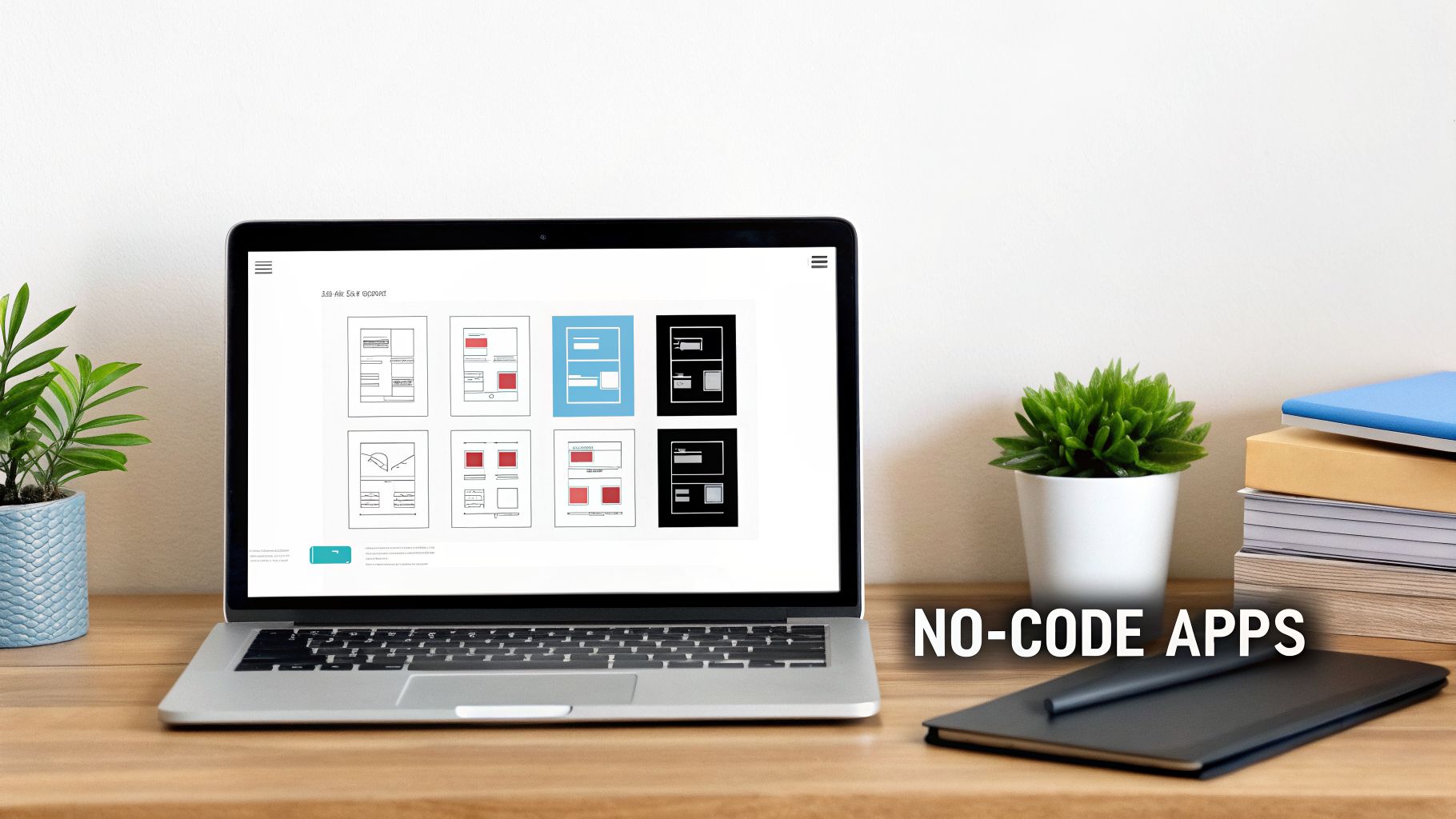
The image above gives you a peek into Bubble’s visual editor. You literally drag and drop elements onto a canvas to design your user interface. This is how you build beautiful, complex pages and user experiences without ever touching a line of HTML or CSS.
But the visual design is just the start. The real magic happens in Bubble's workflow editor. This is where you define what happens when a user clicks a button, fills out a form, or interacts with any element. It’s how you bring your app to life. For a full rundown of your options, check out our guide on the best no-code platforms for your project.
Extending Your App with Specialized Services
A truly great app almost never stands alone. To build a product packed with the features users expect, you’ll connect your core Bubble application to specialized services using APIs. Think of this as outfitting your store with best-in-class systems for payments, marketing, and logistics.
Here are the essentials that form a robust no-code tech stack:
Payment Processing with Stripe: If you need to accept money for products, subscriptions, or services, Stripe is the undisputed industry standard. Integrating it allows you to securely handle transactions and manage customer payments. Bubble’s official Stripe plugin makes this connection surprisingly simple.
User Communication with Twilio: Does your app need to send SMS alerts, verification codes, or other text messages? Twilio is the tool for the job. Connecting to Twilio lets you build powerful communication flows, like sending an order confirmation text or a two-factor authentication code.
Connecting Everything with Zapier: Think of Zapier as the universal translator for your web apps. It’s the digital "duct tape" that connects Bubble to thousands of other services without you having to build a custom integration for each one.
For instance, you could use Zapier to automatically add a new user from your Bubble app to a Mailchimp list, create a new card in Trello when a task is created in your app, or log form submissions directly into a Google Sheet. When picking your tools, especially for collecting data, it's worth exploring reviews of the best online form builders to find one that fits your needs.
By combining a powerful core like Bubble with specialized tools like Stripe and Zapier, you can build a scalable, professional-grade application. You stop being just a builder and become a systems integrator, piecing together top-tier services to create a cohesive and powerful product.
This integrated approach is the secret sauce of modern no-code app development. It gives you the ability to build almost anything you can dream up—not by coding it all from scratch, but by intelligently connecting the best tools for each job.
Your Step-By-Step Development Workflow
Turning a great idea into a real, working app can feel overwhelming. With no-code, however, the journey becomes a much more structured and manageable process. Instead of getting bogged down in lines of code, you get to follow a clear, logical roadmap from start to finish.
The secret is to treat no-code app development with the same discipline you would any other serious project. It all starts with planning before you ever touch the visual editor. This approach ensures you build the right product the first time, saving you from headaches and costly rework down the line.
Step 1: Scoping and Mapping User Stories
Before you build a single thing, you absolutely must define what your app will do and who it's for. This is the scoping phase, and it’s non-negotiable. Think of it like drawing up a detailed blueprint for a house before you even think about pouring the concrete. You have to know who's living there and what they need from the space.
Start by getting crystal clear on your target user and the main problem you're solving for them. From there, you can break down their journey into user stories—simple, plain-language sentences that describe a feature from their point of view. A classic example is: "As a new user, I want to sign up with my email so I can create a personal profile."
This simple exercise forces you to ruthlessly prioritize features for your Minimum Viable Product (MVP). You'll end up with a clear checklist that becomes your North Star throughout the build, keeping you focused on what's truly essential for launch.
Step 2: Database Architecture and Wireframing
Once you know what you're building, it's time to figure out how your app will store and organize its information. This is your database architecture. Your database is the brain of your application; it holds everything from user credentials to product details. In a platform like Bubble, you do this visually by creating "Data Types" (like 'User', 'Product', 'Order') and then giving them relevant fields (like 'Name', 'Email', 'Price').
Honestly, a poorly planned database is one of the most common reasons I see no-code projects stumble. It leads to sluggish performance and makes adding new features later a nightmare.
With your data structure mapped out, you can move on to wireframes. These are simple, black-and-white layouts of your app's screens. Wireframing is all about user flow and functionality, letting you map out the user's path without getting distracted by brand colors or fonts. If you're new to the concept, our guide on how to start prototyping an app is a great place to begin.
Step 3: Front-End and Back-End Construction
This is where the magic happens and your app starts to feel real. Using Bubble’s Responsive Engine, you'll take your wireframes and turn them into a polished, functional user interface (UI). You’ll drag-and-drop elements like buttons, input forms, and images onto the page, styling them to create a front-end that looks great and works perfectly on any device.
At the same time, you'll be building the app's logic—the back-end—using Bubble's visual workflow editor. This is how you connect your UI to your database. For instance, you’ll create a workflow that says: "When a user clicks the 'Sign Up' button, create a new 'User' in the database using the info from the input fields."
Back-end workflows are the "if this, then that" rules that bring your app to life. They're the digital wiring that connects the light switch (a button click) to the lightbulb (a database action), making your app dynamic and interactive.
You'll set up dozens of these workflows to handle everything from user logins to processing payments and displaying data.
This diagram shows how a core platform like Bubble can work with other essential services like Stripe and Zapier to create a powerful tech stack.
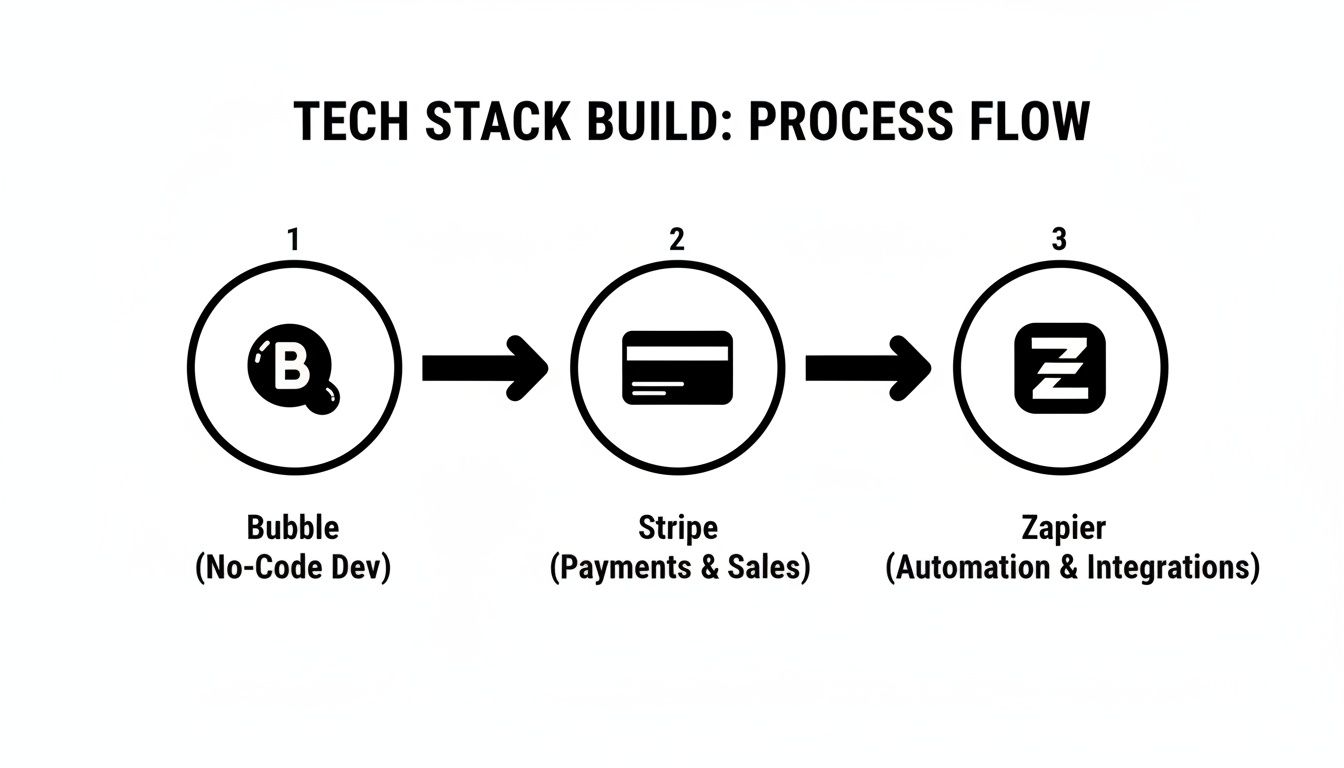
As you can see, you’re not limited to one tool. You can connect best-in-class services to your no-code foundation to build something truly feature-rich.
Step 4: Testing, Debugging, and Deployment
Finally, before you release your creation into the wild, you need to test it thoroughly. Go back to the user stories you wrote in Step 1 and walk through every single one. Click every button, fill out every form, and actively try to break things.
Bubble has a built-in debugger that is incredibly helpful here. It lets you go through your workflows step-by-step to see exactly where something went wrong. Once you’ve squashed the bugs and feel confident that your core features are solid, you’re ready to deploy. With just one click, Bubble pushes your app live to your own domain, making it available for the world to see.
Inspiring Examples of No Code Success
It’s one thing to talk about theory, but seeing what’s truly possible with no code app development is what really brings the concept to life. The proof is in the pudding—or in this case, the products. We’re not talking about simple landing pages, but sophisticated, profitable businesses built entirely on visual development platforms.
Let's look at some real-world examples of serious companies that started—and are still thriving—on a no-code foundation. These stories show just how founders have turned their ideas into market-ready applications without ever touching a line of code.
From Launch to Acquisition: A SaaS Success Story
One of the best ways to see no-code's potential is to watch a project grow from a founder's idea into a valuable, sellable asset. Take the founder who wanted to create a tool to help people build better habits. Instead of sinking a fortune into a development team, they decided to build it themselves using Bubble.
Within just a few months, they had launched a complete Software-as-a-Service (SaaS) application. Users could track goals, get reminders, and see their progress visually. The app quickly found its audience, got featured on Product Hunt, and attracted a loyal base of paying subscribers. It became so successful that it was eventually acquired by another company, proving that no-code isn't just for MVPs; it's for building real, valuable businesses.
Building a Thriving Two-Sided Marketplace
Marketplaces, which connect two different user groups like buyers and sellers, are notoriously difficult to build from scratch. They need separate interfaces, complex payment logic, and solid user management. This is an area where no-code truly shines.
A great example is a platform, also built on Bubble, that connects parents with trusted childcare providers. The founders needed to build a system where:
Parents could search for caregivers by location, availability, and specific qualifications.
Caregivers could create detailed profiles, set their own rates, and manage their schedules.
The platform itself had to handle all the bookings and securely process payments, which they did through a Stripe integration.
Using Bubble, the founders launched this entire marketplace in a fraction of the time and cost it would have taken with traditional coding. The platform successfully onboarded thousands of users and cultivated a trusted community, all powered by no code app development.
These examples are not exceptions; they are the new standard. Founders are consistently proving that a smart idea combined with the right no-code tools is a direct path to launching a scalable and profitable company.
Automating an Entire Business with Internal Tools
No-code's power isn't just for customer-facing apps. Many businesses are building their own internal tools to streamline operations and get a serious competitive advantage. Think of a small consulting firm drowning in administrative work—juggling client onboarding, project management, and invoicing across a dozen different spreadsheets and apps.
Using a combination of Bubble and Zapier, the owner built a central dashboard that pulled their entire workflow into one place. When a new client filled out a form, the system automatically created a project, generated a contract, and set up an invoice in Stripe. This custom-built solution saved the team over 20 hours of manual work per week, freeing them up to focus on what actually matters: their clients. It’s a perfect illustration of how no-code helps businesses build the exact tools they need to run more efficiently.
Understanding Costs, Timelines, and Common Pitfalls
The promise of no-code is huge, but it's not a magic wand. While you can build incredible things much faster and cheaper, it's critical to go in with your eyes open about the real costs, realistic timelines, and the common traps that can derail a project. Think of this as the friendly, real-world advice I wish I had when I first started.
Let's talk money. One of the biggest draws to no-code app development is the staggering difference in cost compared to the old way of doing things. Building a Minimum Viable Product (MVP) with a traditional development agency can easily soar into the six-figure range. With a no-code approach, that number drops dramatically.
But "low-cost" isn't the same as "no-cost." You still need to have a realistic budget.
Breaking Down the True Costs
Your main recurring expense is your platform subscription. A tool like Bubble has pricing tiers that make it easy to start. You can learn and build for free, but once you're ready to launch, you'll need a paid plan. These typically run from $30 to over $300 per month, depending on the server capacity and features your app demands.
A few other expenses will likely pop up along the way:
Plugins: Many are free, but some powerful, specialized plugins for things like advanced charting or unique integrations might have a one-time fee or a small monthly subscription.
API Usage: If your app leans on external services—think Google Maps for location features or an AI model for generating text—you might hit usage-based fees from those providers.
Domain Name: A small but vital annual cost to give your app a professional, branded web address.
Even when you add it all up, you're looking at a tiny fraction of a traditional development bill. We break this down even further in our guide on how much app development really costs.
Realistic Timelines for Your Launch
Here’s where no-code feels like a superpower: speed. A project that would take a development team 6-9 months to build can often be launched as a no-code MVP in just 4-8 weeks.
That incredible speed lets you get your idea into the hands of real users faster than your competition. You can start gathering feedback and making smart decisions based on data, not just guesswork.
The goal of a no-code MVP isn't to build every feature imaginable. It's to build the right features as quickly as possible to validate your core idea with actual users. This speed is your competitive advantage.
How is this possible? You're not reinventing the wheel. Instead of writing every line of code from scratch, you're assembling and configuring components that have already been built and tested. This skips thousands of hours of manual coding, testing, and debugging.
To put this in perspective, here's a quick comparison for building a typical MVP:
Cost and Timeline Comparison MVP Build
This table gives a rough estimate of what you can expect when comparing a no-code build to hiring a traditional agency for an MVP.
Factor | No Code (e.g., Bubble) | Traditional Development Agency |
|---|---|---|
Initial Cost | $5,000 - $15,000 | $50,000 - $150,000+ |
Timeline | 4 - 8 weeks | 6 - 9 months |
Staffing | 1-2 Non-technical Founders or 1 No-Code Dev | Team of 4-6 (PM, Designer, 2-3 Engineers) |
Flexibility | High (changes can be made in hours/days) | Low (changes require new sprints, more budget) |
As you can see, the differences in both upfront investment and time-to-market are massive. This is why no-code has become the default path for so many startups and internal projects.
Sidestepping Common No-Code Pitfalls
For all its accessibility, it's easy to make mistakes. I've seen countless new builders stumble into the same preventable traps. Knowing what they are is the first step to avoiding them.
The single biggest pitfall is inefficient database design. A messy database is like building a house on a shaky foundation—it will cause massive performance headaches down the line and make adding new features a nightmare. Before you touch the visual editor, map out your data. What information do you need to store? How does it all relate?
Here are a few other common missteps to watch out for:
Building Without Validation: Don't lock yourself away for weeks building something you think people want. Get out and talk to potential customers first. Make sure you're solving a real problem they'd happily pay to fix.
Ignoring Platform Limits: Every no-code tool has its own performance rules. With Bubble, it’s the "workload" system. If you build inefficient searches and workflows from the start, you'll burn through your server capacity, making your app slow and expensive to run.
Over-Complicating the MVP: It’s so tempting to add "just one more feature." Resist that urge. A great MVP does one thing perfectly. A bloated MVP does a lot of things poorly and just ends up confusing your first users.
By anticipating these challenges—planning your data, validating your idea, and building efficiently—you’ll have a much smoother and more successful no-code app development journey.
Your Next Steps from Idea to First Click
We’ve covered a lot of ground. You can now see that no-code app development isn't just some tech-world buzzword; it’s a real, powerful way to build a business from scratch. The tools are mature, the success stories are genuine, and the path forward is clearer than ever.
The biggest thing to take away from all this is simple: for a founder without a technical background, there has never been a more direct route from a great idea to a working product. The traditional gatekeepers of time and money—the ones that stop most ideas dead in their tracks—are no longer in your way. This is your chance to stop daydreaming and finally start building.
Your Simple Action Plan
Feeling the urge to dive in? It's easy to get overwhelmed. Let's keep it simple. Focus on these three immediate steps to build some momentum.
Define Your Core Feature: In one simple sentence, what is the absolute most important thing your app needs to do? Write it down.
Sketch Your User Journey: Grab a notebook and pen. Seriously. Draw out the handful of screens a user would click through to get that one core task done.
Explore the Platform: Go sign up for a free account on Bubble.io. The goal isn't to build your app today. Just click around, get a feel for the editor, and see what's what.
Taking these small steps makes the whole process feel less like a mountain to climb and more like a path you can actually walk.
Stop Getting Stuck and Build Faster
Now, while the path is more straightforward, it’s not always easy. You’re going to hit a wall. You'll spend hours wondering why a button isn't working or how to set up your database correctly. This is the exact point where most projects lose steam and get abandoned—all because of a problem an expert could likely fix in minutes.
The difference between a launched app and a forgotten project often comes down to getting the right help at the right time. Don't let a solvable problem derail your momentum.
This is precisely why Codeless Coach was created. Instead of digging through old forum posts for hours on end, you can get direct, one-on-one help from a seasoned expert. In a single, focused session with Matt Blake, you can solve your specific problem, fix a broken feature, and learn the right way to build on Bubble.
Think of it as your personal accelerator. You get to skip the weeks of frustration and get the hands-on support needed to build smarter and launch much, much faster. If you're ready to make real progress, book a session and let's get your app built.
Frequently Asked Questions
When you're new to no-code, a lot of questions pop up. It's a completely different way of building software, so it's natural to wonder about its real-world power and limits. Let's tackle some of the most common ones I hear from aspiring builders.
Can I Build a Real, Scalable Business with No Code?
Yes, absolutely. The idea that no-code is just for hobby projects or simple MVPs is outdated. Platforms like Bubble are more than capable of powering businesses with hundreds of thousands of users. We've seen venture-backed startups and profitable companies built entirely on a no-code stack.
The real secret to scaling isn't the platform itself, but how you build on it. Smart database design and efficient workflows are what truly matter. For a business targeting millions of daily active users, you might eventually plan for a migration to a custom-coded backend, but a no-code tool can carry you an incredibly long way.
What Are the Limitations of No Code App Development?
Every tool has its limits, and no-code is no exception. You’ll typically hit a wall when you need highly specialized functions or have to handle extreme performance loads.
For example, you can't build a true, native mobile app from scratch (though you can create fantastic progressive web apps or "wrap" your web app for the app stores). You also don't get direct access to the source code, which limits deep, granular customization.
But for the vast majority of web applications—marketplaces, social networks, CRMs, and internal tools—these limitations simply don't come into play. If your goal is to build a high-frequency trading bot or a 3D gaming engine, then yes, traditional code is the right tool for the job.
A "technical mindset"—the ability to think logically about processes and problem-solve—is far more important than knowing how to program. If you can handle complex spreadsheet formulas, you have the foundational skills to succeed.
Do I Need Any Technical Skills at All to Start?
No, you don’t need any programming experience. That’s the whole point of no code app development—it removes the coding barrier and lets you build visually.
What you do need is a logical mind. You have to be able to think through processes step-by-step. You're the architect designing the blueprint; the platform just handles the construction. If you can map out a flow like, "When a user clicks this button, then the app should do that," you're ready to start building.
How Do I Connect to Services like Stripe or Google Maps?
This is where modern no-code platforms really shine. Integrating with other services like Stripe for payments or Twilio for messaging is surprisingly straightforward and usually happens in one of two ways:
Plugins: For popular services, there are almost always pre-built plugins. Think of them like apps for your app. You find the plugin you need, click to install it, and just fill in a few fields to connect your accounts.
API Connector: For just about any other service out there, platforms like Bubble have a visual API Connector. This tool lets you "talk" to other software without writing a single line of code, pulling in data or triggering actions through their API. It's a game-changer that opens up a world of possibilities.
If you're tired of getting stuck on these questions and want to finally start building, we can help. Codeless Coach offers personalized, one-on-one tutoring to get you moving. Book a session with an expert to get hands-on help and bring your app idea to life, faster.











