
Feb 25, 2026
How much does app development cost: 2026 Budget Guide
Wondering how much does app development cost? Explore 2026 pricing insights and practical steps to build your app efficiently, on budget.
So, how much does it actually cost to build an app? The answer can be anything from under $500 to well over $500,000. The final number really comes down to which path you take. While a traditional development agency can easily charge tens of thousands for even a basic app, newer tools like Bubble.io mean for just $32/month you can build your own apps.
The Real Cost of App Development in 2026
You've got a fantastic idea for an app, but there's always that one big question hanging over your head: What’s this actually going to cost me?
Fortunately, in 2026, the answer is a lot less intimidating than it used to be. You can toss out that old belief that you need a huge check from a venture capitalist or a small army of expensive developers just to get off the ground. There's a much more practical way forward now, one that puts you in the driver's seat.
Think of it like building a house. The old-school way is to hire a big, expensive crew to cut every board by hand, wire every single outlet from scratch, and manually lay every pipe. It’s slow, full of opportunities for error, and incredibly expensive. That’s traditional app development in a nutshell.
Now, picture another approach: assembling a high-quality, precision-engineered prefab home. All the core components are expertly designed, they snap together perfectly, and you can put up a stunning, fully functional house in a fraction of the time and for a fraction of the cost. This is the no-code movement, and it’s powered by tools like Bubble.io.
A New Path for Founders
The core idea is refreshingly simple. Instead of paying a developer $150 per hour to write lines of code, you use a visual, drag-and-drop interface to assemble your app. This doesn't just lower the cost—it smashes the single biggest financial barrier that keeps most great app ideas from ever happening.
This diagram perfectly illustrates the two different journeys from idea to launch.
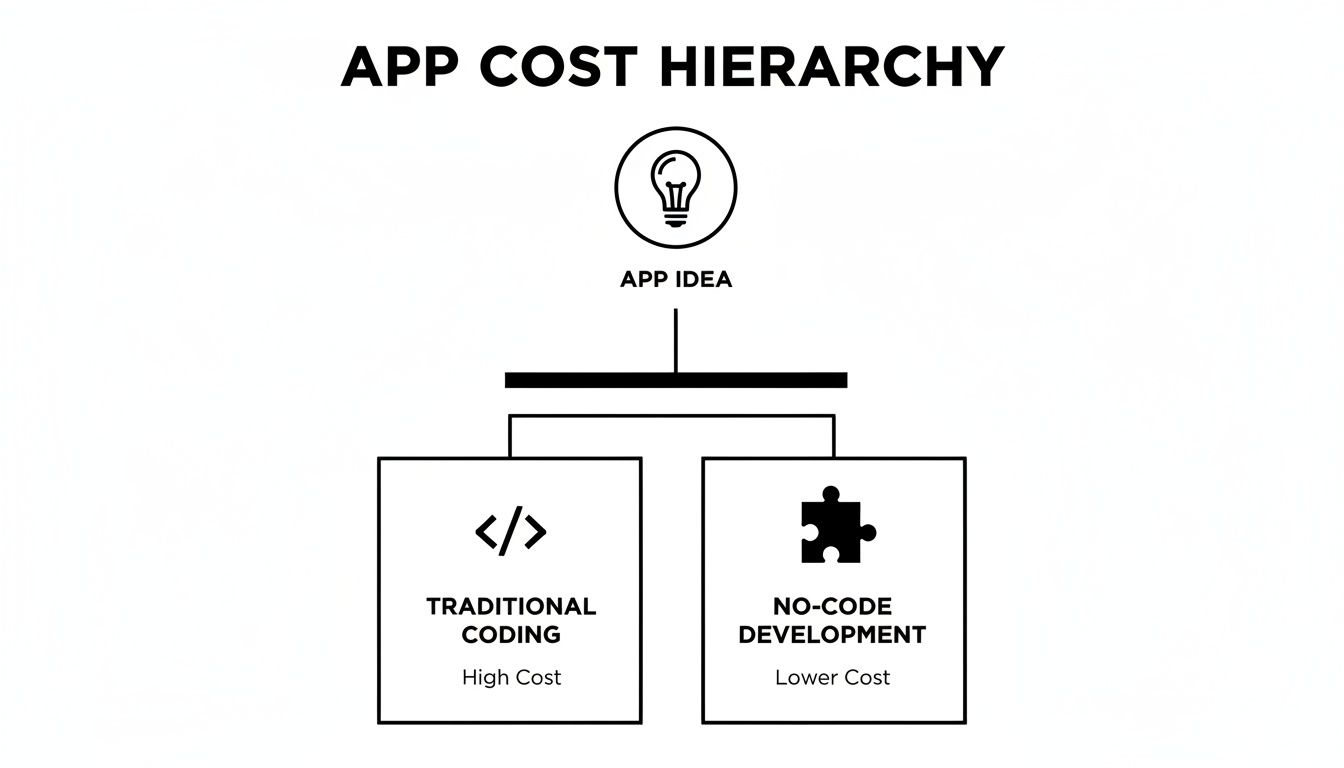
As you can see, both paths start with a great idea. But the no-code route completely bypasses the massive expense and time sink that comes with traditional coding.
To put this into perspective, let's look at some side-by-side estimates. The following table gives you a high-level view of what to expect when comparing the two approaches across different levels of app complexity.
App Development Cost at a Glance Traditional vs No-Code (2026)
Complexity Level | Traditional Cost Range | No-Code (Bubble.io) Cost | Traditional Timeline | No-Code Timeline |
|---|---|---|---|---|
Simple App (e.g., basic directory) | $25,000 - $60,000 | $2,000 - $10,000 | 3-6 months | 2-6 weeks |
Medium App (e.g., social network MVP) | $60,000 - $150,000 | $10,000 - $25,000 | 6-9 months | 1-3 months |
Complex App (e.g., two-sided marketplace) | $150,000 - $500,000+ | $25,000 - $70,000+ | 9+ months | 3-6 months |
These numbers make the difference crystal clear. What might take a year and six figures with a traditional team can often be launched in just a few months for a tiny fraction of the cost using no-code.
Traditional vs No-Code Costs
With a platform like Bubble, you can build and run a powerful, scalable application for as little as $32 a month. Instead of staring down a six-figure invoice, your main investment shifts to your own time and drive to learn. This fundamentally changes who gets to be a founder, opening the door for anyone with a solid idea to build a real product.
Of course, budgeting for an app involves more than just development hours. To get a truly accurate picture, it helps to understand all the potential expenses. For a detailed breakdown of how to plan your finances, this Software Development Cost Estimation Guide is an excellent resource.
By weighing both options, you can make a much smarter, more informed decision on how to bring your vision to life without needing to drain your bank account.
Decoding the $15,000 to $50,000 Simple App
For most founders, the first big milestone is getting a Minimum Viable Product (MVP) off the ground. This isn't the final, polished version of your app; it's the most basic version you can launch to see if real people will actually use it. But even for an MVP, the word "simple" can be deceptively expensive when you go down the traditional development path.
When we talk about a "simple app," we're not just talking about a landing page. We mean a real, functional piece of software that usually includes:
Basic user login and account creation.
A handful of core screens (maybe 5-8) to show information.
One straightforward integration with another service, like a payment processor or a mapping tool.
This is the ground floor. Yet, even for this scope, figuring out how much app development costs reveals a pretty high wall to climb.
The True Cost of a Traditional "Simple" App
If you hire a classic development agency or a team of freelance coders, building that "simple" MVP will almost certainly land you in the $15,000 to $50,000 range. So why the huge gap? It all comes down to the number of hours it takes to build and the hourly rate of the people doing the work.
Recent data shows the global average for a basic app sits squarely between $15,000 and $50,000. That number gets pushed around by developer rates, which can swing from $80-$150 per hour in the US to as low as $20-$45 per hour in places like India. Even with modern tools that speed things up, you’re still staring at a five-figure bill for the frontend alone. You can get more insights on this cost breakdown and what it means for your MVP budget.
For a non-technical founder, this is often where a great idea hits a brick wall. That first $25,000 quote can be enough to shelve a project for good.
Where Does All the Money Go?
So, let's break down where a hypothetical $30,000 actually goes. It’s not just one big invoice for "coding." The cost is spread across different jobs, each needing special skills and a lot of time.
Development Phase | Estimated Cost | What It Covers |
|---|---|---|
UI/UX Design | $5,000 | Creating wireframes, mockups, and a user-friendly interface. |
Frontend Development | $12,000 | Writing the code for what users see and interact with (buttons, forms, layouts). |
Backend Development | $8,000 | Building the server, database, and logic that powers the app behind the scenes. |
Project Management | $2,500 | Coordinating the team, managing timelines, and ensuring the project stays on track. |
Quality Assurance | $2,500 | Testing the app for bugs, performance issues, and usability problems. |
As you can see, every piece of the puzzle adds up fast. That $12,000 for just the frontend work is a major hurdle. This is the reality that stops so many entrepreneurs before they even have a chance to start.
This is the fundamental problem that no-code was born to solve. It wasn't created to build weaker apps; it was created to dismantle the financial and technical barriers that kill great ideas.
The $32/Month Alternative with Bubble
Now, let's look at that same "simple app" from a completely different angle. Instead of a $15,000-$50,000 budget, consider this: with tools like Bubble.io, for $32/month you can build your own apps.
This isn't just about saving money; it’s a total shift in how you build. With a no-code platform, you—the founder—get the power to build the very features that would have cost you thousands.
User Logins? Bubble has a built-in user management system you can set up in minutes.
Core Screens? You can design them yourself with a drag-and-drop visual editor.
API Integrations? Bubble’s API Connector lets you link to other services without writing a single line of custom code.
By choosing this path, you’re trading a huge upfront cash investment for your own time and willingness to learn. The barrier is no longer your bank account—it’s your own drive. This is how you completely sidestep the traditional cost structure and take control of your project's destiny from day one.
Exploring the $50,000 to $120,000 Mid-Range App

What happens when your app idea gets a little more ambitious? You're no longer thinking about a simple directory. Now you're picturing an app with a unique design, maybe real-time chat, payment processing, or the ability to pull in data from other services.
Congratulations, you've just stepped into the world of moderate complexity. This is where the answer to "how much does an app cost?" starts to climb—fast.
In the traditional coding world, every feature adds another layer of cost and time. It’s how budgets quickly inflate into the $50,000 to $120,000 range, and timelines stretch from a few months to more than half a year. It's a huge jump from a basic MVP, and understanding the "why" behind that price tag is crucial for making a smart decision.
The Anatomy of a Coded App in This Price Range
So, what exactly makes a moderately complex app so expensive to build with code? It’s not just one big job; it’s a whole collection of specialized tasks that demand skilled (and therefore costly) professionals.
Think of it this way: each feature you dream up presents a new set of puzzles that developers have to solve from scratch.
Bespoke UI/UX Design: A completely custom interface that perfectly captures your brand isn't a small task. It requires significant design and front-end development hours, which alone can tack on $22,000+ to the final bill.
Backend Architecture: To power features like user profiles, real-time data syncing, and custom business logic, developers must construct a strong backend. This means setting up servers, databases, and writing server-side code, often costing $35,000 or more.
API Development and Integrations: Need your app to talk to other services? Connecting to a payment gateway like Stripe, a mapping tool like Google Maps, or a messaging service like Twilio means building and managing API connections. Each integration adds complexity and can easily pile another $15,000+ onto the development invoice.
When you start adding these pieces together, it's easy to see how a promising idea can turn into a financial black hole for a founder without deep pockets. For many, a quote in this range is a full stop.
This mid-tier complexity is where most innovative startup ideas live—and it's also where the value of no-code becomes impossible to ignore. It transforms a massive financial roadblock into a manageable and empowering learning experience.
The No-Code Game Changer
Now, let's look at that same app idea, but through the lens of a no-code platform like Bubble.io. The entire equation changes. Instead of paying an agency six figures to build these features for you, for just $32/month you can build your own apps and implement the same functionality yourself.
This shift is all about trading a huge capital expense for a personal investment in learning. You move from being a check-writer to being a builder.
Research confirms this gap. For these classic startup apps with custom designs, backend APIs, and payment integrations, traditional development is projected to cost between $30,000 and $120,000 in 2026, with timelines of 3-9 months. This is the exact pain point that services like Codeless Coach are built to solve, helping founders sidestep a $75,000+ bill by learning to build the product themselves.
By learning to integrate tools like Stripe or Twilio on your own, you can launch a powerful MVP without that crippling $35,000 backend expense. You can dig deeper into these numbers in this detailed guide to app development costs.
From an Expensive Problem to an Empowering Skill
Instead of hiring a team of specialists, you learn to use Bubble's powerful, built-in visual tools to get the same professional results.
API Connector: That feature that would cost a developer weeks of work and $15,000+ to build? It's a core part of Bubble. With some learning, you can connect to Stripe, Google, or almost any service with a public API.
Responsive Engine: Forget the $22,000 custom UI invoice. Bubble's visual editor and Responsive Engine give you the control to design a pixel-perfect, professional-looking app that works beautifully on any screen size.
Database and Workflows: The logic that would form a $35,000 custom backend is handled visually. You design your own database and create "workflows" to control exactly how every part of your app behaves, all without writing a line of code.
This is the new reality of building digital products. The question is no longer just "how much does app development cost?" It’s become, "Am I willing to learn the skills to build it myself?" For a $32/month subscription and some focused effort, you can turn a $75,000 development problem into your company's greatest asset: your own product expertise.
Building Your App for $32 a Month with Bubble
We’ve thrown around some big numbers—five and six figures—but what if the answer to "how much does app development cost?" was closer to the price of a few coffees? This isn't just a thought experiment. For founders willing to build differently, it’s a new reality.
Let’s shift our focus from tens of thousands of dollars to just tens of dollars and talk about a true game-changer: no-code development.
At the center of this shift is a platform called Bubble.io. It’s a visual tool that lets you build incredibly powerful, custom web applications without ever touching a line of code. Instead of hiring a team of expensive engineers, you use a drag-and-drop editor to design your app, map out its logic, and manage its database.
This means you, the founder, can now build the very features that traditionally cost a fortune.
The financial difference is staggering. A traditional agency might bill you at $150 per hour, but with tools like Bubble, for $32/month you can build your own apps. This isn't about getting a "cheaper" version of an app; it's about using a more direct and efficient tool to build the exact same functionality. You're simply removing the most expensive part of the equation: manual coding.
From Expensive Features to Visual Building Blocks
So, how exactly does a $32/month tool replace a $75,000 development project? It works by turning complex coding tasks into intuitive, visual actions.
Let's break down the core components of an app and see how Bubble handles them.
1. User Authentication and Profiles A developer might spend dozens of hours (and charge thousands) to build a secure system for user sign-ups, logins, and profile management.
In Bubble: This is literally a built-in feature. You can drag and drop a complete user authentication system into your app in minutes. This includes social logins (Google, Facebook), password resets, and custom user profiles—all configured visually.
2. Database Design and Management Setting up a robust backend database usually requires a specialized backend developer. It’s a complex process involving schemas, servers, and scalability planning that can easily run $35,000+.
In Bubble: You become the database architect. Inside the "Data" tab, you visually create your own database tables (called "Data Types"), add fields, and link them together. Need a "Post" with a "Title" (text), "Image" (image), and "Creator" (User)? It’s as easy as filling out a form.
3. Pixel-Perfect Responsive Design A custom user interface (UI) that looks great on all devices is a huge expense, often requiring a dedicated frontend developer. This alone can add $22,000+ to a project.
In Bubble: You use the Responsive Engine. This is a visual editor that gives you total control over how your app’s layout adapts to different screen sizes. You can group elements, set alignment rules, and define how things should stack or resize, ensuring a professional look on desktop, tablet, and mobile—all without writing CSS.
By taking these tasks on yourself with a visual tool, you're directly cutting tens of thousands of dollars from your budget. The barrier to entry is no longer capital; it's your willingness to learn and build.
Connecting Your App to the World with APIs
One of the most powerful—and historically expensive—features is an app's ability to talk to other services. This is done through Application Programming Interfaces, or APIs.
Whether it’s processing payments with Stripe, sending texts via Twilio, or pulling in data from Google Maps, API integrations are what make an app truly useful. A developer might quote $15,000+ just for this work.
With Bubble, you use the API Connector. This tool lets you connect to practically any modern API without code. You simply configure the API calls visually, telling Bubble what data to send and what to expect in return. This one feature puts functionality in your hands that was once reserved for heavily funded tech companies.
The real change here is one of empowerment. You trade a six-figure agency quote for a hands-on, guided experience that gives you full control over your product and your destiny. You are no longer just the idea person; you are the builder.
Of course, this hands-on approach requires an investment of your time. But learning to build your own app is a skill that pays for itself almost instantly. You can get a clearer picture of what this journey looks like by exploring our guide on how to make an app from scratch, which walks you through the foundational steps.
The path from idea to a launched product has never been more accessible.
Knowing When to Choose Traditional Code
No-code platforms like Bubble have completely changed the game, making it possible for founders to build incredibly powerful software without writing a single line of code. But it's important to be realistic—they aren't the perfect solution for every single idea out there. While you can build a massive range of apps for as little as $32 a month, some projects have demands so specific that traditional coding is still the right tool for the job.
Understanding where that line is drawn isn't about criticizing no-code. It's about being strategic with your money and your time. For a small handful of highly specialized apps, the raw power of hand-written code isn't just a preference; it’s a necessity.
So, when does the cost of building an app justifiably rocket into the six-figure range? It’s when your app's core purpose hinges on technology that pushes past the native capabilities of today’s visual development tools.
Identifying Code-Dependent Projects
Some app ideas come with unique technical hurdles that demand the fine-tuned control and pure horsepower of traditional code. We're not talking about your average e-commerce shop or social media platform here. These are the edge cases where performance is measured in milliseconds and the complexity is off the charts.
It’s a bit like choosing a vehicle. A car is perfect for almost all your daily needs—getting to work, running errands, or taking a road trip. But if you need to haul 100 tons of steel across the country, you need a freight train. Traditional code is that freight train, engineered for specialized, heavy lifting.
Here are a few clear examples of when you'd need that freight train:
Intensive AI and Machine Learning: If your app's main value is running proprietary, complex AI models directly on a user's device or processing enormous datasets in real time, custom code is almost always needed for optimization.
Native AR/VR Experiences: While you can integrate some AR/VR plugins, building a truly immersive, high-performance augmented or virtual reality world from scratch requires native development kits like ARKit or ARCore.
High-Frequency Trading or Gaming: Applications that live or die by near-instant data processing, like financial trading platforms or graphically intense video games, need the low-level system access that only coding provides.
Highly Specialized Compliance: While Bubble is very secure, certain enterprise-grade FinTech or HealthTech apps might need a custom-built security architecture to meet extreme regulatory demands, like deep-level HIPAA or PCI compliance.
Projects like these have budgets that match their immense technical depth. For complex apps involving AI, real-time data, or massive enterprise architecture, costs in 2026 can start around $75,000 and quickly climb past $400,000. Some AI-driven ecosystems can even approach the $1 million mark. These aren't MVP budgets; they are serious investments in industrial-strength software. You can explore a more detailed breakdown of these high-end project costs on pages that discuss developer rates.
The Smartest Strategy: Validate First
Here's the most important takeaway from all of this: for 99% of founders, these high-end, code-heavy requirements are a distraction. Dreaming of building a world-changing AI ecosystem is great, but it's a terrible place to start.
The single biggest mistake a new founder can make is spending $200,000 on a complex, coded app only to discover that nobody wants the core product. Validation is everything, and no-code is the ultimate validation tool.
Successful entrepreneurs don't start by building a fortress; they start by seeing if anyone will show up to a tent. Before you even think about a six-figure development project, your one and only goal should be to prove that people want your core idea—and to do it as cheaply and quickly as possible.
This is where the $32/month no-code approach isn't just an alternative; it's the superior strategy. You can build a fully functional MVP on Bubble, get it in front of real users, and start generating feedback (and maybe even revenue). If your business takes off and you eventually hit a wall where a specialized coded feature is needed, you can fund its development with your profits, not with crossed fingers and a maxed-out credit card. You can learn more about the different kinds of visual tools available in our guide to no-code platforms.
By starting with no-code, you de-risk the entire venture. You save yourself from a potentially catastrophic financial mistake and give your brilliant idea the best possible shot at success.
Your Action Plan: From Idea to Launch
Feeling fired up? Good. Now it’s time to channel that energy into action. This is your roadmap for getting started today. We’ll walk through the first critical moves every founder needs to make, shifting the question from "how much will this cost?" to "how can I start building right now?"
This isn’t just about saving money; it’s about starting smart. It’s about skipping months of guesswork, validating your idea the right way, and putting you in the driver’s seat of your business from day one.
Define Your Core Idea
First things first: you need to get laser-focused. Before you even think about tools, you have to clearly define your Minimum Viable Product (MVP). Your MVP is not the grand, everything-but-the-kitchen-sink version of your app. It’s the simplest, most stripped-down version that can prove your core idea works with real people.
Ask yourself these questions:
What’s the #1 problem my app is solving?
What is the absolute bare-minimum feature set required to solve that one problem?
Who is my very first user, and what do they need to see to "get" my solution?
Nailing this is critical for a focused build. To get a much deeper understanding of this, check out our guide on what an MVP is and how to plan it. A little planning here will save you countless hours and thousands of dollars later.
Think of this step as your blueprint. It turns a fuzzy idea into a specific, buildable project and stops you from wasting time on features that simply don't matter for launch.
Get Your Hands on the Tools
Once your MVP is clearly defined on paper, it's time to get a feel for the platform that can bring it to life. The best way to truly grasp the power of no-code is to dive in and play around with it yourself.
Create a Free Account: Go to Bubble.io and sign up. It’s completely free, and you don’t need a credit card. This gives you a risk-free sandbox to explore the visual editor.
Explore the Editor: Just click around. Get a feel for the drag-and-drop canvas, see how the workflow tab works, and peek at the data section. It might feel a bit foreign at first, but this initial tour makes the whole process feel much less mysterious.
This hands-on step is what makes it real. For a more detailed look at the entire development journey, from planning to execution, this guide on how to build an AI chatbot from concept to launch offers a great end-to-end perspective.
Book a Strategic Planning Session
Finally, it’s time for the most impactful step you can take. Book a strategic planning session to get a personalized roadmap and answer the all-important question: "Is my idea a good fit for Bubble?" This is where your napkin-sketch ideas transform into a concrete, actionable plan with expert guidance, ensuring you start your journey with total confidence and clarity.
Frequently Asked Questions About App Costs
When you start digging into the finances of app development, a lot of questions pop up. It’s smart to think through the long-term implications of your choices. Here are a few of the most common questions we hear from founders weighing their options between no-code and traditional development.
Can a No-Code App Really Scale a Business?
Yes, absolutely. People often underestimate no-code, but platforms like Bubble.io are built to grow with you. We’ve seen countless companies go from a simple idea to a thriving business with thousands of active users, all running on Bubble. They're generating real revenue and proving it’s more than capable of handling serious business demands.
Of course, if your app explodes to millions of users, you might eventually decide to build a custom-coded version. But Bubble is the perfect launchpad to get you there. It allows you to find your product-market fit and build a profitable company first, without needing that huge six-figure check upfront.
What Are the Long-Term Costs of Bubble vs. Code?
This is where the difference really becomes clear. With Bubble, your main ongoing cost is a simple, predictable monthly subscription. Plans start at just $32/month, plus a little extra if you decide to use any premium plugins. It makes budgeting straightforward, with no surprise bills.
Now, compare that to a coded app. You're looking at unpredictable server costs that can fluctuate wildly. You'll also need a developer on retainer for maintenance and bug fixes, which often runs $1,000+/month or more. And every single time you want to add a feature, it's a new, expensive project. The total cost of owning a Bubble app is dramatically lower, both at the start and for years to come.
Starting on Bubble is the smartest way to de-risk your venture. Use it to build your MVP, validate your idea, and attract your first paying customers.
Am I Trapped on Bubble If I Start There?
Not in the slightest. Think of it this way: if your app becomes so successful that you outgrow Bubble, you're in an amazing position. You won't be starting from scratch; you'll have revenue, a base of loyal users, and a perfectly validated blueprint of what your product should be.
Handing that proven model over to a traditional development team is the most strategic and cost-effective way to transition to code. You're not guessing anymore—you're building on a foundation of success.
Ready to turn your app idea into a reality without the massive upfront cost? At Codeless Coach, we provide one-on-one tutoring to help you build and launch your app on Bubble, faster. Book a strategic session today.











