
Apr 14, 2026
Game App Design: A Founder's Guide to No-Code Prototypes
Learn game app design as a non-technical founder. This guide covers core loops, monetization, and prototyping your MVP game in Bubble.io without writing code.
You’ve probably done some version of this already. You sketched a game idea in Notes, on a whiteboard, or in a half-finished Figma file. The mechanic feels sharp in your head. You can picture the reward loop, the art style, even the app store screenshots.
Then you hit the wall.
Every game dev guide starts with Unity, Unreal, shaders, physics, asset pipelines, and words that tell non-technical founders, “This isn’t for you.” That’s where most good ideas stall. Not because the idea is bad, but because the path looks too technical to even begin.
That’s the wrong framing.
For an early-stage founder, game app design is not just an engineering problem. It’s a product design problem, a validation problem, and a business problem. Your first job isn’t to build a polished game. It’s to prove that one repeatable interaction is fun enough that strangers want to do it again.
Bubble.io can help with that, but only if you use it for the right kind of game prototype. It’s strong for logic, flow, interfaces, data capture, onboarding, and monetization tests. It’s weak for twitch gameplay, heavy animation, physics, and anything that depends on real-time precision. If you ignore that trade-off, you’ll waste weeks building something that feels bad and teaches you nothing.
If you respect the limits, though, Bubble becomes useful fast. You can test touch-first screens, simple turns, progression logic, rewards, inventory, timers, social prompts, and payment flows without writing code. That’s enough to validate a surprising number of mobile game ideas.
Your Game Idea Meets No-Code Reality
A founder comes in with a familiar pitch. “It’s part puzzle, part strategy, with social competition and some collectible elements.” That sounds exciting until you ask one blunt question.
What does the player do in the first 10 seconds?
Most ideas collapse right there. Not because they’re weak, but because they’re still described like a deck pitch instead of a playable loop. Bubble won’t rescue that. It forces clarity.
What Bubble is good at
Bubble is useful when your game prototype depends on:
Turn-based interactions where a player taps, chooses, confirms, and waits for the next state
Rules and progression such as scores, new content, lives, streaks, quests, rewards, or inventory
UI-heavy experiences where screens, states, and player decisions matter more than frame-perfect motion
Rapid validation of retention hooks, onboarding, and monetization before you invest in a full game build
That matters because mobile game design changed when the iPhone launched in 2007, and the App Store in 2008 opened distribution to smaller creators. That shift pushed game design toward touch-first play, retention, and freemium economics. By 2022, mobile gaming generated $103.5 billion and made up over 50% of the global gaming market’s $196.8 billion total, according to Bryter Global’s overview of video game trends.
What Bubble is bad at
Let’s be honest about the bad fit cases.
Practical rule: If your game needs instant collision detection, fast physics, or skill-based real-time multiplayer, Bubble is the wrong main tool.
You can fake some motion. You can simulate turns. You can make something feel responsive enough for testing. But you cannot wish a browser-based no-code builder into being a native game engine.
That’s why the right question isn’t “Can Bubble build my full game?” It’s “Can Bubble help me validate the riskiest part of my game before I spend more?”
For many founders, that answer is yes.
Demystifying Core Game Design Principles
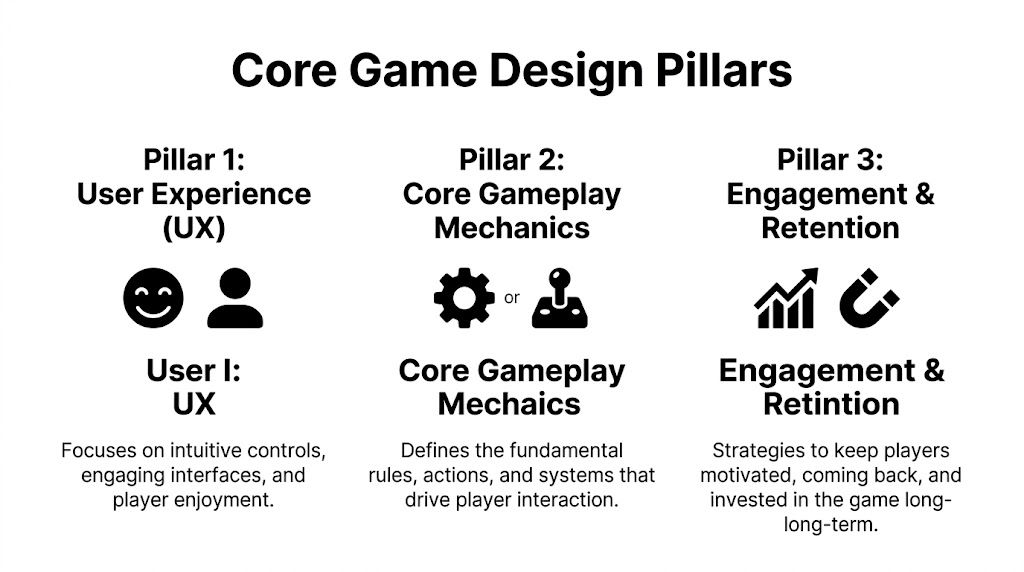
A lot of founders think game app design starts with features. It doesn’t. It starts with three pillars that decide whether a player understands the game, enjoys the interaction, and comes back tomorrow.
User experience is not decoration
Game UI is different from normal app UI. In a business app, the interface should disappear. In a game, the interface has to guide action, reinforce feedback, and create rhythm.
A weak game screen usually has one of two problems. It either hides the next useful action, or it overwhelms the player with too many options at once.
For mobile, your interface needs to answer these questions instantly:
Where do I tap first
What changed because of my action
What should I try next
Was that good or bad
If your prototype needs a paragraph of explanation before play starts, the design is already under strain.
Core gameplay has to survive simplification
Most founders pitch layers. Players only experience loops.
The core gameplay mechanic is the repeatable action sequence that creates progress. Tap, drag, match, choose, upgrade, collect, defend, merge, place, compare. A strong mechanic feels understandable before it feels deep.
Here’s a simple way to pressure-test it:
Question | Strong sign | Warning sign |
|---|---|---|
Can you explain the action in one sentence? | “Match adjacent symbols to clear the board.” | “It’s kind of like three games combined.” |
Can a player do it in under a minute? | Yes, on the first screen | Not without setup |
Does the action create a result worth caring about? | Score, progress, unlock, surprise | Nothing visible changes |
If your mechanic only becomes fun after five systems are layered on top, your MVP is too big.
Onboarding should teach through play
A good onboarding flow feels like the opening scene of a strong film. It gives context, introduces tension, and teaches the audience how to read what’s happening without stopping the experience.
In no-code prototypes, founders often overbuild tutorials. They stack modals, arrows, coach marks, and text overlays because they’re afraid players will get lost. That usually backfires.
Use a lighter structure instead:
Show one action on the first screen.
Constrain the choices so the correct first move is obvious.
Give immediate feedback after that move.
Introduce complexity gradually after the player succeeds once.
Players don’t learn games by reading. They learn by trying something safe and seeing a clear result.
Retention is part of design, not marketing
Founders sometimes treat retention like it belongs to push notifications and CRM flows later. In game app design, retention starts inside the mechanic.
The common levers are familiar:
Progress markers like levels, streaks, and collections
Anticipation such as “one more run” or “one more reward”
Variable outcomes that create surprise
Social proof through friends, rankings, or shared progress
Light economy systems including currency, boosts, and new items
What doesn’t work is bolting these onto a dull loop. Daily rewards won’t save a boring interaction. A battle pass won’t save confusing controls. Start with a loop people want to repeat, then add retention systems carefully.
Defining Your MVP's Core Game Loop
When founders say “MVP,” they often mean “smaller version of the full game.” That’s still too big.
For a no-code prototype, your MVP should be a test of one repeatable player behavior. Nothing more.
Find the repeatable sequence
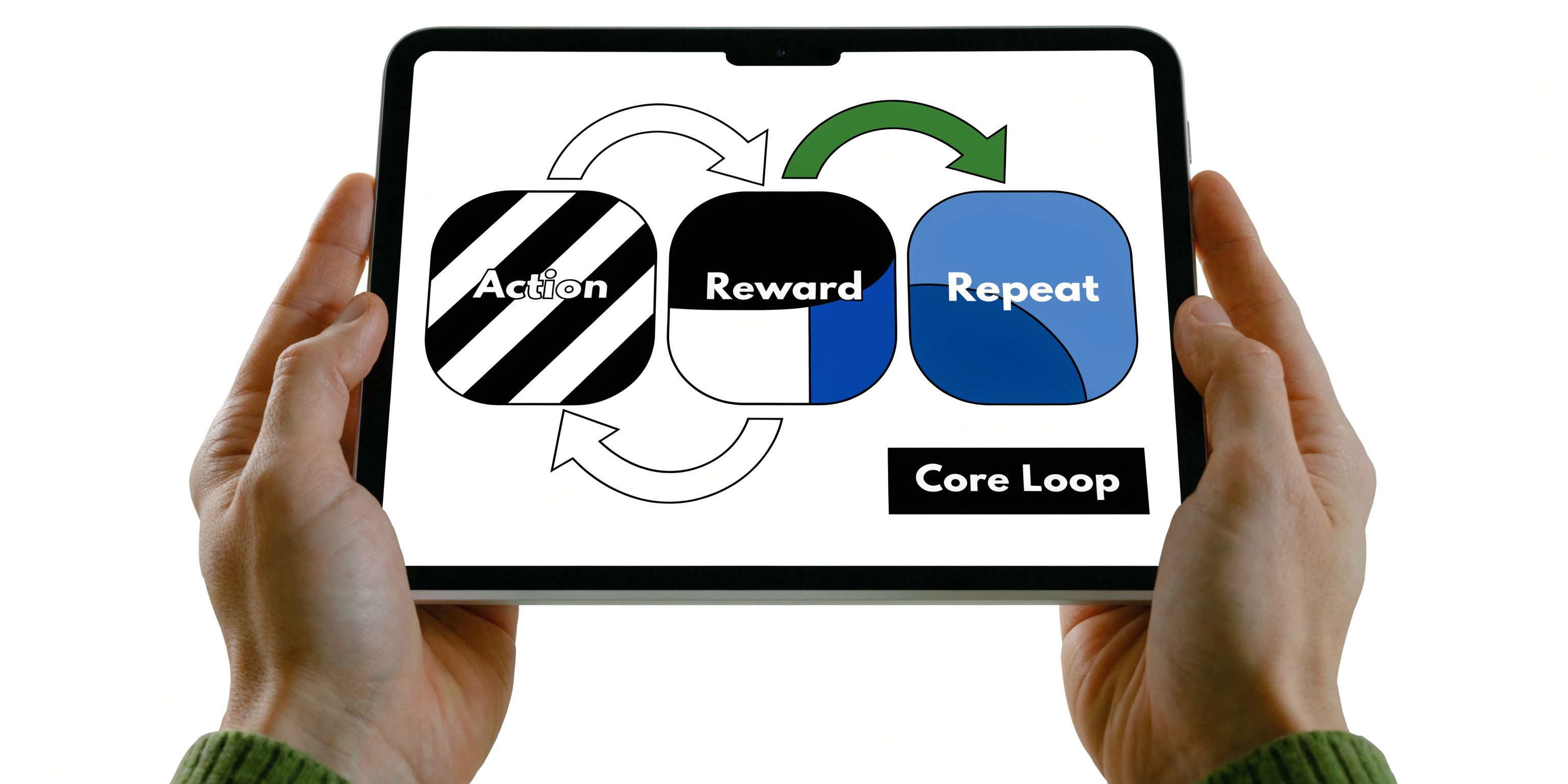
A core loop is the chain of actions a player repeats to make progress. In plain English, it usually looks like this:
See opportunity → take action → get feedback → earn reward → repeat
Some examples:
Spot tiles, match tiles, clear board, gain points, keep playing
Choose card, place card, resolve turn, gain coins, upgrade deck
Accept quest, complete task, earn loot, improve character, start next quest
That’s the level you need to design at first. Not lore. Not seasonal content. Not clan systems.
Strip your idea down until it hurts
This is the uncomfortable part.
If your idea includes crafting, multiplayer, live events, skins, narrative, AI enemies, and an upgrade tree, your first prototype should probably include one of those things. Maybe two. Not all of them.
Use this filter:
Must prove now
The one interaction that determines whether the game is funCan fake manually
Content, balance, rewards, copy, even some opponent behaviorIgnore for MVP
Social systems, advanced economies, cosmetics, account complexity
A lot of Bubble projects improve the moment the founder removes the parts they’re emotionally attached to.
Map the loop before you touch Bubble
I like founders to write the loop as a short sequence with only verbs and nouns. No buzzwords.
Try this format:
Player sees ___
Player chooses ___
System responds with ___
Player earns ___
New opportunity appears ___
If you need help making that concrete, a good Product Requirements Document (PRD) template can force the right level of clarity before you start building workflows.
Pick the moment of fun
Not every step in the loop matters equally. Usually one moment carries the experience.
That moment might be:
the reveal of a winning combination
the tension before a result resolves
the satisfaction of clearing a board
the surprise of a rare reward
the feeling of outsmarting a system
Your prototype only needs to prove that this moment lands.
If the “fun” depends on future polish, future content, and future community, you haven’t found the core loop yet.
What works in Bubble, and what doesn’t
Bubble handles loop designs best when state changes are discrete. Tap a card. Submit a choice. Resolve a turn. Update score. Show next state.
Bubble struggles when the loop depends on:
Works well in Bubble | Struggles in Bubble |
|---|---|
Turn-based actions | Real-time combat |
Grid and card logic | Physics-heavy platforming |
Timers and cooldowns | High-speed gesture precision |
Progression systems | Native-feeling animation chains |
Economy tests | Complex on-screen particle effects |
That doesn’t make Bubble second-rate. It just changes what kind of prototype you should build. If your concept can’t survive this simplification, that’s useful information. Better to learn it now than after a costly build.
Planning Monetization and Key Analytics
A game prototype that feels fun but teaches you nothing about business risk isn’t enough. Before you build too much, decide how the game could make money and what evidence would justify building further.
Choose a monetization model that matches the prototype
Founders usually try to test three things at once: gameplay, monetization, and retention. That creates noise.
For an MVP, use the simplest monetization model that matches the player experience you’re trying to validate. If you want a broader framing on common models, this roundup of proven app monetization strategies is a useful companion read.
Here’s the practical view:
In-app purchases work when players already value progression, boosts, cosmetics, or convenience. Good for later-stage validation, not always first.
Ads are easier to simulate early, but they can distort your test if they interrupt too soon.
Subscriptions are usually wrong for a first game MVP unless the product is content-driven and habit-based from day one.
For Bubble founders, I usually suggest this order: validate the loop first, then test one lightweight payment behavior. If you do need a clean way to prototype payment flow, this guide to using Stripe in Bubble is a strong starting point: https://codeless.coach/blog/stripe-embed-checkout
Track events, not vanity
Most founders look at signups and session counts too early. Those numbers are noisy if you haven’t instrumented the actual player journey.
For mobile game app design, Event Conversion Rate is one of the first useful metrics because it shows whether players complete critical actions. According to Costcenter’s guide to mobile game level design metrics, games that maintain over 50% conversion on their core loops achieve twice the Daily Active Users, and fixing drop-offs found through these metrics can improve retention by up to 15%.
That matters more than raw install volume.
The first events to instrument
For a Bubble prototype, I’d capture a small event set first.
Tutorial started so you know if users even begin learning the game
Tutorial completed because confusion usually shows up here first
First core action completed to verify the loop is playable
First reward claimed because rewards often expose weak feedback
Second session started since return behavior matters more than praise
You can implement this with Bubble workflows and send events into tools such as Firebase or your analytics stack of choice. Keep the schema simple. Event name, user, timestamp, context.
What to do with the data
Don’t stare at dashboards hoping for a grand insight. Ask narrow questions.
If players start but don’t finish the tutorial, your onboarding is too text-heavy, too slow, or too unclear.
If they finish onboarding but never complete the first loop, your controls or value proposition are weak.
If they complete one loop and leave, your reward isn’t strong enough to create momentum.
A prototype doesn’t need perfect analytics. It needs enough instrumentation to tell you where interest turns into friction.
A simple MVP scorecard
Use this as a decision tool after early testing:
Signal | What it suggests |
|---|---|
Players complete the first loop quickly | The mechanic is understandable |
Players repeat the loop without prompting | The interaction has pull |
Players return for another session | There may be retention potential |
Players ignore reward or upgrade options | Your economy may be weak |
Players abandon during setup | Onboarding is hurting the game |
That’s how you answer the founder question that matters. Not “Is this cool?” but “Is this fun enough to deserve another build cycle?”
Prototyping Your Game in Bubble.io
Prototyping requires optimism and discipline. Bubble can prototype parts of a game well, but only if you translate game mechanics into product logic instead of trying to imitate a full engine.
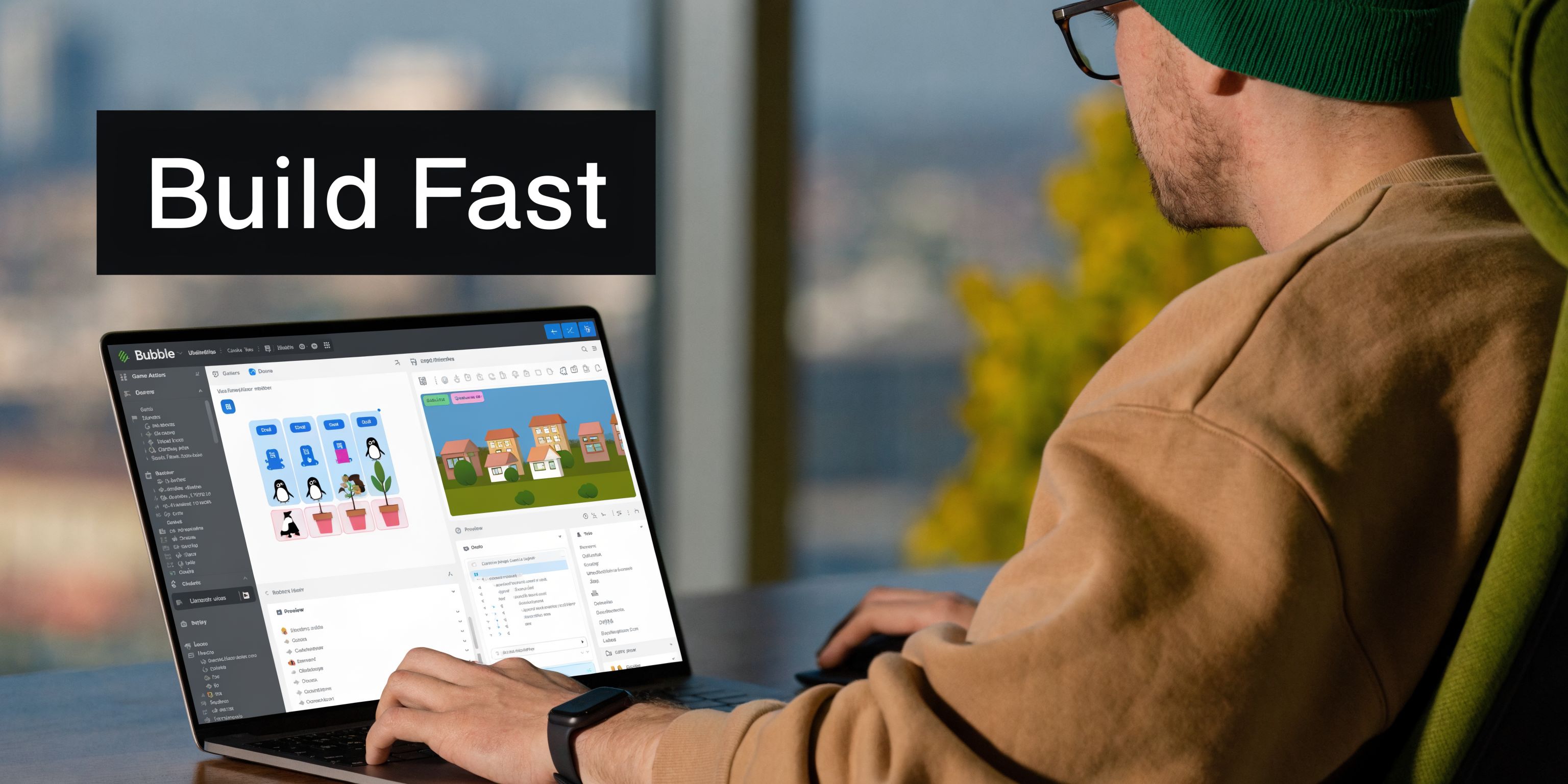
Most mainstream guides assume Unity or Unreal. They skip the founder who needs to answer a simpler question first: can I build a playable prototype without code? That’s exactly the underserved gap identified in this guide for indie developers, and it’s where Bubble can earn its keep.
Translate mechanics into Bubble primitives
In Bubble, your main building blocks are:
Custom states for temporary game state
Database objects for persistent progress, inventory, scores, or content
Workflows for turn resolution, rewards, validation, and transitions
Reusable elements for cards, tiles, avatars, shops, and HUD components
Responsive layouts for touch-first mobile screens
If your game is card-based, turn-based, quiz-based, resource-based, or progression-heavy, these are enough to build a convincing prototype.
A simple pattern might look like this:
Player taps a card
Bubble stores selection in a custom state
Workflow checks whether the move is valid
Score and feedback update
New state renders on screen
That’s not glamorous, but it is testable.
Use Bubble for logic, not spectacle
Where founders go wrong is trying to make Bubble feel like a native engine from day one. They add layered animations, excessive transitions, and too many visual states before the mechanic works.
Don’t do that.
Build in this order:
First pass
one playable screen
one complete loop
one scoring rule
one feedback state
one restart path
Second pass
onboarding prompts
progression tracking
event logging
monetization hooks
visual polish where it helps clarity
If you need a broader process for shaping rough concepts into something testable, this article on app prototyping is helpful: https://codeless.coach/blog/prototyping-an-app
The hard limitations you can’t talk your way around
Bubble is not built for fast action.
It struggles with:
rapid collision logic
continuous object movement
multiplayer sync with tight timing
advanced pathfinding
heavy animation layered across many elements
You can fake some of this with scheduled workflows, timers, and controlled state transitions. But if your design depends on instant precision, the prototype will feel mushy. That isn’t a minor UX issue. It changes what players think of the core mechanic.
Don’t prototype the fantasy version of the game. Prototype the version Bubble can execute cleanly enough to generate honest feedback.
Workarounds that actually help
There are still useful tricks.
Simulate turns instead of real-time play by resolving actions on tap or submit.
Use custom states for local responsiveness so the UI changes immediately before database writes finish.
Limit moving elements on screen to avoid sluggish mobile behavior.
Precompute outcomes where possible instead of calculating everything live.
Use plugins carefully for animation or audio, but only after the loop already works.
Later in the process, video walkthroughs can help you think through editor setup and flow decisions before you overbuild. This one is worth reviewing once your basic prototype exists.
A realistic Bubble game stack
A practical no-code game prototype in Bubble often includes:
Layer | Bubble approach |
|---|---|
Game board or play area | Repeating groups, groups, custom states |
Turn or move logic | Front-end and back-end workflows |
Score and progression | Database fields on User or Game Session |
Feedback | Conditional formatting, icons, audio, microcopy |
Payments | Stripe integration |
Messaging or notifications | Twilio or native integrations |
Analytics | Event logging through workflows and API calls |
That’s enough to validate a lot of game app design decisions. Not all of them. But enough to decide whether you should keep going, pivot, or move into a coded build later.
Managing Assets and No-Code Performance
A slow prototype gives you bad feedback. Players won’t tell you “your database schema is messy.” They’ll tell you the game feels clunky, confusing, or cheap.
They’re reacting to performance.
Visual polish can hurt the prototype
Founders often overinvest in card art, background video, layered effects, and animated overlays because they want the game to feel premium. I get it. But in no-code, every extra asset has a cost.
Game development models show that overloading graphics without a strong technical base can reduce output by 25-50%, according to the Tech and Design Points Generation Algorithm breakdown. In practical Bubble terms, that means flashy assets can overwhelm weak structure and hurt immersion before players ever judge the actual mechanic.
Prioritize responsiveness over richness
Your first performance budget should focus on what the player touches most.
That usually means:
tap targets
state changes
score updates
board refreshes
reward reveals
If those feel delayed, the game feels wrong.
A useful rule is simple. Spend your performance budget on interactions, not decoration.
Database choices matter more than founders expect
A lot of Bubble game prototypes become slow because the founder treats the database like a dumping ground.
Bad pattern:
every tile, move, reward, and status check writes to the database immediately
repeating groups run complex searches every time the screen changes
conditions reference deep searches across multiple data types
Better pattern:
store temporary play state in custom states
write only the important milestones to the database
pre-structure game session data so searches stay shallow
avoid making the UI calculate too much on page load
If your prototype has lots of media uploads for items, cards, or character content, this guide on handling files in Bubble is useful: https://codeless.coach/blog/multi-file-upload
Asset management rules that save projects
Use a few boring constraints early:
Compress images before upload so mobile screens aren’t pulling oversized files
Reuse UI components instead of building slightly different versions everywhere
Limit conditional complexity on single elements with too many visual states
Avoid giant repeating groups pretending to be real-time game scenes
Test on an actual phone because desktop preview hides pain
A no-code game prototype doesn’t need to look expensive. It needs to react quickly enough that players trust what they’re seeing.
Client-side versus server-side thinking
This trade-off matters in Bubble:
Use custom states when | Use database or workflows when |
|---|---|
You need instant UI response | You need persistence across sessions |
The state is temporary | The action affects progress or economy |
The player is mid-turn | The move is final and should be stored |
You want smoother feel | You need analytics or history |
If you put everything on the server side, the prototype drags. If you keep everything client-side, your data becomes unreliable. Good game app design in Bubble means knowing which state deserves permanence and which state only needs to feel immediate.
User Testing Feedback and Launch Checklist
Founders often relax when the prototype finally works. That’s the dangerous moment. A working prototype is not proof. It’s an invitation to start learning.
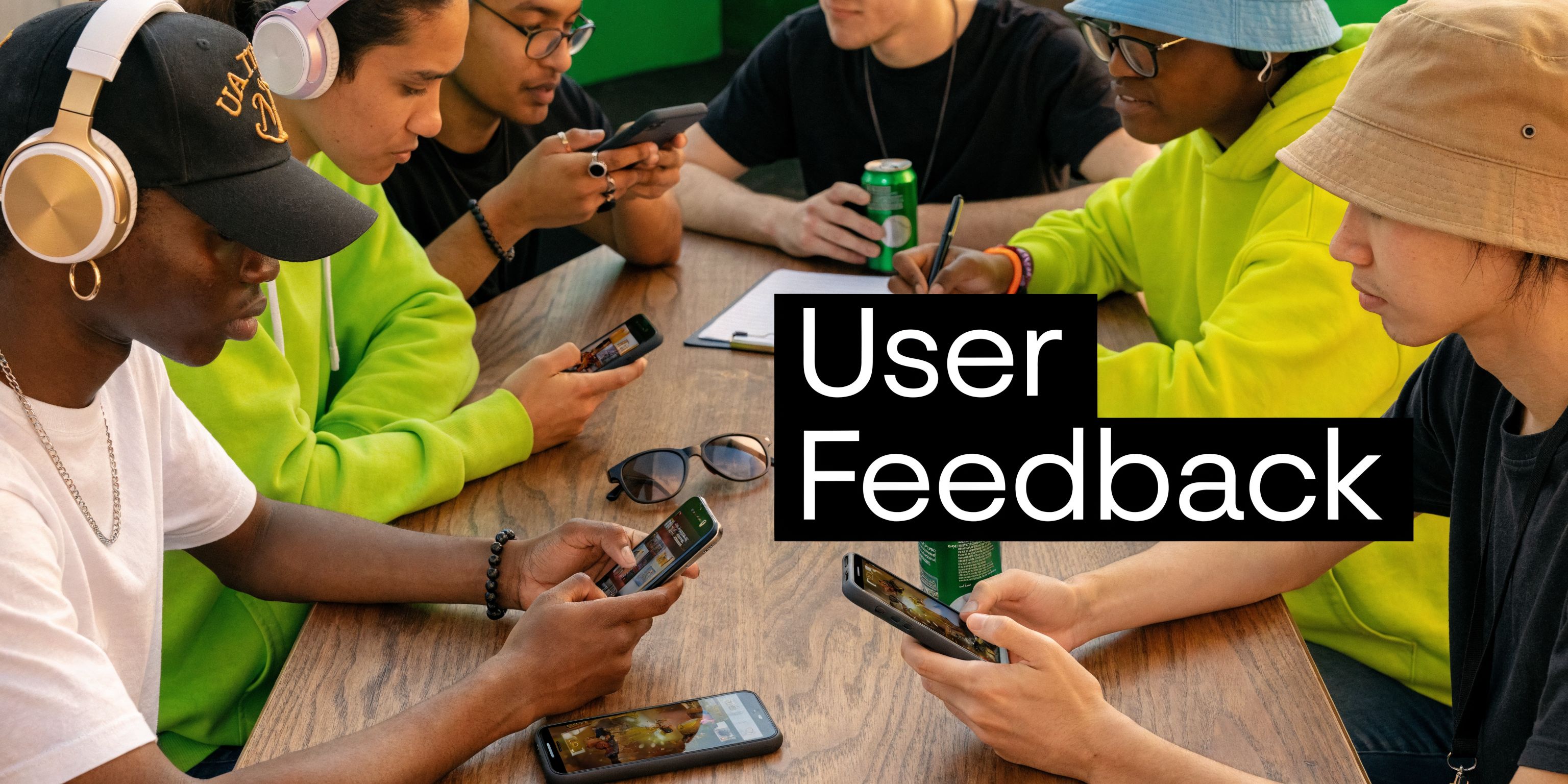
Test with people who owe you nothing
Friends are useful for bug spotting. They’re bad at telling you whether the game deserves to exist.
Start small, but choose people who can give you honest confusion. Watch them play without rescuing them too quickly. If they stall, note where. If they tap the wrong thing, note why. If they ask what the goal is, your onboarding still isn’t doing enough.
Good testing prompts are short:
What do you think you’re supposed to do first?
What felt satisfying?
Where did you hesitate?
Would you play again right now?
What confused you that you expected to understand faster?
Don’t ask whether they “like it.” That answer is too polite to be useful.
Look for behavior before opinions
A tester saying “cool concept” means nothing if they don’t complete the loop.
Watch for these signals instead:
Behavior | Interpretation |
|---|---|
They start playing without explanation | Your first screen is clear |
They repeat the loop voluntarily | The mechanic has pull |
They ignore a major feature | That feature may be unnecessary |
They stop after one round | Reward or progression is weak |
They misread a button or gesture | Your UI language is off |
Build accessibility in earlier than you think
Inclusive design is still badly underserved in no-code game guidance, which is a mistake. The design choices you make now affect who can even try the prototype.
The verified guidance here is strong enough to act on. Digital Thriving Playbook’s discussion of harmful tropes in game design notes that implementing accessibility features like colorblind modes can expand a game’s audience by 15-20%, and diverse beta testing has been shown to reduce harmful tropes by 40%.
For Bubble founders, that means making practical choices like:
Don’t rely on color alone to show state changes
Use larger touch targets for users with motor challenges
Offer text labels with icons instead of icons only
Avoid culturally lazy default art that leans on stereotypes
Test with a wider mix of users than your immediate circle
Accessibility isn’t polish. It changes who gets to understand and enjoy the game at all.
A soft launch checklist that prevents common mistakes
Use this before you put the prototype in front of a wider audience.
Core loop works cleanly
A player can start, act, receive feedback, and repeat without admin help.Onboarding is trimmed
Remove every instruction that the interface can teach through action.Analytics events fire properly
Critical actions are logged so you can see where drop-off happens.One monetization path is in place
Even if it’s lightweight, the test should show whether players value anything enough to pay.Performance is tested on mobile
Not just desktop preview. Real device, real loading, real touch behavior.Accessibility basics are present
Clear contrast, readable copy, larger tap areas, reduced reliance on color.Feedback channels are ready
A simple form, email, or in-app prompt gives testers a way to report friction.Bug triage is realistic
Fix game-breaking issues first. Ignore cosmetic nitpicks until the loop is validated.Store-facing copy is honest
Don’t position a prototype like a finished game. Set expectations clearly.
Know what success looks like
A successful early launch doesn’t mean players call the game amazing. It means you learn, quickly and clearly, whether the core interaction earns another round of investment.
That’s the founder mindset worth keeping. Not “How do I ship a full game in Bubble?” but “How do I reduce uncertainty with the fastest honest prototype I can build?”
If you’re trying to figure out whether your game idea belongs in Bubble, or how to scope a prototype that won’t collapse under its own ambition, Codeless Coach can help you work through the trade-offs, tighten the MVP, and build a no-code version that’s useful for validation.











