Mar 7, 2026
How to Design a Mobile Application Without Being a Coder
Learn how to design a mobile application with no code. A founder's guide to user research, wireframing, and prototyping your app idea using tools like Bubble.
So you have a killer app idea, but you can't code. Good. That’s no longer the barrier it once was. The real key to building a successful mobile app isn't mastering a programming language; it's mastering a design process.
With the right workflow, you can move from a rough idea to a polished, launch-ready product. This guide is built to give you that exact process—a founder-friendly path designed for visionaries, not just developers.
Why This Is Your Moment to Build
Let's be clear: the opportunity is staggering. The mobile app market is on track to become a $1.1 trillion industry by 2034. For years, that market was guarded by developers and huge budgets. Not anymore.
The rise of powerful no-code tools has completely changed the game, allowing you to build sophisticated apps without writing a single line of code. This shift means you can stop worrying about the technical "how" and focus entirely on creating a product that people genuinely need and love.
This guide will walk you through a practical, battle-tested design workflow. We'll cover everything you need to know to turn your vision into reality, step-by-step.
Before we dive into the specific steps, let's take a quick look at the entire no-code app design journey. Think of this as your roadmap from idea to launch.
The No-Code App Design Workflow at a Glance
Phase | What It Is | Key Outcome |
|---|---|---|
1. Discovery & Goals | Defining your app's core purpose, target audience, and business objectives. | A clear vision and a written project brief. |
2. User Research | Talking to potential users to understand their pain points and needs. | Detailed user personas and journey maps. |
3. User Flows & IA | Mapping out how users will navigate your app and organizing its content. | A logical sitemap and intuitive user flow diagrams. |
4. Wireframing | Creating basic, low-fidelity blueprints of your app's screens. | A skeletal structure of your app's layout and functionality. |
5. Mockups & UI | Designing the high-fidelity, polished visual interface of your app. | Pixel-perfect screens that look and feel like the final product. |
6. Prototyping & Testing | Building a clickable, interactive version of your app for user feedback. | Actionable insights to refine the user experience. |
7. Iteration & Handoff | Making improvements based on feedback and preparing assets for development. | A finalized design and a clear build plan. |
This structured process ensures you're building the right product for the right people, minimizing wasted time and money along the way.
The Founder's Unfair Advantage
Working without a traditional development team gives you a surprising edge. By using a no-code platform like Bubble, you can personally drive the design and build process. This isn't just about saving money; it's about speed and control.
Here’s what that really means for you:
Test ideas in days, not months. You can build a functional prototype yourself and get it in front of real users to see if your idea has legs.
Slash your initial burn rate. Forget the six-figure price tag of a dev agency. You can build your first version for a fraction of the cost.
Your vision, built your way. No more games of telephone with developers. You are in direct control, ensuring the final product matches your vision perfectly.
Pivot on a dime. When user feedback rolls in, you can make changes almost instantly without waiting for a developer's schedule to clear.
This is a fundamental shift in power. You’re no longer just the "idea person"; you’re the builder. For a deeper look at the tools that make this possible, explore our guide on no-code platforms.
Platforms like Bubble offer a visual, drag-and-drop editor that feels more like designing a slide deck than coding. You can arrange elements, connect workflows, and build out complex features without ever touching a line of code.
What you're seeing here is the visual canvas where your app comes to life. You can literally see your app being built in real time, giving you complete creative freedom.
The most critical takeaway for any non-technical founder is this: Your success depends not on your ability to code, but on your ability to deeply understand your user and design a solution that truly meets their needs.
This guide is designed to help you do exactly that. We'll break down each stage of the design process, offering practical tips and flagging common pitfalls so you can build with confidence. Let's get started.
Alright, let’s get into the nitty-gritty of where your app idea starts to become real. Forget about colors, fonts, and flashy animations for a moment. The most successful apps are built on a rock-solid foundation, and that foundation has two parts: a crystal-clear purpose and a deep understanding of who you're building it for.
So many founders get this wrong. They jump straight into features, but a feature list isn't a purpose. Before you do anything else, you have to nail your app's "one big thing." What is the single, painful problem you are solving?
Resist the temptation to build a Swiss Army knife. Your app shouldn't do twenty things reasonably well; it should do one thing exceptionally well, especially when you're just starting out.
The biggest pitfall I see founders fall into is trying to make an app that does everything for everyone. The strongest ideas solve a very specific problem for a very specific group of people. If you can't explain your app's core purpose in one sentence, you haven't dug deep enough.
This single sentence becomes your guiding light. It’s what you’ll use to filter every future decision about features, design, and marketing. It’s the core of your Minimum Viable Product (MVP) and what will get your first users hooked.
Get Out of Your Head and Talk to Real People
Once you have a hypothesis about the problem, it’s time to see if it holds up in the real world. This is where most founders get nervous, but it doesn't have to be a huge, expensive process. The best insights often come from a few genuine conversations.
The goal of user research is simple: listen. You’re not there to sell your idea; you’re there to understand someone else's world. Put together a few open-ended questions that encourage people to tell you a story.
User Interview Questions That Actually Work:
"Tell me about the last time you tried to [accomplish the task your app solves]."
"What was the most frustrating part of that whole experience?"
"What have you tried, if anything, to make that easier?"
"If you could wave a magic wand and fix that process, what would change?"
See how none of those questions even mention your app? You're digging for the raw, unfiltered truth about their current frustrations. These conversations are gold. They give you the exact language and pain points you need to build something people will actually care about.
Sketching Out Your Ideal User
After a handful of these interviews, you'll start noticing patterns. Certain frustrations, goals, and backgrounds will keep popping up. This is when you can distill that research into a user persona—a simple, fictional profile of your ideal customer.
Don't go overboard here. A simple, one-page persona is more than enough.
A Quick Persona for a Meal-Planning App:
Name: "Busy Brian"
Bio: Project manager, dad of two young kids.
Goals: Wants his family to eat healthier and hopes to save money on groceries.
Frustrations: He’s exhausted after work and defaults to expensive takeout because he can't handle the mental load of planning meals. He feels guilty about it.
His Words: "I just wish someone would tell me what to cook and what to buy so I don't have to think about it."
This isn't just a silly exercise. "Busy Brian" is now your tie-breaker. When you're debating whether to add a complicated calorie-tracking feature down the line, you can ask your team, "Would this actually help Brian, or just add more noise to his already stressful life?"
A Smarter Way to Scope Out the Competition
Finally, it’s time to see who else is out there. Looking at competitors isn’t about stealing their ideas—it’s about finding the gaps they’ve left open for you. For every competing app you find, go straight to the user reviews.
The app store is a treasure trove of brutally honest feedback. Ignore the five-star raves and the one-star rants with no details. The real insights are in the two- and three-star reviews.
These are from people who wanted the app to work but were let down. Look for recurring complaints like "it's too complicated" or "I wish it just did X." Those complaints are your roadmap. That's your opportunity to design an app that’s simpler, more focused, and built around what users are practically begging for.
Charting the Course: From User Goals to App Blueprint
You've defined your purpose and have a clear picture of who you're building for. Now, we get into the nitty-gritty of how your app will actually work. This is where we build the architectural plans before we even think about paint colors or furniture. Trying to build an app without this step is a surefire way to create a confusing maze of screens that leads users nowhere.
We begin with something called user flows. These are simple maps that trace the exact path someone takes to get something done in your app. Think of it as drawing a line from point A (your user's problem) to point B (their solution).
This early discovery work—defining your idea, researching your user, and analyzing the market—sets the stage for a solid app structure.

As you can see, each phase logically builds on the last. This ensures the design choices you make are firmly rooted in what your users actually need and want.
Turning User Goals into Concrete Steps
Let's put this into practice. Remember "Busy Brian," our persona from the user research phase? One of his main goals is to add a new task without any fuss.
So, what does that journey look like?
Brian opens the app.
He sees and taps a clear "Add Task" button right on the home screen.
A simple form pops up asking for the task name.
He taps "Save," and boom—the new task is in his list.
That's a clean, four-step flow. Mapping this out forces you to think through every single screen and interaction. It’s your first chance to spot and eliminate friction. For a more visual and detailed representation, you can create what's known as a user flow diagram.
A beautiful app that nobody can figure out is a beautiful failure. A simple, functional app that feels intuitive is a winner. User flows are your first line of defense against building a confusing product.
You'll want to create these flows for every key action in your app, from "completing a task" and "editing a profile" to "resetting a password." This process is invaluable for catching dead ends or convoluted paths long before you’ve spent a dime on visual design.
Building Your App's Skeleton: Information Architecture
After you've mapped out a handful of these user flows, you'll start to notice patterns. The screens and actions you've defined will naturally begin to form the skeleton of your app, what we call its Information Architecture (IA). Your IA is essentially the blueprint for your app's navigation and how you organize all its content.
It helps you nail down the answers to crucial questions like:
What are the most important items for the main navigation?
Where do users expect to find their profile and settings?
How should help and support content be organized?
One of the biggest mistakes I see founders make is organizing their navigation around their own company structure. Your users have no idea what your internal departments are, and frankly, they don't care. They just want to get things done. I’ve seen data that shows users get frustrated and leave if they can’t find what they need within a few taps.
To get your IA right, start grouping related screens from your user flows. In our task app, the "Task List," "Add Task," and "Task Details" screens are all part of the same family. Likewise, "Profile," "Settings," and "Log Out" form another logical group. These groupings will directly influence how you'll eventually design a mobile application’s tab bar or side menu, giving every feature a sensible and predictable home.
From Low-Fidelity Wireframes to High-Fidelity Mockups

You’ve mapped out the core journeys and organized your app’s content. Now for the fun part: translating those plans into something you can actually see. This is where you truly start to design a mobile application interface, moving from rough sketches to polished screens.
Laying the Foundation with Low-Fidelity Wireframes
First up are low-fidelity wireframes. Think of these as the basic, black-and-white architectural drawings for each screen. Their only job is to establish structure and layout, not to look pretty.
At this stage, your one and only question should be: What goes where?
Seriously, ignore all the tempting details. No colors, no fonts, not even real images. A big rectangle with an "X" drawn through it is your placeholder for a picture. A simple box is a button. This intentional simplicity keeps the process incredibly fast and cheap.
Getting Started with Low-Fidelity Wireframing
You don’t need sophisticated software to dive in. I always tell founders to start with what’s most accessible, and often, that’s not a computer.
Pen and Paper: Honestly, this is my favorite way to start. It’s quick, tangible, and has zero learning curve. You can burn through a dozen screen ideas in 30 minutes without getting bogged down.
Whiteboard: If you're working with a co-founder or a small team, nothing beats a whiteboard. It’s perfect for drawing, erasing, and rethinking flows together in real-time.
Digital Tools: Once you have some rough ideas, moving to a free tool like Figma helps organize your screens. It lets you create clean, shareable wireframes that are much easier to edit and discuss.
The real power of low-fidelity wireframes is that they’re disposable. If a layout feels clunky, you can just crumple up the paper or delete the artboard. There's no emotional attachment, which encourages you to iterate quickly and find the best solution without wasting hours.
Adding Life with High-Fidelity Mockups
Once the core structure feels solid, it’s time to graduate to high-fidelity mockups. This is where you breathe life into the wireframes by adding your brand’s color palette, typography, actual images, and icons. The goal is to create static, pixel-perfect screens that look exactly how you imagine the final app.
This is the moment your brand's personality starts to shine through. A great high-fidelity mockup doesn't just show what the app does—it starts to show what it feels like to use.
Key Takeaway: A high-fidelity mockup is the visual promise you make to your users. It sets their expectations for quality and professionalism, and it’s your best shot at making a killer first impression.
Choosing Your Visual Identity
I see a lot of non-designers freeze up at this stage, but you don't need a fine arts degree to make solid choices. A few guiding principles will get you most of the way there.
Your Color Palette: Start with one or two primary brand colors. Then, add a few functional colors that every app needs:
Success: A clear green for confirmation messages.
Warning: An amber or yellow for gentle alerts.
Error: A bold red for validation errors and critical issues.
Neutrals: A handful of grays for text, backgrounds, and dividers.
Font Pairing: Keep it simple. Stick to one or, at most, two font families. A classic approach is using a more distinctive font for headings and a clean, super-readable sans-serif font (like Inter or Lato) for body text. Google Fonts is a fantastic free resource for finding and pairing fonts.
Designing for a No-Code Future with Bubble
If you’re a no-code founder planning to build on a platform like Bubble, it is absolutely critical that you design with your tool’s logic in mind. Bubble’s Responsive Engine is a beast, letting you build one design that reflows perfectly across all screen sizes. But it works best when you plan for it from the start.
For founders trying to validate ideas, no-code and low-code tools are a massive shortcut to market. The industry is evolving fast, with AI features and powerful frameworks allowing tools like Bubble to deliver native-like experiences on both iOS and Android from a single project. You can learn more about the mobile application platform market to see how these trends are empowering creators.
This means you should design your mockups using a layout system that mirrors how Bubble thinks: in terms of rows, columns, and containers. Thinking this way from day one ensures that what you design can actually be built efficiently. It’s a bit of forward-thinking that will save you from major headaches and costly redesigns during the build phase.
From Static Pictures to a Real-World Test Drive
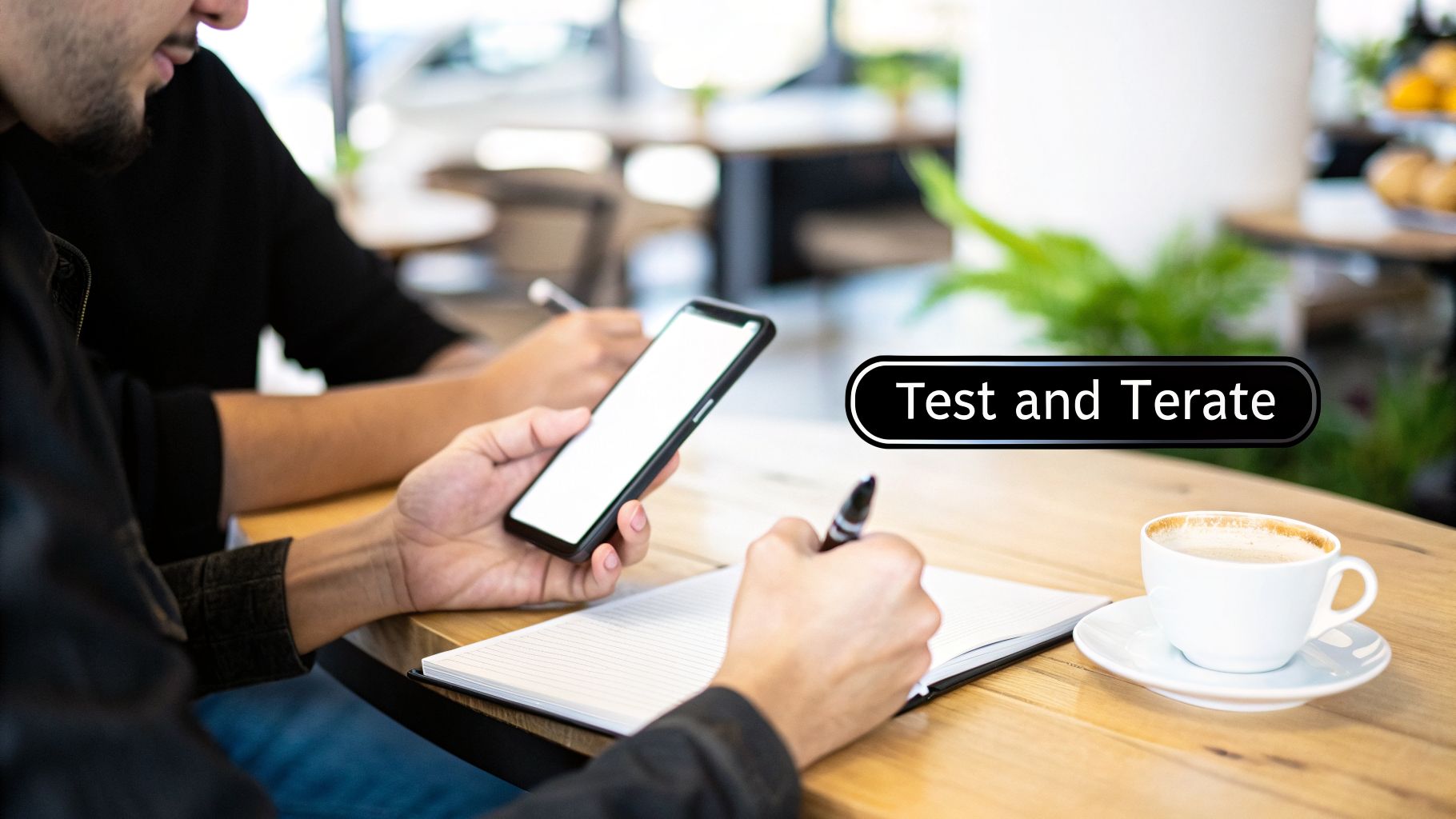
So, you’ve got a folder full of gorgeous, high-fidelity mockups. They look perfect. But right now, they're just that—pictures. To truly design a mobile application that people will actually use, you have to find out how it feels to navigate. It's time to bring your design to life and see how it holds up in a real person's hands.
Building Your Interactive Prototype
This is where a prototype comes in. Think of it as a clickable, interactive model of your app that simulates the real user journey. It's what connects all your separate screens, letting someone tap a button and see what happens next, just like they would in a finished app. This is hands-down the best way to validate your design choices before a single line of code is written or a single workflow is built.
Modern tools like Figma make this surprisingly simple. You can easily draw connections between elements—linking a "Sign Up" button on one screen to the "Create Account" page, for example. In just a few hours, you can create a very convincing simulation of your app's core experience.
Alternatively, you can build your prototype directly in Bubble. While this means you're technically starting the build, it gives you the massive advantage of testing on the exact platform you'll be using. You'll know from day one if your design ideas are compatible with Bubble's logic. If you're curious about this approach, we have a complete guide to help you learn more about prototyping an app.
The Moment of Truth: Usability Testing
Now for my favorite part—usability testing. This sounds formal, but it doesn't need to be. Forget fancy one-way mirrors and expensive labs. All you need is your prototype, someone who hasn't seen it before, and a simple goal for them to achieve.
Here's how I run these sessions. First, find a willing participant. This could be a friend, a colleague, or better yet, someone from your target audience. Just make sure it's not someone who's been part of the design process—you need fresh eyes.
Next, give them a task, but don't give them any instructions. Just say something like, "Imagine you're signing up for the first time. Show me how you'd do that."
Then comes the hardest part: shut up and watch. Your only job is to observe. Notice where they tap instinctively, where they pause with uncertainty, and where they get completely stuck. You will have to fight every urge to jump in and say, "No, the button is over there!" Don't do it.
The point isn't to see if they can complete the task, but to see how easily they do it. Every moment of hesitation is a golden nugget of feedback on a potential design flaw.
Watch what users do, not what they say. People often say they like a design to be polite, but their actions—hesitations, wrong taps, and frustrated sighs—reveal the unfiltered truth about your user experience.
Sorting the Gold from the Noise
After just a few sessions, you'll have a notepad full of observations. Now you have to figure out what's truly valuable feedback and what's just personal opinion.
This is gold: When you see multiple users getting stuck in the exact same spot. If three out of five people can't find the settings menu, that's a huge red flag. The design is the problem, not the user.
This is noise: Subjective comments like, "I'm not a fan of this blue," or "I think that icon should be a square." You can make a note of these, but they are far less important than functional roadblocks.
Always prioritize fixing the roadblocks. If your testers couldn't figure out how to add an item to their cart, that's your top priority. Go back to your mockups, tweak the design, update your prototype, and test it again. This cycle of testing and iterating is what separates an app that just looks good from one that’s a joy to use.
Getting Your Designs Ready for the Build
Once you're confident your design is intuitive and solves the core problem, it's time to package it up for development. Since you're using Bubble, this "handoff" might be to yourself or a no-code developer you've hired. A little prep work here will save you dozens of hours later.
I always recommend creating a simple design specification document, or "spec sheet." It doesn't need to be fancy, but it should include:
Final Mockups: All screens, clearly labeled (e.g., "Home Screen," "User Profile - Edit Mode").
Color Palette: The specific hex codes for all your brand colors, text colors, and backgrounds.
Typography Guide: The names of your fonts, along with their sizes and weights for different elements like H1s, H2s, and body text.
Asset Library: A link to a shared folder (like Google Drive or Dropbox) containing all necessary icons, logos, and images, preferably in SVG format.
With this spec sheet, you have a precise blueprint. When you open the Bubble editor, you won't be guessing which shade of gray to use or how big a heading should be. You'll be executing a clear plan, which makes the build process faster and much more accurate.
The market moves fast, with trends like super apps and deep personalization demanding rapid development—something no-code is built for. With the low-code/no-code market projected to hit $47.61B by 2035, mastering this design-to-build workflow is a massive advantage. You can discover more about these mobile application statistics to see just how fast things are changing. An organized handoff is the final, critical step that turns your vision into a real, functional app.
Burning Questions from Founders About No-Code App Design
If you're gearing up to design your first mobile app, your head is probably swimming with questions. That's completely normal. As a founder stepping into the no-code world, you're navigating new territory, but trust me, the hurdles you're anticipating are ones many have faced—and cleared—before.
Let's get right to the heart of what's on your mind. Here are some of the most common questions I get from founders just like you, with some straight-to-the-point answers.
What's This Actually Going to Cost Me?
This is always the first question, and frankly, the answer is one of the best parts of building with no-code. For the initial design phase—the part where you're crafting wireframes and mockups—your cost can be next to nothing.
Your biggest investment here is your time and focus. You can use incredible, pro-level design tools like Figma on their free plans, which are more than powerful enough to map out your entire app. You can create every single low-fidelity wireframe and high-fidelity screen without spending a dime on software.
The real money comes into play when you start the build. A platform like Bubble has monthly subscription costs, but we're talking about a tiny fraction of the tens or even hundreds of thousands of dollars a traditional development agency would quote you. You can take your idea from a sketch to a live MVP without a huge capital investment.
The beauty of no-code is that it flips the script on startup costs. Your primary expense shifts from cash to your own focused effort, putting you in the driver's seat of your project's budget and timeline.
Should I Design for Both iOS and Android From Day One?
For your first version? Absolutely not. This is a classic rookie mistake that burns through time, energy, and money.
Modern no-code builders like Bubble are designed around responsive design. This is a game-changer. You design a single application that automatically adjusts its layout to look great on any screen, whether it’s a big desktop monitor or a small smartphone.
Yes, it's true that iOS and Android have their own little design quirks (like where they place tab bars or the style of their buttons). But a well-designed responsive app will feel completely natural and intuitive on both platforms. The goal for your first launch is speed to market—you need to validate your core idea and get feedback from real users. Sticking to one polished, responsive design is the smartest and fastest path to get there.
What Are the Biggest Design Mistakes I Need to Avoid?
By far, the most damaging mistake I see is founders getting excited and skipping the foundational work. It happens all the time. You have a brilliant idea, and you can't wait to see it come to life, so you jump straight into making beautiful, pixel-perfect mockups in Figma.
This almost always leads to an app that looks stunning in a presentation but is a nightmare for a real person to actually use. You end up building something that solves the wrong problem or has a navigation so confusing it drives users away.
Here are a few other common landmines to watch out for:
Feature Creep: The temptation to add "just one more little feature" is strong. Fight it. Your first version should be ruthlessly focused on solving one core problem exceptionally well.
Inconsistent UI: Using a dozen different colors, fonts, and button styles makes your app feel chaotic and untrustworthy. A simple, consistent design system is your best friend.
Ignoring User Feedback: Don't fall so in love with your own design that you dismiss what your test users are telling you. Your initial design is just a hypothesis; user testing is how you prove or disprove it.
Can I Really Build a Scalable, "Real" App with No-Code?
Yes, one hundred percent. The old idea that no-code is just for hobby projects or simple internal websites is completely outdated. Today's platforms are robust development environments capable of building incredibly complex, data-heavy applications.
Tools like Bubble were built from the ground up to create and scale real software products. They can handle large numbers of users, complex database queries, and integrations with third-party services via APIs. I've seen countless successful startups—doing millions in revenue and serving thousands of users—that were built entirely on no-code.
The trick is to understand how your chosen platform works and design your app to play to its strengths. When you design a mobile app that works with the architecture of your no-code tool, you can build something that not only gets to market fast but has the power to grow right alongside your business.
Feeling ready to turn your app idea into a reality but want some expert guidance along the way? At Codeless Coach, I offer one-to-one tutoring and consulting to help you build faster and smarter on Bubble. Let's work together to get your vision launched. Find out more at https://codeless.coach.











