Apr 11, 2026
Convert Website to Mobile App: 2026 Guide & Steps
Convert website to mobile app - Convert your website to a mobile app with our 2026 guide. Explore 4 key approaches, decision criteria, and Bubble.io steps to la

You launched your Bubble app on the web. It works. People sign up, click around, maybe even pay. Then the same request keeps showing up in calls, emails, and support chat.
“Do you have an app?”
That question usually lands at an awkward moment. The web version is finally stable. Your workflows are working. Stripe is connected. The API Connector is no longer terrifying. And now you’re trying to decide whether “convert website to mobile app” means a quick wrapper, a PWA, or a total rebuild that eats your roadmap for months.
For most non-technical founders, this isn’t a design problem first. It’s a decision problem. You need to know which path gives you app store presence without creating a fragile mess you have to babysit every time Apple or Google changes something.
The pressure is significant because mobile behavior keeps moving toward apps. In 2025, global mobile app installs increased by 10% year-over-year and app sessions rose 7%, while users explored 4.2 times more products per session on mobile apps and average conversion rates on apps were 157% higher than on mobile sites, according to Adjust’s Mobile App Use report via Business Wire.
If you’re still deciding whether your product should stay web-only or move into mobile, it helps to frame the trade-off clearly. This breakdown of web app vs mobile app is a useful starting point before you commit to any build path.
Your Website is Live But Users Want an App Now What?
A typical Bubble founder hits the same wall.
The web app started as an MVP. Then it became the primary product. You added login, payments, dashboards, admin tools, maybe Twilio notifications or some custom API calls. On desktop, it feels solid. On mobile browser, it feels acceptable. But “acceptable” stops being enough when users want home screen access, push notifications, and a cleaner experience on the go.
That’s usually when founders make one of two bad moves.
Some rush into a wrapper tool before checking whether their Bubble app is ready for mobile navigation. Others assume the only serious option is a full native rebuild, so they postpone the decision until it becomes expensive and urgent.
Both mistakes come from treating mobile like a single path.
It isn’t. You’ve got several ways to convert website to mobile app, and they solve different problems. A PWA can be enough for lightweight access. A wrapper can get you into app stores faster. A hybrid or native build can give you more device access and a cleaner UX. Bubble founders sit in a slightly different position because you already have a visual app builder, a database, workflows, plugins, responsive layouts, and often a lot of business logic you don’t want to recreate.
Your backend is usually not the problem. Mobile UX, app store expectations, and maintenance are the problem.
That’s why the smart approach is to pick the path that matches your stage.
If you need to validate demand, speed matters. If mobile is becoming the primary product experience, shortcuts get expensive later. The right answer depends on how your users behave, how polished the app needs to feel, and how much technical debt you’re willing to tolerate.
Comparing the Four Paths to a Mobile App
There are four realistic routes most Bubble founders consider.
They sound similar from a distance. They’re not similar once you account for app store access, feature depth, maintenance, and how much of your Bubble setup survives the transition.
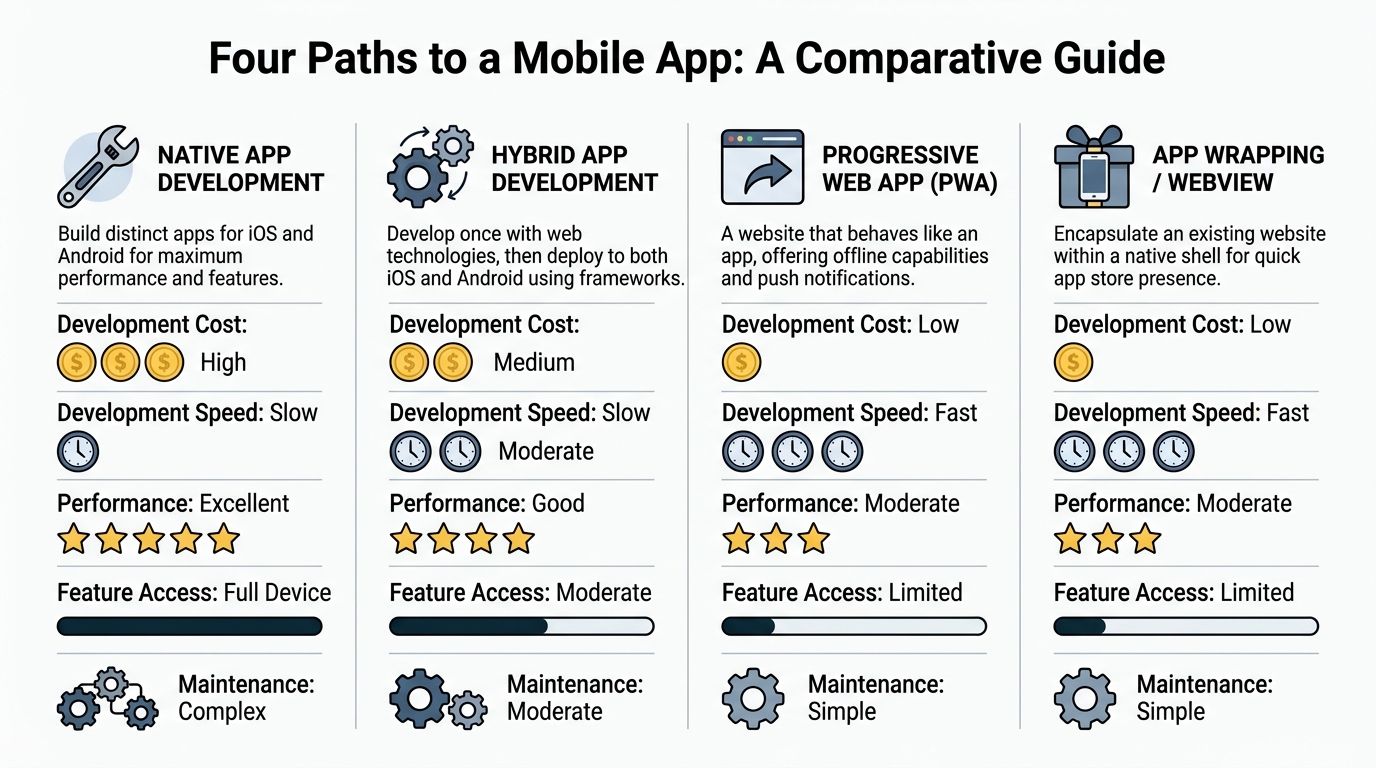
The short version
A PWA is still a website, just one that behaves more like an app in the browser.
A WebView wrapper packages your existing site inside a native shell so users can download it from app stores.
A no-code wrapper service is a more founder-friendly version of that wrapper approach. It handles much of the setup and abstracts some of the technical headaches.
A hybrid or native rebuild creates a more app-like experience with stronger control over performance and device features, but it takes more work.
Website-to-App Conversion Methods Compared
Approach | Est. Cost | Time-to-Market | Performance/UX | App Store Access |
|---|---|---|---|---|
PWA | Low | Fast | Moderate | No traditional app store path |
WebView wrapper | Low to medium | Fast | Moderate | Yes |
No-code wrapper service | Low to medium | Fast | Moderate to good | Yes |
Hybrid or native rebuild | Medium to high | Slowest | Good to excellent | Yes |
Those labels are directional, not fixed quotes. Actual cost depends on who’s building, how custom the app needs to be, and whether your Bubble app is already mobile-friendly.
Path one PWA
A PWA is the lightest lift.
If your main goal is “let people use this better on mobile,” a PWA can help. Users can often save it to their home screen and get a more app-like launch experience. For internal tools, member portals, and low-friction utilities, that can be enough.
Where PWAs fall short is distribution and expectation. Many founders don’t want a “kind of app.” They want app store presence, push notification options, and a product users perceive as native.
PWAs also don’t solve a common founder problem, which is that users explicitly ask for an app because they mean “something in the App Store or Google Play.”
Path two basic WebView wrapper
A basic wrapper is the fastest way to convert website to mobile app when your website already performs the core functions.
The wrapper loads your Bubble app inside a native container. If your site is responsive and your login flow behaves properly on mobile, you can get surprisingly far with this approach. For directories, dashboards, booking tools, marketplace MVPs, and community products, it’s often the first practical move.
But a raw wrapper exposes weaknesses fast.
If your Bubble app relies on awkward popups, cramped repeating groups, desktop-style menus, or plugins that behave differently on mobile, the app will feel like a website trapped inside a phone frame. Users notice.
Path three no-code wrapper service
This is usually the most realistic route for a non-technical Bubble founder.
Services like Twinr, MobiLoud, Convertify, or AppMySite sit between “DIY wrapper” and “full development project.” They package the app, guide setup, support store submission, and often add features like push notifications, splash screens, tabs, or native navigation layers.
This category matters because mobile apps outperform mobile websites on conversion and engagement. In 2025 benchmarks, mobile apps had an average conversion rate 157% higher than mobile websites, with sector gaps reaching 233% higher for entertainment, 220% for travel, and 307% for on-demand services, as summarized by Twinr’s mobile apps vs mobile websites analysis.
For a founder, that doesn’t mean “wrapping automatically fixes conversion.” It means mobile app distribution can be worth pursuing if the product experience is strong enough to justify it.
If you’re comparing tools more broadly before choosing a wrapper or builder path, this list of best app builders can help you narrow the field.
Path four hybrid or native rebuild
This is the right answer when mobile is central to the product, not just an extra channel.
If your app needs deep device integrations, complex gestures, smoother transitions, offline behavior, or a layout that should feel designed for phones from the ground up, rebuilding in a hybrid or native stack will give you more headroom. It also gives you more control over what happens when a plugin breaks, an API changes, or app store reviewers push back on functionality.
The trade-off is obvious. More planning. More design work. More testing. More maintenance.
What works for Bubble founders
Most Bubble founders should not start with a full rebuild unless one of these is true:
Your mobile users are the majority and the browser version already feels like a compromise.
Your product depends on native features that wrappers handle poorly or inconsistently.
Your category demands polish because users compare you to mature consumer apps.
Your current Bubble UI is too desktop-heavy to survive wrapping without major rework.
Most should start with a wrapper if these are true:
Your web app already works well on mobile browsers
You need app store presence soon
You want to validate real app demand before deeper investment
Your core value comes from workflows and data, not fancy interactions
Practical rule: Don’t pay for native complexity before you’ve proved your users need native depth.
The No-Code Founder's Playbook for App Wrapping
If you use Bubble, wrapping can work well. But only if you prepare the app before you hand it to the wrapper tool.
Most founders skip that part. They assume the wrapper creates the mobile experience. It doesn’t. The wrapper only packages what you already built.
Start with the Bubble app itself
Before touching any wrapper platform, open your app on an actual phone and check five things.
Navigation
If users have to pinch, zoom, or hunt for the menu, wrapping will only make that more obvious.
Login flow
Session persistence matters. If login expires strangely or redirects loop, the app will feel broken even if the site was “mostly fine” in a browser.
Responsive layouts
Bubble’s Responsive Engine needs to do real work here. Groups should stack cleanly, tap targets should be comfortable, and key screens should prioritize one action at a time.
Plugin behavior
Some Bubble plugins behave differently inside mobile contexts. Test any plugin that controls uploads, maps, calendars, payments, rich text, or custom scripts.
External redirects
Payment steps, OAuth, and third-party auth flows often create the most friction inside wrappers.
Fix the desktop habits that break mobile
Bubble founders often carry over web design habits that are harmless on desktop and painful in an app.
Common ones include:
Too many elements above the fold
Repeating groups that become cramped lists
Headers that take up too much vertical space
Popup-heavy flows
Tiny icon buttons with unclear labels
Long forms on one screen
You don’t need a total redesign. You do need a mobile-first pass on the screens people use most.
Pick a wrapper type that matches your tolerance for setup
There’s a big difference between a bare WebView project and a managed no-code wrapper service.
When using a WebView wrapper, teams must manually deal with things like deep linking, cookie and session management, and blocked scripts, while no-code wrapper tools abstract much of that complexity away, reducing instability and store rejection risk, according to AppMySite’s guide to website-to-app conversion.
That matters a lot if you’re non-technical and your Bubble app already has enough moving parts.
A practical setup order
Use this sequence if you want fewer surprises.
Clean up the core screens
Start with the 3 to 5 screens people use most. Usually that means login, dashboard, search or browse, detail view, and checkout or booking.
Don’t optimize every page first. Optimize the paths that define whether the app feels usable.
Simplify your navigation model
Desktop navigation often relies on sidebars, top navs, hover states, and nested menus. Wrapped apps do better with fewer choices and clearer flows.
A founder usually gets more value from:
A compact top header
A bottom tab bar if the wrapper supports it
One primary action per screen
Shorter labels and clearer buttons
Audit your API Connector usage
If your Bubble app relies on APIs, test them in app-like conditions.
Watch for:
Auth headers that expire unexpectedly
Calls tied to browser-only assumptions
File upload behavior on mobile
Third-party widgets that don’t render inside a WebView
If an integration matters to onboarding, payments, or delivery, test it early.
Review plugin compatibility
Many Bubble founders lose time here.
Some plugins look fine in preview and break on real devices. Others work on Android and feel odd on iPhone. If a plugin is mission-critical, search the Bubble forum, test on physical devices, and ask whether you can replace it with native browser behavior or a simpler workflow.
If a plugin feels fragile on the web, it usually feels worse in a wrapped app.
Add native touches where the wrapper allows it
This is the difference between “our website in an app shell” and “an app people might keep.”
Useful additions include:
Push notifications
Splash screen
Native tab bar
Pull-to-refresh
Better back-button behavior
Custom loading state
App icon and launch branding
Even a basic wrapped app feels more intentional when these pieces are configured well.
If you’re moving from build mode to release mode, this app launch checklist is worth reviewing before submission: how do you launch an app.
Wrapping tools Bubble founders usually consider
Founders often compare a few categories rather than one perfect tool.
Managed website-to-app services
These are best if you want guided setup, store packaging, and a less technical workflow. You trade some flexibility for speed and simplicity.
Bubble-focused mobile tools
These can be useful if you want tighter alignment with Bubble-specific patterns, but you still need to verify how they handle navigation, plugins, and updates.
Fully custom wrappers
These give more control but reintroduce technical work. For a non-technical founder, that usually means relying on a developer for every odd issue that appears.
What works and what usually fails
What works:
Apps with a narrow, repeated core use case
Products where users return often
Interfaces with simple mobile flows
Founders who test real devices before store submission
What fails:
Trying to wrap a desktop admin panel and call it a consumer app
Ignoring how OAuth, Stripe, or file uploads behave on mobile
Keeping every web feature on day one
Assuming wrapper support means your UX is solved
The goal isn’t perfection. It’s a mobile product that does the main job cleanly enough for users to trust it.
Navigating the App Store Submission Process
Store submission scares founders more than the wrapping itself. That’s justified.
A wrapped app can work fine on your phone and still get rejected because the store listing is incomplete, the app feels too thin, or a policy update subtly changed what the store expects.
The pre-submission checklist
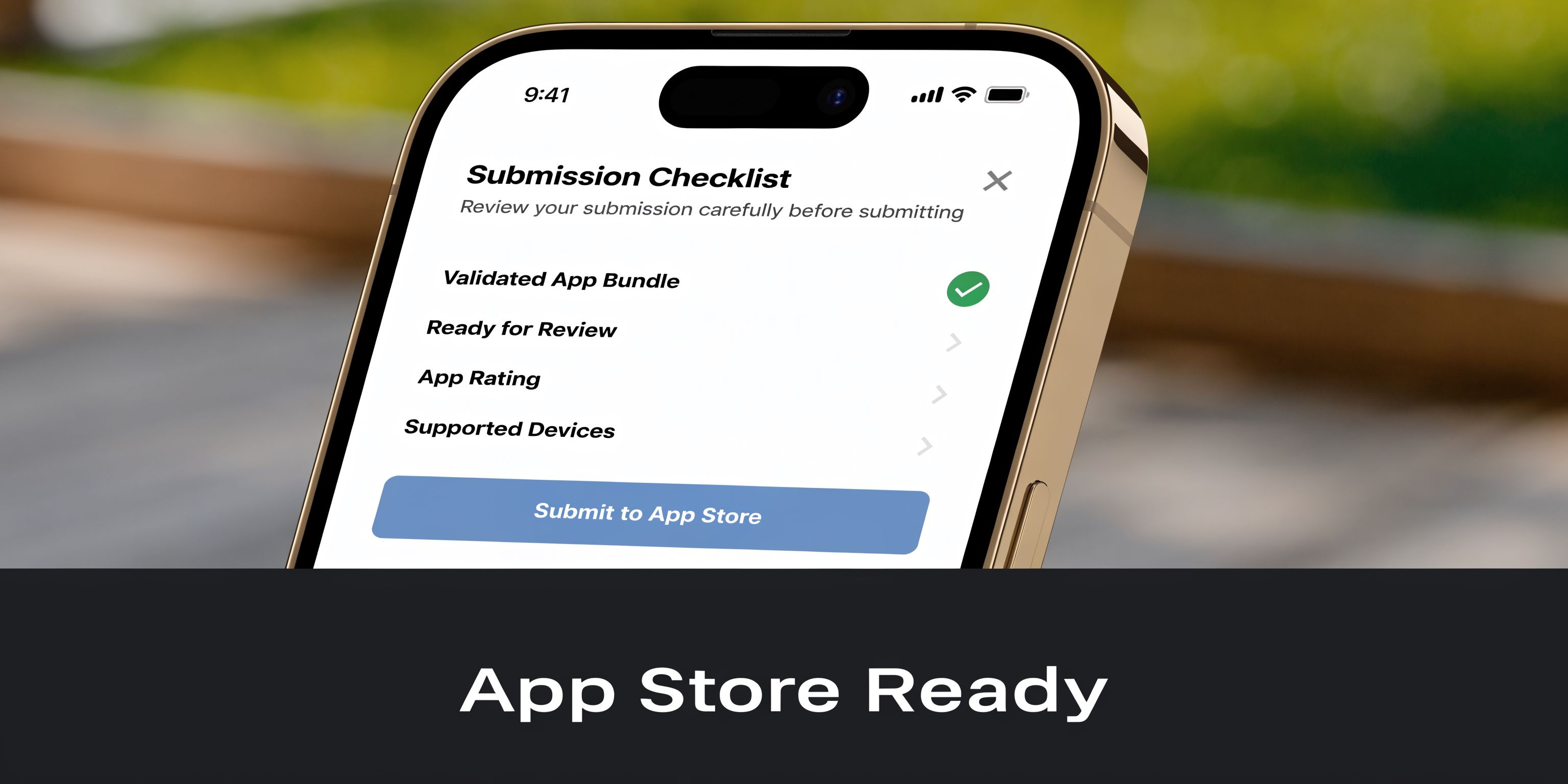
Before you upload anything, make sure you have:
Developer accounts ready
You’ll need your Apple and Google developer setup complete before launch week gets chaotic.
Store assets prepared
That includes app icon, screenshots, promotional graphics where needed, and a privacy policy URL.
Real device screenshots
Don’t use generic mockups if the UI is still changing. Reviewers want to see what users will get.
A clear description
Describe the use case plainly. Avoid marketing fluff. State what users can do in the app.
A test account
If your app has login-gated content, provide review access cleanly.
Wrapped apps need extra care
Apple and Google don’t love low-value wrappers.
If your app is just a website with no app-specific behavior, it can look weak during review. That doesn’t mean wrapped apps can’t pass. It means you need to present a product that feels intentional.
Good additions include:
Push notifications tied to user value
Navigation optimized for mobile
Useful account actions available on the go
Faster access to common workflows than the website offers
A design pass that removes obvious desktop leftovers
Reviewers don’t care that Bubble made it fast to build. They care whether the app deserves to exist as an app.
Watch policy compliance closely
A lot of founders think submission is a one-time hurdle. It isn’t.
A major issue for no-code apps is ongoing compliance. For example, Android will require all new apps and updates to target API 35 in 2026, and founders using simple wrappers need to verify whether their tool handles those updates automatically to avoid delisting risk. The same source notes 30 to 40% of indie apps are affected by policy non-compliance annually, according to Buildnatively’s discussion of no-code app compliance.
That’s the question to ask every wrapper vendor before you commit: when platform requirements change, do they update the app framework for you, or do you need a rebuild?
Write the listing like a product, not a project
Founders often write app store descriptions as if they’re explaining a build process.
Don’t talk about Bubble. Don’t talk about no-code. Don’t talk about “we converted our website into an app.” Users care about outcomes.
Focus on:
Who it’s for
What they can do
Why the app is easier on mobile
Which actions are fastest inside the app
A good external reference for the mechanics of submission is this Flutter App Store Launch Guide. It’s Flutter-focused, but the store-prep logic is still useful for thinking through assets, review flow, and release readiness.
You’ll also want to see a walkthrough of the review process in motion:
Common rejection triggers for Bubble founders
A few patterns show up again and again:
The app feels too similar to the mobile website
Broken login or incomplete review access
Dead links or placeholder content
Unclear subscription or payment flows
Thin functionality after sign-in
Poor handling of back navigation and modal states
If your app only feels good when you explain it in a call, it probably isn’t ready for review.
Your App is Live What to Measure and How to Improve It
Launch is when the main product work begins.
A wrapped Bubble app can survive first launch on momentum alone. It won’t survive long if you stop there. The common failure pattern is simple: founders publish, celebrate, and then treat the app like a finished asset instead of an operating product.
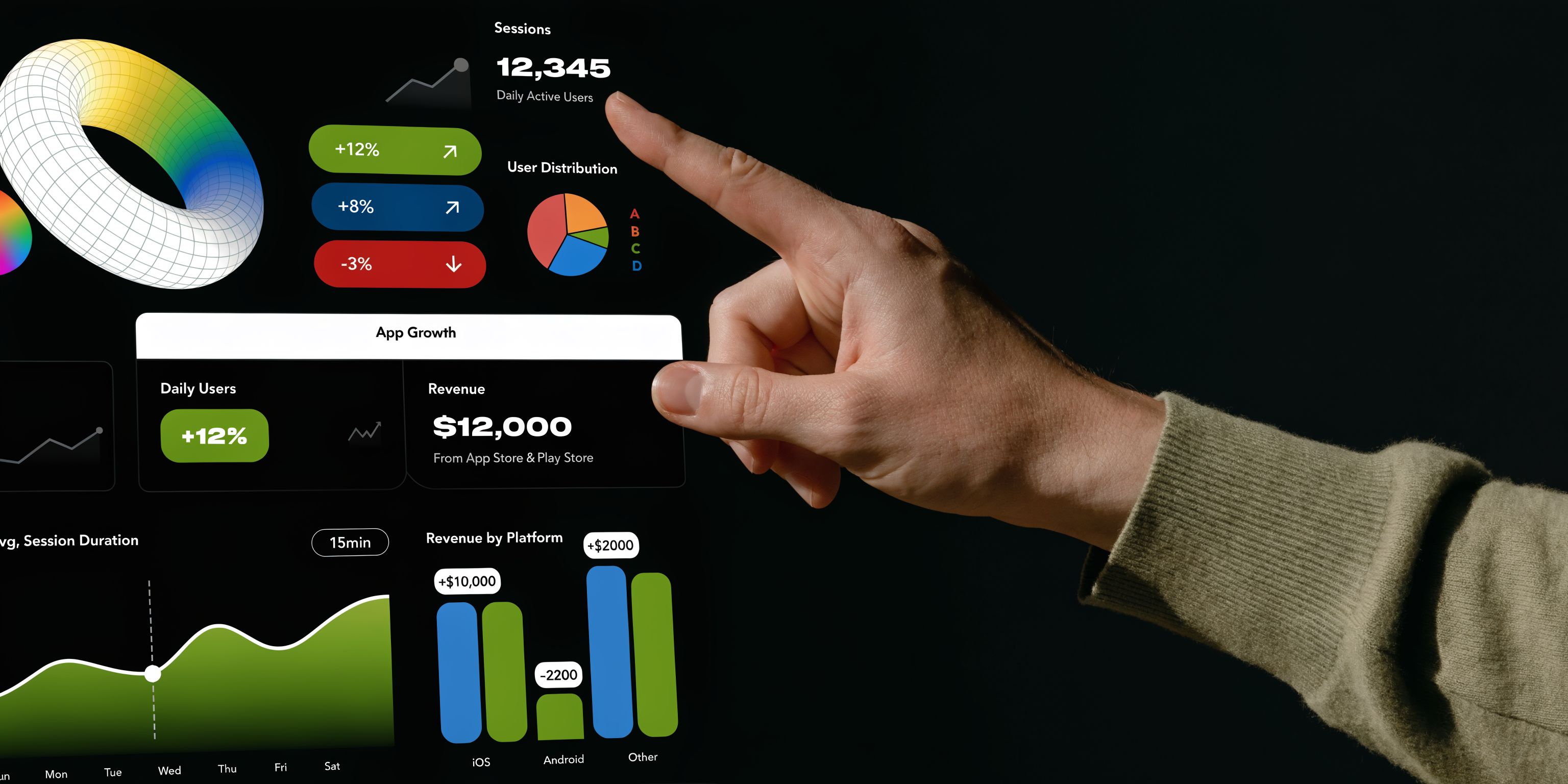
What to measure first
You don’t need a giant analytics setup on day one. You do need a short list of signals that tell you whether the app is helping or frustrating users.
Track:
Activation
Are new users completing the first key action after install?
Session behavior
Which screens do people use, and where do they drop off?
Retention
Do people come back, or was the install just curiosity?
Technical stability
Are users hitting broken states, failed redirects, or screen-specific issues?
Push response
If you send notifications, do they bring people back in useful ways or just get ignored?
What usually needs fixing after launch
The post-launch problems are rarely dramatic. They’re small points of friction that pile up.
Examples include:
A login flow that occasionally fails after session timeout
A payment redirect that feels confusing
A list view that’s too dense on smaller phones
A plugin that behaves differently after an OS update
Push notifications that are technically working but poorly timed
According to AppShopo’s guide on website-to-app conversion pitfalls, a common failure pattern is neglecting post-launch optimization, especially around mobile-specific features, maintenance, and engagement strategy. Apps that aren’t updated to match user expectations and OS changes tend to lose relevance.
Build a simple feedback loop
Founders often overthink this. Start basic.
Use:
App store reviews
A short in-app feedback form
Support tickets tagged by mobile issue
Screen recordings or session notes from user calls
A release log so you know what changed and when
The first version of your app tells you where your web assumptions break on mobile.
Improve the product like a mobile product
Many Bubble founders can win here without a full rebuild.
You don’t need to add every native feature. You do need to make the mobile experience feel considered. That may mean trimming screens, changing button hierarchy, or improving motion and state changes so the app feels less abrupt.
If you’re working on polish, this guide to killer user interface animation is useful for thinking about motion in a way that supports clarity instead of decoration.
A good post-launch rhythm is simple:
Review friction weekly
Ship small UX fixes
Test on real devices after every meaningful update
Revisit your wrapper vendor’s update process whenever OS rules change
Choosing Your Path Forward
The best way to convert website to mobile app depends on what problem you’re solving.
If users mainly want easier access and app store presence, a no-code wrapper can be the right move. If your Bubble app already works well on mobile, this is often the fastest path to a credible launch.
If your app still behaves like a desktop product squeezed into a phone, wrapping won’t fix the underlying issue. You’ll need a stronger mobile redesign, and in some cases a hybrid or native route makes more sense.
For most non-technical founders, the practical sequence looks like this:
Validate demand with the lightest viable mobile path
Clean up the core mobile flows before launch
Use app store feedback and analytics to learn what users need
Rebuild more extensively only when the product justifies it
That sequence matters because mobile is expensive when you guess.
A wrapped Bubble app is not a compromise by default. It’s a tool. Used well, it gets you distribution, repeat access, and a tighter mobile experience without blowing up your roadmap. Used badly, it turns your web app into a fragile store listing you spend months apologizing for.
Pick the version of mobile that fits your stage, your users, and your tolerance for maintenance. Founders usually regret overbuilding sooner than they regret starting lean.
Common Questions About Website to App Conversion
Can I really convert a Bubble website into a mobile app without coding
Yes. That’s usually done with a wrapper service or a no-code mobile platform.
What matters is not whether the packaging is possible. It is. What matters is whether your Bubble app is ready for mobile behavior, store rules, and ongoing updates.
Will a wrapped app feel native
Sometimes. Usually not fully.
A wrapped app can feel clean, fast enough, and useful if the underlying Bubble app was designed with mobile in mind. It won’t automatically feel like a purpose-built native app with custom gestures and highly customized transitions.
Does Bubble’s Responsive Engine matter for app wrapping
Yes, a lot.
If your responsive setup is messy on the web, the wrapper exposes that mess more clearly. Good responsive behavior is the minimum requirement for a decent wrapped app. It isn’t optional.
What about Bubble plugins
Assume every important plugin needs testing on real devices.
Some are fine. Some are inconsistent. Some break in ways that only show up in a wrapped environment, especially if they rely on custom scripts, browser quirks, or desktop-style interactions.
Can a wrapped Bubble app work offline
Usually only in limited ways.
A standard wrapped app still depends heavily on your web app and network access. If offline behavior is central to the product, that’s a sign you may need a deeper mobile architecture rather than a simple wrapper.
Can I use native features like push notifications or camera access
Often yes, but it depends on the wrapper and your setup.
Push notifications are one of the most common and useful upgrades. Camera access may also be possible, but the implementation varies by tool. The practical question is whether the feature works reliably enough for your user flow, not whether it appears on a feature checklist.
Is performance always worse in a wrapped app
Not always, but expectations matter.
For many business apps, client portals, booking tools, and internal products, performance can be perfectly acceptable. For consumer apps with heavy interaction, polished transitions, or demanding UI behavior, wrappers have less room to hide weaknesses.
Should I rebuild the whole app for mobile
Usually no, at least not first.
Start by asking whether users need a mobile companion or a mobile-first product. If they need quick access to a few high-value workflows, wrapping is often enough. If the product’s future depends on a strong mobile experience at the center, a rebuild may become the right next step after validation.
What’s the biggest mistake founders make
They submit too early.
The app technically opens, so they think it’s ready. But the login flow is clunky, navigation still feels like desktop, and no one has tested key actions on multiple phones. Founders lose more time fixing a rushed launch than they save by shipping a week earlier.
If you're building on Bubble and want a second set of eyes before you wrap, launch, or rethink your mobile UX, Codeless Coach can help. Matt Blake works one-to-one with non-technical founders on Bubble responsive layouts, API Connector setups, plugins, Stripe, Twilio, and launch planning so you can avoid the usual weeks of trial and error.











