Apr 15, 2026
Build a Fitness App on Bubble: A No-Code Founder's Guide
Learn how to build a fitness app from scratch on Bubble.io—no code required. This step-by-step guide covers your MVP, database, features, and launch.
You’ve probably got some version of this open in your head already.
A workout app for new dads who only have twenty minutes. A coaching app for your gym clients. A walking and mobility app for older adults. A habit-based fitness app that feels less intimidating than the big names. The idea is clear enough to explain to a friend, but the path to building it feels fuzzy because you don’t code, and every traditional app quote sounds expensive enough to stall the project before it starts.
That’s a real problem. It’s also why no-code matters.
Your Fitness App Idea Is Possible Without Code
The demand is there. The global fitness app market is projected to grow from $2.5 billion in 2024 to $9.6 billion by 2032, and projected user penetration is expected to reach 13.21% by 2029 according to OpenArc’s fitness app market overview. That matters because it tells you this isn’t a niche hobby project category. People already want digital fitness tools, and they’re still adopting them.
Most founders don’t get stuck because the idea is weak. They get stuck because they assume building a fitness app means hiring a full product team, writing a giant feature spec, and waiting months before a real user can touch anything.
That assumption is outdated.
Bubble lets a non-technical founder build a working MVP with user accounts, workout libraries, progress logs, payments, and admin tools without starting from custom code. You still need to think clearly. You still need to make trade-offs. But you don’t need to wait for permission from a developer to test whether your idea works.
I’ve seen founders waste huge amounts of time trying to plan the “final app” before they’ve validated the first useful workflow. Fitness apps are especially vulnerable to this because there are so many tempting features. Video. streaks. meal plans. wearable sync. chat. AI plans. community feed. trainer dashboards.
Most of that can wait.
If you’re serving coaches, it also helps to study an established all-in-one coaching platform and notice what makes it usable. Not to copy it screen for screen, but to understand how offers, client progress, messaging, and payments fit together inside one coherent product.
Practical rule: your first version should solve one fitness problem for one user type in one clear flow.
A strong Bubble MVP doesn’t need to look small. It needs to act focused.
That usually means one core promise, such as:
Busy beginners: get a simple weekly plan and log workouts.
Personal training clients: receive sessions from a coach and record completion.
Runners: follow a plan, track sessions, and review progress.
Seniors: access easy-to-read adaptive workouts with simple navigation.
If you can narrow the promise, you can build a fitness app faster, launch sooner, and get feedback while the idea is still fresh.
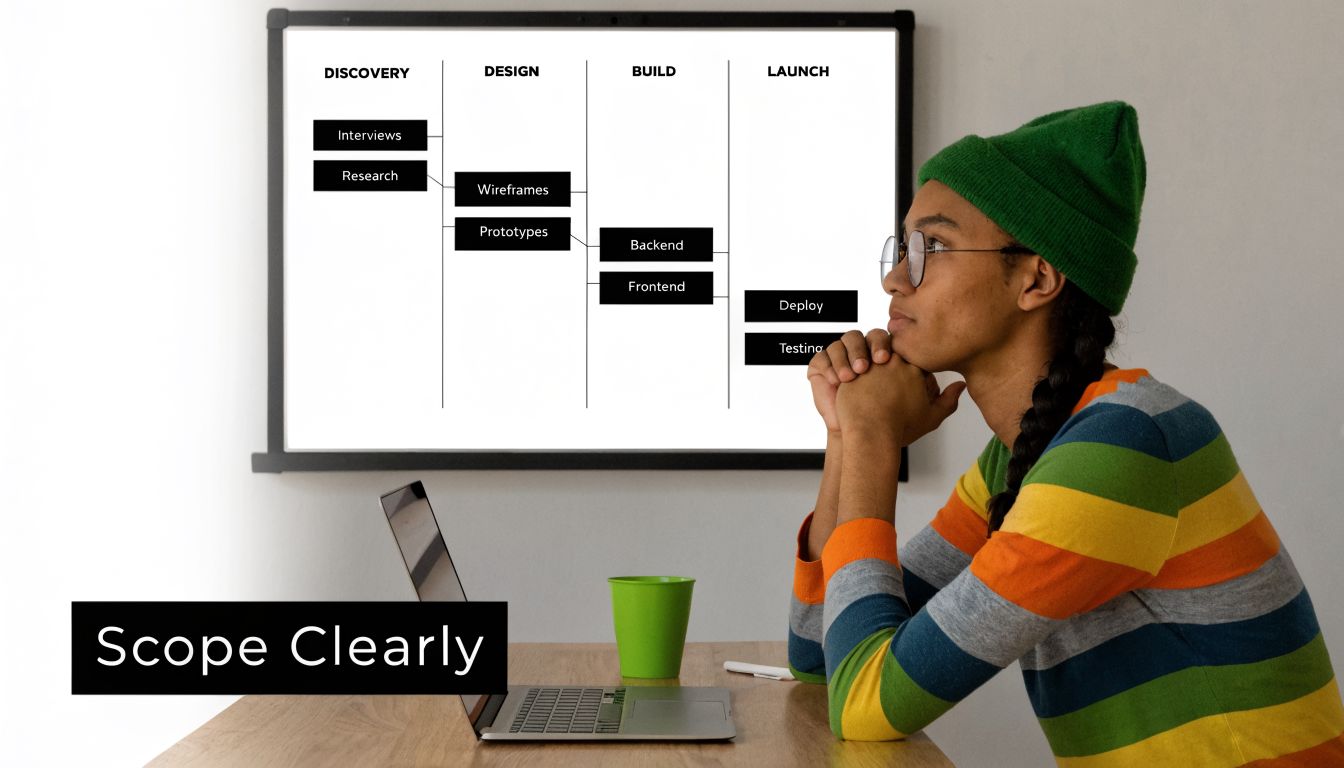
How to Scope Your MVP and Avoid Feature Creep
The biggest mistake I see in first-time Bubble projects happens before Bubble opens. The founder tries to build the app they imagine investors seeing, instead of the app a real user can start using this month.
Following an iterative, Agile-inspired MVP process can cut development time by 30 to 50%, and starting with user interviews helps avoid the kind of feature overload linked to 70% of apps failing to find market fit, according to Codiant’s guide to fitness app development mistakes.
Start with one user and one pain point
Don’t begin with “fitness.” That’s too broad.
Start with a sentence like this:
“I want to help remote workers who keep missing workouts because they don’t know what to do in short sessions.”
That sentence is useful because it gives you a user, a frustration, and a product direction. From there, you can decide what belongs in version one.
A weak scope sounds like this:
Too broad: workouts, nutrition, mindfulness, community, wearables, live classes
Too vague: “personalized wellness”
Too technical: “AI-first adaptive health layer”
A usable scope sounds like this:
Clear user: postnatal mums returning to exercise
Clear outcome: short guided plans they can complete
Clear product flow: sign up, answer onboarding questions, receive plan, log sessions, view progress
Map the first useful user journey
Before building anything, write the core journey on paper or in a doc.
A simple fitness MVP usually looks like this:
User signs up
User completes onboarding
App recommends a starting plan
User opens today’s workout
User logs completion
User sees progress
If a feature doesn’t improve one of those steps, cut it for now.
That means many first builds should delay:
Meal logging
Friend leaderboards
Push notification logic
Advanced wearable sync
In-app chat
Complex coach marketplace features
That doesn’t mean they’re bad ideas. It means they’re expensive distractions if your core loop isn’t proven.
Use a ruthless cut list
I like a simple decision filter. Every feature gets one of three labels.
Label | Meaning | What to do |
|---|---|---|
Must have | The app breaks without it | Build now |
Useful later | Helps retention after validation | Park it |
Nice idea | Sounds impressive but changes little | Ignore it |
For example, in a beginner workout app:
Must have: account, onboarding, workout list, completion log
Useful later: streaks, coach comments, class calendar
Nice idea: calorie scanner, smartwatch sync, public challenges
That kind of triage saves weeks.
If you want a deeper framing for deciding what belongs in a first release, this practical guide on how to build an MVP is worth reviewing before you touch your database.
Interview before you wireframe
A lot of founders skip this because they think interviews are slow. They’re not. Rebuilding the wrong app is slow.
Ask potential users things like:
What’s stopping you from working out consistently now
What do you use today, if anything
Where do current apps annoy you
Would you follow a plan inside one app or still use notes, WhatsApp, or YouTube
What would make you keep coming back next week
Listen for repeated friction. That friction becomes the product.
If users keep saying “I don’t want more content, I want a plan I can follow,” then your MVP isn’t a content library. It’s a planning and accountability app.
Feature creep usually starts when the founder stops listening to the user and starts collecting ideas from competitors. Don’t build a museum of other people’s features. Build one dependable result.
Designing Your App's Foundation in Bubble
Once the scope is tight, Bubble gets much easier. You’re no longer staring at a blank editor wondering what to build. You’re translating a small product into data, screens, and workflows.
Traditional MVP development can cost $25,000 to $45,000 and often takes 3 to 5 months, while no-code platforms like Bubble lower that barrier and help founders validate the core structure much faster, as outlined in TechBuilder’s fitness app development breakdown.
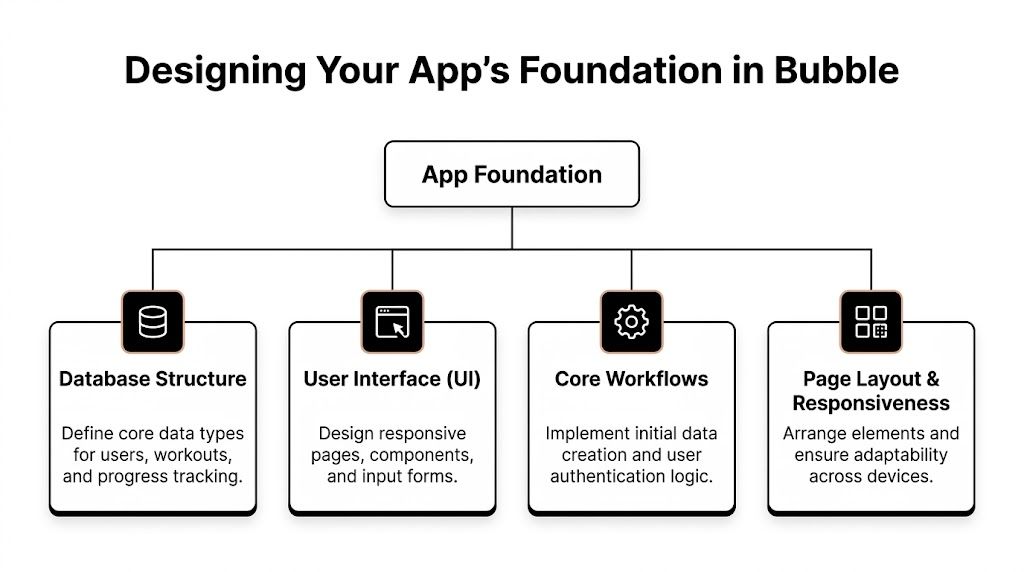
Set up the right data types first
Most Bubble pain comes from weak database planning. Founders rush into page design, then later realise they can’t easily show the right workouts to the right users.
For a basic fitness app MVP, start with a small set of data types:
Data type | What it stores | Why it matters |
|---|---|---|
User | name, email, goals, fitness level, subscription status | personalisation and access |
Workout | title, description, duration, difficulty, cover image | the main content object |
Exercise | name, instructions, media, reps or time | reusable building blocks |
Workout Log | user, workout, completion date, notes | progress tracking |
Plan | linked workouts, target user type, schedule | onboarding output |
Keep it clean. If you’re not sure whether something should be a field or a separate data type, ask one question: will this item be reused, filtered, or shown in multiple places? If yes, it usually deserves its own data type.
For example, exercises should usually be separate from workouts. A push-up can appear in many workouts. If you bury exercise details inside each workout, editing gets messy fast.
Define relationships in plain English
Bubble becomes easier when you describe your database out loud.
Try statements like:
A user has many workout logs
A workout contains many exercises
A plan belongs to a user
A workout log belongs to one user and one workout
That’s the logic you’ll later reflect in fields and lists.
Don’t over-model the app on day one. You don’t need a giant relational masterpiece. You need enough structure to support your first product loop without painting yourself into a corner.
Build pages around actions, not aesthetics
First-time founders often design too many pages. You can usually start with fewer than you think.
A strong Bubble fitness MVP often begins with these page types:
Landing page: explains the promise and gets signups
Onboarding page: collects goals, level, schedule
Dashboard: shows today’s workout or next action
Workout detail page: displays exercises and instructions
Progress page: lists completed sessions and milestones
Account page: handles profile and billing basics
That’s enough for a first launch.
The layout should support speed. Users should know what to do within a few seconds. For fitness products, the next action matters more than fancy decoration. “Start workout” should be obvious. “Log complete” should be easy. “See what’s next” should feel natural.
Use the Responsive Engine properly
Bubble’s Responsive Engine is one of the best reasons to avoid hacking together fixed-width layouts.
A few habits make a big difference:
Use containers, not scattered elements: group content into rows and columns so pages scale cleanly.
Set sensible max widths: workout content shouldn’t stretch edge to edge on large screens.
Design mobile first: most users will open a fitness product on a phone.
Check awkward states: long workout names, empty progress, missing images, and error messages.
If you don’t test those edge cases early, the app looks broken even when the workflows technically work.
If you want a stronger handle on how Bubble structures pages, reusable elements, and app logic, this walkthrough on using a Bubble app builder is a solid companion.
Create reusable elements before your app gets messy
Reusable elements save time, yet they are even more valuable for reducing inconsistency.
Start with a few:
Top nav
Mobile menu
Workout card
Progress summary block
Empty state message
Primary button styles
That helps when you later tweak spacing, colours, or calls to action. Change it once, and the whole app stays aligned.
Build rule: if you’ve copied the same group to three pages, it probably should’ve been reusable.
A clean Bubble foundation doesn’t feel exciting. That’s fine. Exciting comes later when users can move through the app without friction.
Building Core Fitness Features with Workflows
This is the point where the app starts behaving like a product instead of a mockup.
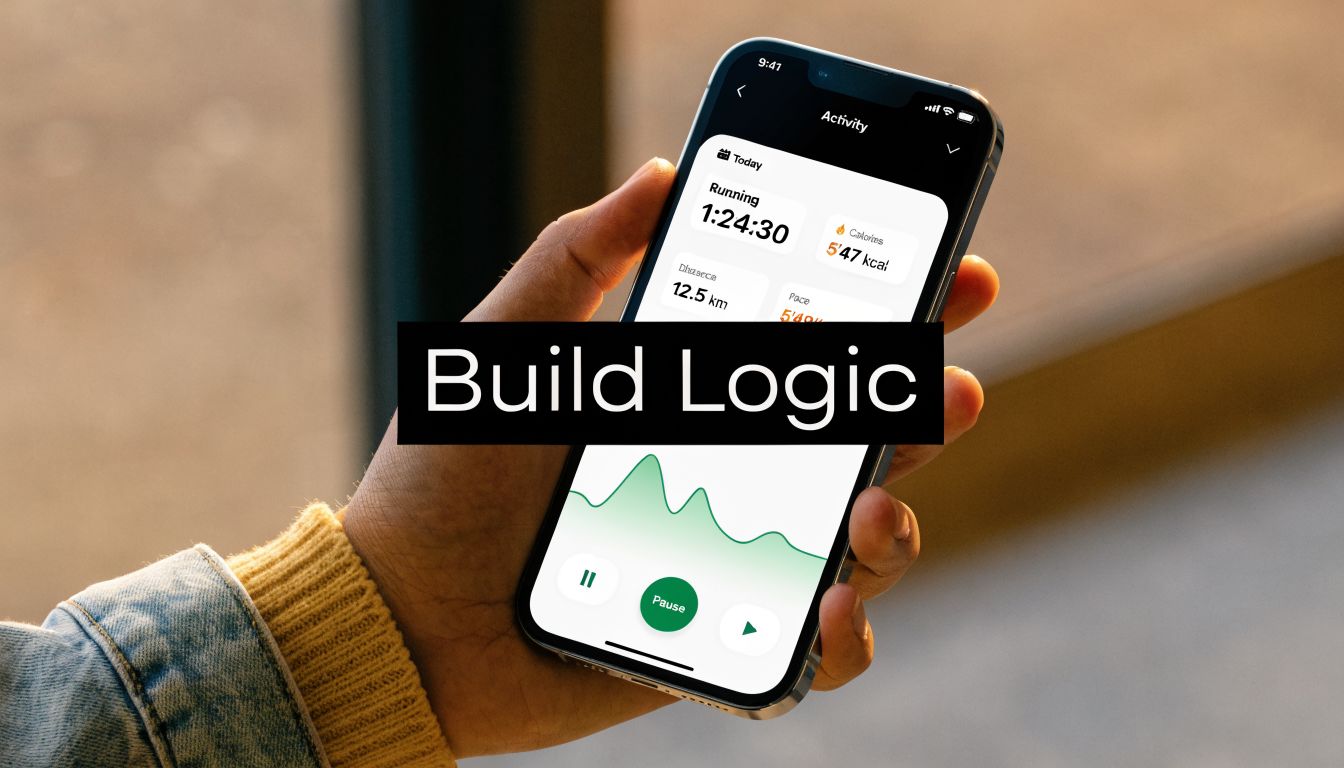
The critical shift is simple. Your database stores nouns. Workflows handle verbs. A user signs up. A plan gets created. A workout gets logged. A progress block updates.
Key technical challenges in app development include scalability and API integrations, and poor UX contributes to 60% of app failures. No-code platforms reduce much of that complexity so founders can focus on user-centric workflows, and habit loops can increase retention by 3x, according to Developers.dev’s overview of fitness app development challenges.
Make onboarding create something useful
A lot of fitness apps ask a dozen setup questions, then dump the user onto a blank dashboard. That kills momentum.
A better Bubble workflow works like this:
User selects goal, level, available days, and preferred workout length.
Bubble saves those values on the User record.
A workflow matches the user to a starter plan.
The dashboard loads with a real next step.
That final part matters most. The user should land on something actionable, not “Welcome to your journey.”
For a non-technical founder, this is one of Bubble’s best use cases. You can build condition-based logic without writing application code. If goal equals mobility and experience equals beginner, show Plan A. If goal equals weight loss and time available is short, show Plan B.
Build a workout library that’s easy to browse
The workout library usually lives inside a repeating group. Each card can show:
Workout title
Duration
Difficulty
Focus area
Thumbnail or icon
Save or start button
The workflow behind that card is straightforward. When the user clicks “Start,” Bubble sends them to the workout detail page and passes the selected workout as data. If they click “Save,” Bubble adds that workout to a list on the user record or creates a saved-item record.
The practical mistake to avoid is overcomplicating filters too early. You don’t need ten filter combinations on launch. Start with a few useful ones, like level, duration, and category.
Logging a completed workout is the core magic moment
This is the workflow I care about most in an MVP because it proves the app is being used, not just browsed.
Your “Complete workout” button should do a few things in one flow:
Create a Workout Log
Link the current User
Link the selected Workout
Store completion date
Optionally store notes, rating, or perceived difficulty
Return the user to dashboard or progress
That one action powers progress pages, streak logic later, weekly summaries, and coach reporting if you add it.
Here’s the mindset shift. Don’t obsess over visual analytics first. Make sure the completion event is reliable. If users can’t trust that a workout they finished has been recorded properly, the rest of the product loses credibility.
The best early metric in a fitness MVP often isn’t how many people signed up. It’s how many people completed and logged a second workout.
Show progress in a simple way first
Progress tracking doesn’t need to start with advanced charts.
A strong first version can show:
Progress element | Bubble setup |
|---|---|
Completed workouts list | repeating group of Workout Logs |
Last workout date | search for latest log |
Total workouts completed | count of user logs |
Current plan status | derived from completed items in plan |
That’s enough to make effort visible.
Later, you can layer in trend charts, body metrics, or personal records. But simple progress is already powerful if it updates immediately after a user acts.
Add one lightweight social feature
You don’t need to launch with a full social network. But one social touch can help habit formation.
A good first social feature is a private activity feed for friends, clients, or a coaching group. In Bubble, that usually means a repeating group showing recent Workout Logs from connected users.
Each item can show:
user name
workout name
completion date
optional note or reaction
That’s enough to create visibility and light accountability.
Later in the build, this video gives a useful visual sense of how Bubble workflows connect data, pages, and user actions in practice.
Protect the user experience while you build
Founders often assume more workflows means more value. Usually it means more places for friction to appear.
Watch for these issues:
Too many popups: users lose track of what happened
Slow saves: people click twice and create duplicate logs
Confusing states: buttons still show after completion
Empty dashboards: new users don’t know what to do
Broken mobile spacing: users abandon the flow
Bubble lets you move fast, but that speed only helps if the user journey still feels obvious. In a fitness app, consistency beats cleverness.
Integrating Payments and Essential Services
A fitness app becomes a business when it can charge, notify, and pull in useful outside data without breaking the product.
For most Bubble founders, three integrations matter early. Stripe for money, API Connector for external services, and Twilio for communication.
Set up payments without turning your app into a billing project
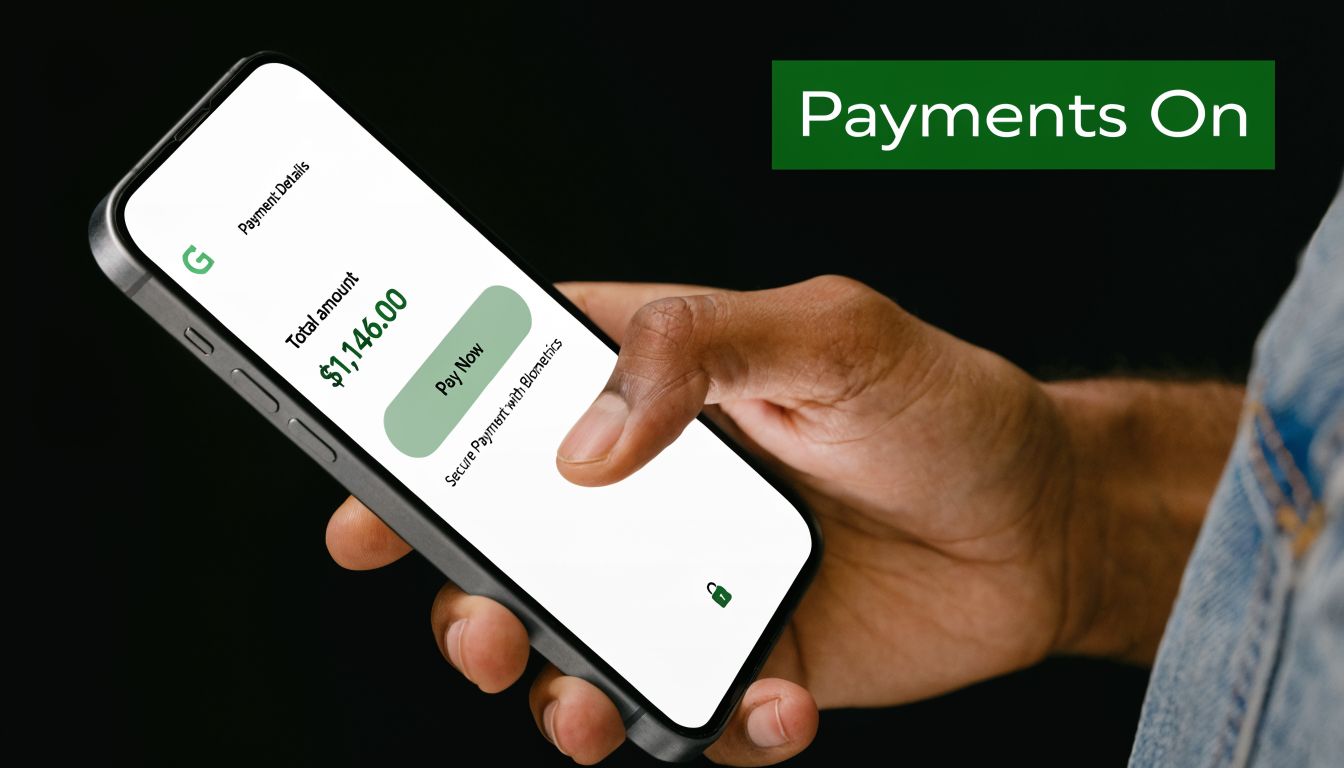
Stripe is usually the right starting point because it handles the heavy lifting around checkout, subscriptions, and customer records.
In a basic fitness app, you’ll usually need one of these:
Monthly membership
Annual membership
One-time program purchase
Free trial leading to subscription
Inside Bubble, the practical flow is:
user clicks upgrade
Bubble sends them to Stripe Checkout or embedded checkout
Stripe processes payment
webhook or return flow updates user access
premium features activate inside the app
Keep your access logic simple. Don’t scatter premium checks across dozens of elements. Store a clear subscription status or plan field on the user, then reference that consistently.
If you’re comparing tools and models before deciding how deep your billing setup needs to go, this breakdown of subscription billing software solutions helps clarify the trade-offs.
For Bubble-specific implementation, this guide to Stripe embed checkout is especially useful when you want a cleaner payment experience than a rough redirect flow.
Use the API Connector for one focused external data job
The API Connector is where many no-code founders get nervous. It’s also where a lot of product differentiation comes from.
For a fitness MVP, don’t begin with the hardest integration possible. Start with one clear outside data use case.
Good examples include:
Nutrition lookup
Exercise library sync
Location-based route or map data
AI-generated plan suggestions
CRM or email automation
The key is to define the job before the integration.
Bad approach: “I want API stuff.”
Better approach: “When a user searches for a meal, I want the app to pull food data into a result card.”
That gives the connector a purpose. Then you can decide whether the data should be cached in Bubble, displayed live, or saved to the database.
Add Twilio only where a text message helps
SMS can be powerful in a coaching product. It can also become noise fast.
Use Twilio for moments where immediacy matters:
Trial ending reminders
Coach session alerts
Account verification
Missed check-in prompts
Simple motivational reminders for premium users
Don’t use SMS for everything. If every action triggers a text, users will mute the channel mentally even if they don’t unsubscribe.
Worth remembering: integrations should remove friction for the user, not create extra systems for you to maintain.
That’s the best test. If Stripe, an external API, or Twilio doesn’t make the product more useful right now, postpone it.
Deploying Your App and Planning for Growth
Shipping the app changes your job. You’re no longer just building features. You’re watching behavior, spotting confusion, and deciding what deserves the next sprint.
Launch day in Bubble should be boring. That’s a compliment.
Deploy with a simple checklist
Before going live, check the basics carefully:
Custom domain works
Privacy rules are tested
Signup and login flows work
Payment actions are live, if enabled
Key forms save data correctly
Responsive layout holds on mobile
Error states don’t trap the user
Founders often test the happy path only. You also need to test messy reality. Wrong password. Empty progress. cancelled checkout. half-finished onboarding.
Add analytics from day one
You don’t need a giant reporting stack to start learning.
At minimum, track events like:
Event | Why it matters |
|---|---|
Signup completed | tells you acquisition is turning into accounts |
Onboarding finished | shows whether setup is too long |
Workout started | indicates intent |
Workout completed | indicates real usage |
Upgrade clicked | shows monetization interest |
Google Analytics, Segment, or another event tool can work here. What matters is consistency. Decide what the key actions are and name them cleanly.
Then review them every week. Not obsessively. Just enough to see where people stop.
Grow by going deeper, not wider
A lot of founders think growth means adding more features for more people. Early on, growth usually comes from serving one niche better.
One strong path is accessibility and age-specific fitness. The “Silver Tsunami” is a major underserved niche, and apps that include voice control, high-contrast modes, and seated workout options can serve a loyal audience that many fitness products ignore, according to NextOlive’s guide on fitness apps for aging populations.
That’s a useful reminder. Your best expansion may not be another flashy feature. It may be adapting the same core product for users who are badly served by mainstream apps.
A Bubble app is well suited to that kind of iteration because you can test alternative onboarding, new content types, and simpler interface patterns without rebuilding the whole product.
Your No-Code Fitness App Questions Answered
Most objections to no-code are outdated, but some are fair. Bubble is powerful. It’s not magic. If you’re serious about this route, you should understand the trade-offs clearly.
Isn’t custom code the only serious option
No. It’s one option.
Traditional development can run from $60K to $150K and take 3 to 6 months, while AI-assisted no-code tools like Bubble can help founders ship MVPs in weeks for faster market validation, according to Lovable’s guide to building a fitness app.
That doesn’t mean Bubble replaces every future technical need. It means it’s often the smarter first move when you need proof before heavy investment.
Will my Bubble app look generic
Only if you build it generically.
Bubble doesn’t force a visual style. Founders get generic results when they rely on default spacing, inconsistent typography, and random plugin-heavy templates. A clean design system, reusable components, and careful mobile layout can make a Bubble app feel polished and distinct.
The tool isn’t usually the limit. The design decisions are.
What’s the real limitation
Complexity management.
Bubble handles a lot well, but weak architecture catches up with you. Messy database design, poor privacy rules, overused plugins, and tangled workflows will slow the app and confuse future updates. That’s why scoping and structure matter so much in the early build.
Should I build everything myself
Not necessarily.
You should stay close enough to understand your product, but that doesn’t mean struggling alone through every integration and UX decision. The best no-code founders stay hands-on while getting help at the friction points that would otherwise cost them weeks.
Bubble works best when the founder treats it like a product system to learn, not a shortcut to skip product thinking.
If you keep that mindset, no-code becomes a serious advantage. You can build a fitness app, launch it, and improve it while other founders are still waiting for a dev quote.
If you want hands-on help building your Bubble fitness app without wasting weeks on trial and error, Codeless Coach gives you one-to-one support on scoping, responsive layouts, workflows, API Connector, Stripe, Twilio, and launch. It’s a practical option for non-technical founders who want to learn by building and ship faster with expert guidance.











